

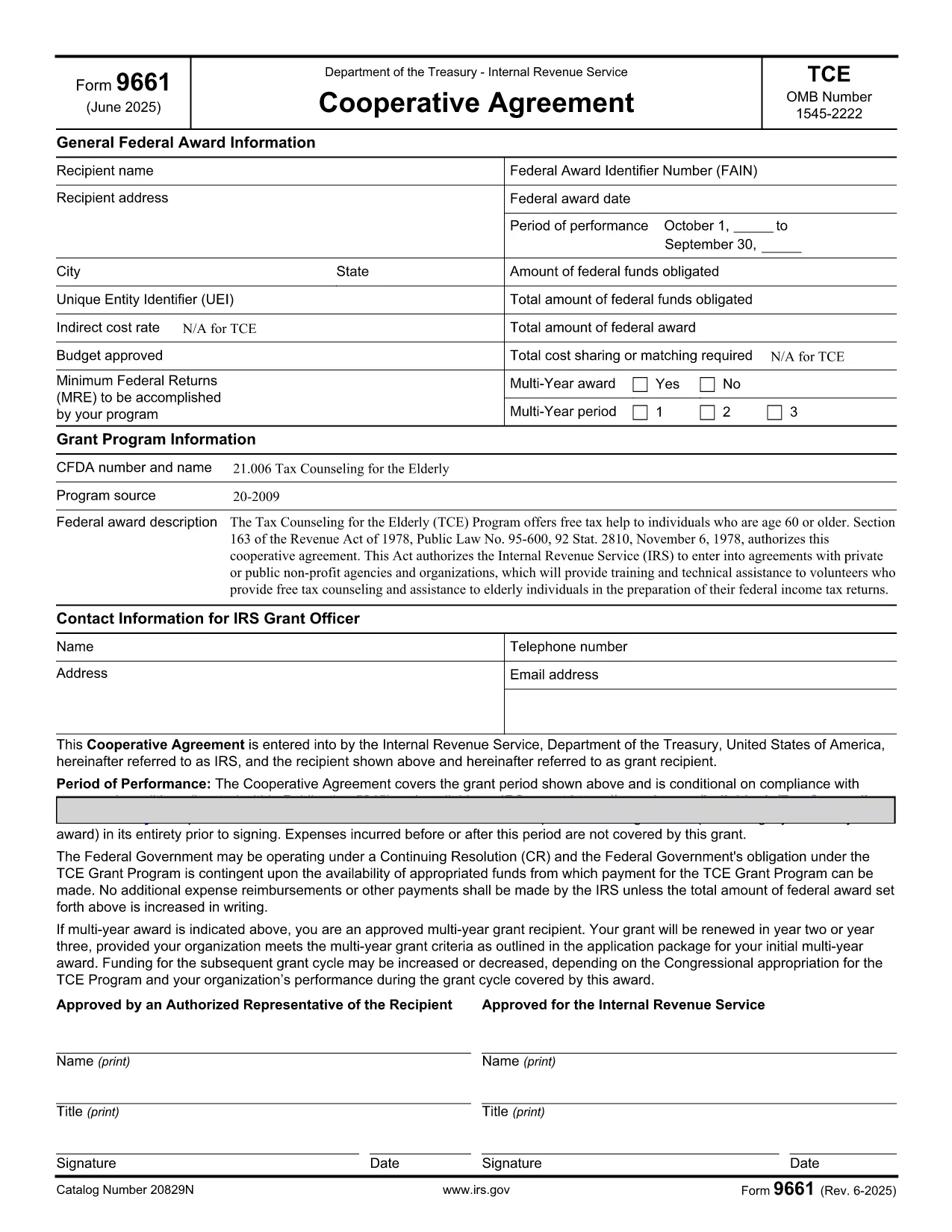

Հարկային ձևեր
Form 9661-ը Հարկային ձևերից մեկն է, որն օգտագործվում է եկամուտների, նվազեցումների և հարկային պարտավորությունների մասին համապատասխան հարկային մարմնին զեկուցելու համար: Այս ձևաթղթերը հարկերի ներկայացման գործընթացի էական մասն են և օգտագործվում են անհատների և ձեռնարկությունների կողմից հարկային օրենքներին համապատասխանելու և իրենց հարկային պարտավորությունները ճշգրիտ հաշվարկելու համար:
Պահանջվող հատուկ հարկային ձևերը կարող են տարբեր լինել՝ կախված այնպիսի գործոններից, ինչպիսիք են անհատի գրանցման կարգավիճակը, եկամտի աղբյուրները և երկրի հարկային օրենքները: Այնուամենայնիվ, ահա հարկային ձևերի մի քանի սովորական տեսակներ.
Անհատական եկամտահարկի ձևեր. այս ձևերը, ինչպիսիք են 1040 շարքը Միացյալ Նահանգներում, օգտագործվում են: ֆիզիկական անձանց կողմից՝ իրենց եկամուտները ներկայացնելու, պահումներ և վարկեր պահանջելու և իրենց հարկային պարտավորությունը հաշվարկելու համար:
Բիզնեսի հարկման ձևեր. ձեռնարկությունները, ներառյալ անհատ ձեռնարկատերերը, գործընկերությունները, կորպորացիաները և ինքնազբաղված անհատները, կարող են ստիպված լինել տարբեր ձևաթղթեր ներկայացնել իրենց եկամուտները, ծախսերը և պարտքի հարկերը: Օրինակները ներառում են ժամանակացույց C (շահույթ կամ վնաս բիզնեսից) և Ձև 1120 (ԱՄՆ կորպորացիայի եկամտահարկի վերադարձ):
Զբաղվածության հարկի ձևեր. գործատուները պարտավոր են զեկուցել աշխատողների աշխատավարձի մասին և պահել և վճարել աշխատավարձի հարկերը: Այդ նպատակով օգտագործվում են այնպիսի ձևեր, ինչպիսիք են W-2 (Աշխատավարձի և հարկային հաշվետվություն) և 941 (Գործատուի եռամսյակային դաշնային հարկային վերադարձ):
Ներդրումային և կենսաթոշակային հաշվի ձևեր. այս ձևերն օգտագործվում են ներդրումային եկամուտների, կապիտալի շահույթների և վնասների, ինչպես նաև կենսաթոշակային հաշիվներից կատարվող ներդրումների և բաշխումների մասին հաշվետվությունների համար: Օրինակները ներառում են ձև 1099-DIV (շահաբաժիններ և բաշխումներ) և Ձև 5498 (IRA ներդրման տեղեկատվություն):
Գույքի և նվերների հարկի ձևեր. Երբ մարդը մահանում է կամ նշանակալի նվերներ է անում, հատուկ ձևեր, ինչպիսիք են Ձև 706 (Միացյալ Նահանգների գույքի (և սերունդների փոխանցում) հարկային հայտարարագիր) և Ձև 709 (Միացյալ Նահանգների նվեր (և սերունդ- Բաց թողնելով փոխանցում) հարկային վերադարձ) օգտագործվում են գույքի կամ նվերների ցանկացած հարկերը զեկուցելու և հաշվարկելու համար:
Կարևոր է նշել, որ հարկային օրենքներն ու ձևերը կարող են փոխվել ժամանակի ընթացքում, ուստի անհատները և ձեռնարկությունները պետք է խորհրդակցեն համապատասխան հարկային մարմնի հետ կամ դիմեն մասնագիտական հարկային խորհրդատվություն՝ ընթացիկ պահանջներին համապատասխանությունն ապահովելու համար: