Ընտրել լեզուն

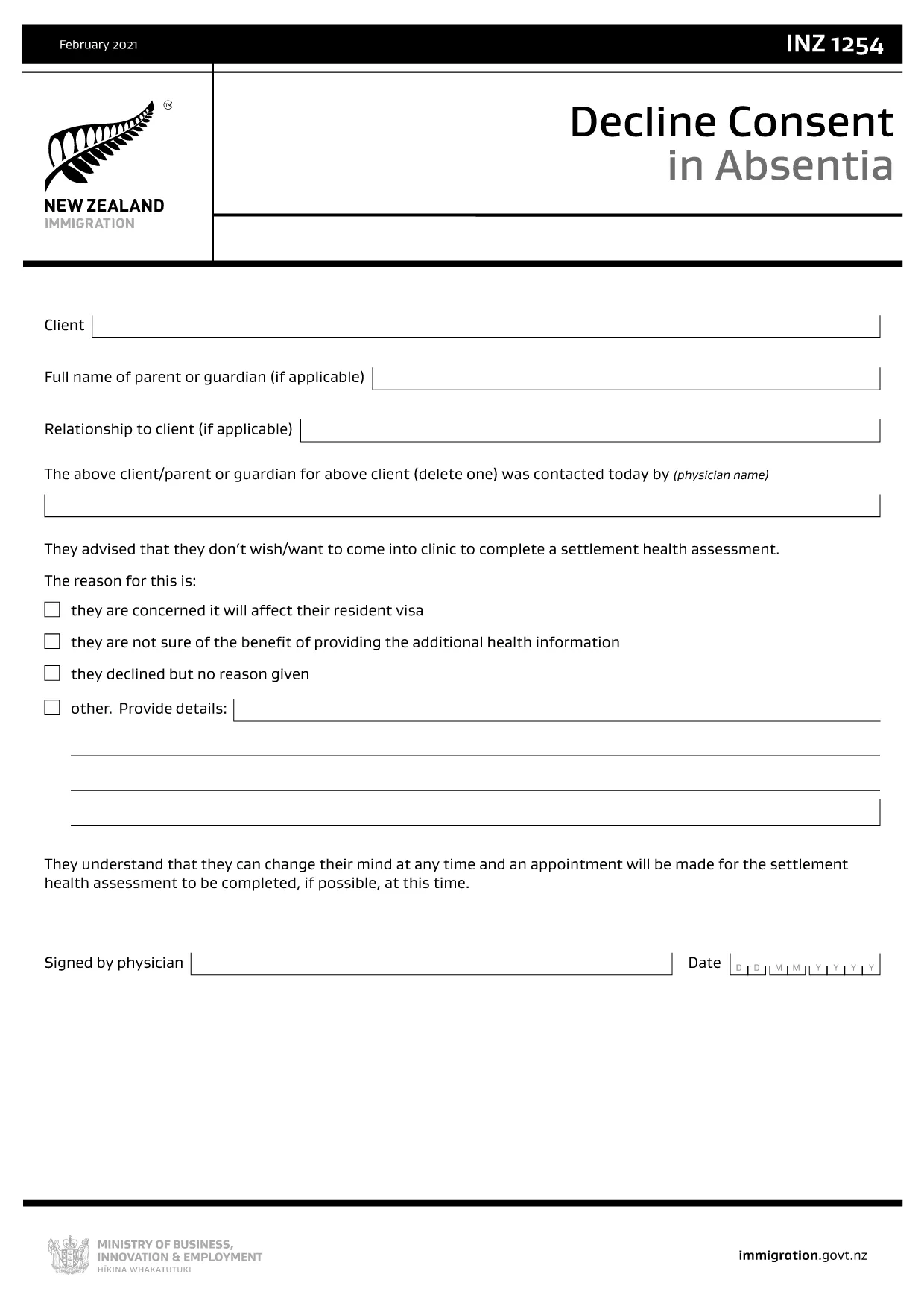
INZ1254 – Decline Consent in Absentia (Fillable PDF)

  1. Երկիր Նոր Զելանդիա
  2. Լեզու Անգլերեն
  3. Գործունեություն Visas and Immigration Forms
  4. բաժին Immigration New Zealand
INZ1254 – Decline Consent in Absentia (Fillable PDF)

The INZ1254 – Decline Consent in Absentia is an Immigration New Zealand form used when a client, parent, or legal guardian cannot be present to give consent for a visa‑related decision. This fillable PDF lets you complete the form quickly, securely, and without the need for additional software.

What Is the INZ1254 Form?

INZ1254 records a written decline of consent on behalf of a person who is absent. It is typically required for:

  • Applicants who are minors and need a guardian’s consent.
  • Clients who are overseas or otherwise unable to sign in person.
  • Cases where a medical professional or authorised representative must confirm the decline.

When to Use the Decline Consent in Absentia Form

Use this form whenever Immigration New Zealand requests proof that an absent party has formally declined consent for a visa application, amendment, or appeal. Submitting the correct form helps avoid processing delays.

How to Complete the INZ1254 Online

Instead of downloading the PDF and opening a separate editor, simply click the "Fill out this form" button on this page. The Formize PDF Filler app will load in your browser, allowing you to:

  1. Enter all required details directly into the fillable fields.
  2. Save your progress at any time.
  3. Validate the information before submission.
  4. Download the completed PDF for upload to Immigration New Zealand’s portal.

Common Mistakes to Avoid

  • Leaving mandatory fields blank: The form will not validate if required sections are empty.
  • Incorrect date format: Use DD/MM/YYYY as shown in the example.
  • Illegible signatures: Use a clear electronic signature or print‑sign‑scan if required.
  • Submitting the wrong version: Always use the latest INZ1254 PDF provided by Immigration New Zealand.

Download the Official PDF

If you prefer to work offline, you can download the official form directly from Immigration New Zealand. The link below points to the most current version.

Download INZ1254 – Decline Consent in Absentia (PDF)

ՀՏՀ
  • Who needs to fill out INZ1254?

    The form is used when a client, parent, guardian, or authorised representative must formally decline consent while being absent from the immigration process.

  • Can I submit the form electronically?

    Yes. After completing the fillable PDF with Formize, you can upload the saved file directly to Immigration New Zealand’s online portal.

  • What information is required on INZ1254?

    You’ll need the applicant’s full name, passport details, reason for decline, the name and signature of the person giving consent, and the date of signing.

  • Is a handwritten signature mandatory?

    Immigration New Zealand accepts a clear electronic signature. If you prefer a handwritten signature, print the completed form, sign, and scan it back into PDF format.

  • What happens if I make a mistake on the form?

    Correct the error in the Formize filler before saving. If you’ve already downloaded a PDF with mistakes, you can re‑open it in Formize, edit, and re‑download.

  • How long is the INZ1254 valid?

    The form is valid for the specific visa application or decision it references. If circumstances change, a new form may be required.

  • Do I need to pay to use the Formize PDF Filler?

    No. Formize provides a free, browser‑based filler for this government form.

  • Where do I send the completed INZ1254?

    Upload the completed PDF to your Immigration New Zealand online application or attach it to any email request from the immigration officer.

ԻՆՉՊԵՍ

Ինչպես լրացնել INZ1254-ն անվճար, առցանց՝ 4 հեշտ քայլերով.

  1. 1
    Open the Fillable Form
    Click the “Fill out this form” button on the page. The Formize PDF Filler app will launch directly in your browser.
  2. 2
    Enter Your Information
    Complete each fillable field. Required fields are marked with an asterisk. The app validates entries in real time.
  3. 3
    Review and Sign
    Use the built‑in signature tool to add an electronic signature, or print, sign, and scan if a handwritten signature is required.
  4. 4
    Save or Download
    When all data is correct, click “Save” to store a copy or “Download” to get the finished PDF ready for upload to Immigration New Zealand.
Ձևավորել PDF Filler հավելվածը
ՄԱՍԻՆ

INZ1254 ձևանմուշ

PDF փաստաթուղթը դիտելու և լրացնելու գործառույթների ավանդական փաթեթով, որը զուգորդվում է վեբ հավելվածի առավելությունների և արձագանքող դասավորության հետ, դուք կարող եք լրացնել INZ1254-ը րոպեների ընթացքում:

ՀԱՏԿՈՒԹՅՈՒՆՆԵՐ

PDF լցոնիչ

Առցանց INZ1254-ը լրացնելու ամենահեշտ ձևը

  • Արագ լրացրեք INZ1254
    Փնտրու՞մ եք միջոց՝ արագորեն լրացնելու INZ1254 առցանց: Մեր առցանց անվճար PDF ձևաթուղթ լրացնողի միջոցով դուք կիմանաք, թե ինչպես խմբագրել և լրացնել այս pdf փաստաթուղթը մեկ րոպեից պակաս ժամանակում:
  • Հեշտ օգտագործման առցանց PDF խմբագիր
    Հոգնե՞լ եք PDF ֆայլեր տպելուց, որպեսզի կարողանաք դրանք խմբագրել, նախքան նորից սկանավորելը և հետ ուղարկելը: Խմբագրել PDF փաստաթղթերը անվճար առցանց: Օգտագործեք մեր առցանց pdf խմբագրիչը ժամանակ և թուղթ խնայելու համար:
  • Հիանալի գործիքներ, բոլոր հարթակներ
    Զարմանում եք, թե ինչպես լրացնել INZ1254-ը Mac-ում, կամ գուցե ինչպես անվճար օգտագործել PDF լցոնիչը: Մեր առցանց PDF գործիքներն աշխատում են բոլոր հարթակներում:
  • Անվտանգ ֆայլերի պահպանում
    Ավարտված «INZ1254» ֆայլերը պահվում են պաշտպանված տվյալների բազայում, որը կառավարվում է Amazon Cloud հոսթինգի կողմից: Ցանկացած ժամանակ կարող եք ջնջել ձեր ֆայլերը մեր համակարգից: Ամեն դեպքում, այս ֆայլերը ավտոմատ կերպով ջնջվում են 24 ժամ հետո:
  • Զրուցեք INZ1254-ի հետ
    Զրուցեք «INZ1254»-ի հետ Chatize-ում, որը PDF ընթերցողի անվճար օգնական է: Հարցեր տվեք և ստացեք պատասխաններ «INZ1254»-ից։ Պարզապես սեղմեք վերևում գտնվող Զրույց փաստաթղթի հետ կոճակը:

Ջնջել լրացման նիստը

Ջնջե՞լ ընտրված լրացման աշխատաշրջանը: Այս դեպքում ձևը լրացնելու ձեր առաջընթացը կկորչի:

Ջնջել խմբագրման նիստը

Ջնջե՞լ ընտրված խմբագրման աշխատաշրջանը: Այս դեպքում ձևը ստեղծելու և խմբագրելու ձեր առաջընթացը կկորչի: