Ընտրել լեզուն

FAA Form 8610-2 – Fillable PDF for Airman Certificate & Rating Application

  1. Լեզու Անգլերեն
  2. Երկիր ԱՄՆ
  3. Գործունեություն Aviation Certification
  4. բաժին Federal Aviation Administration
FAA Form 8610-2 – Fillable PDF for Airman Certificate & Rating Application

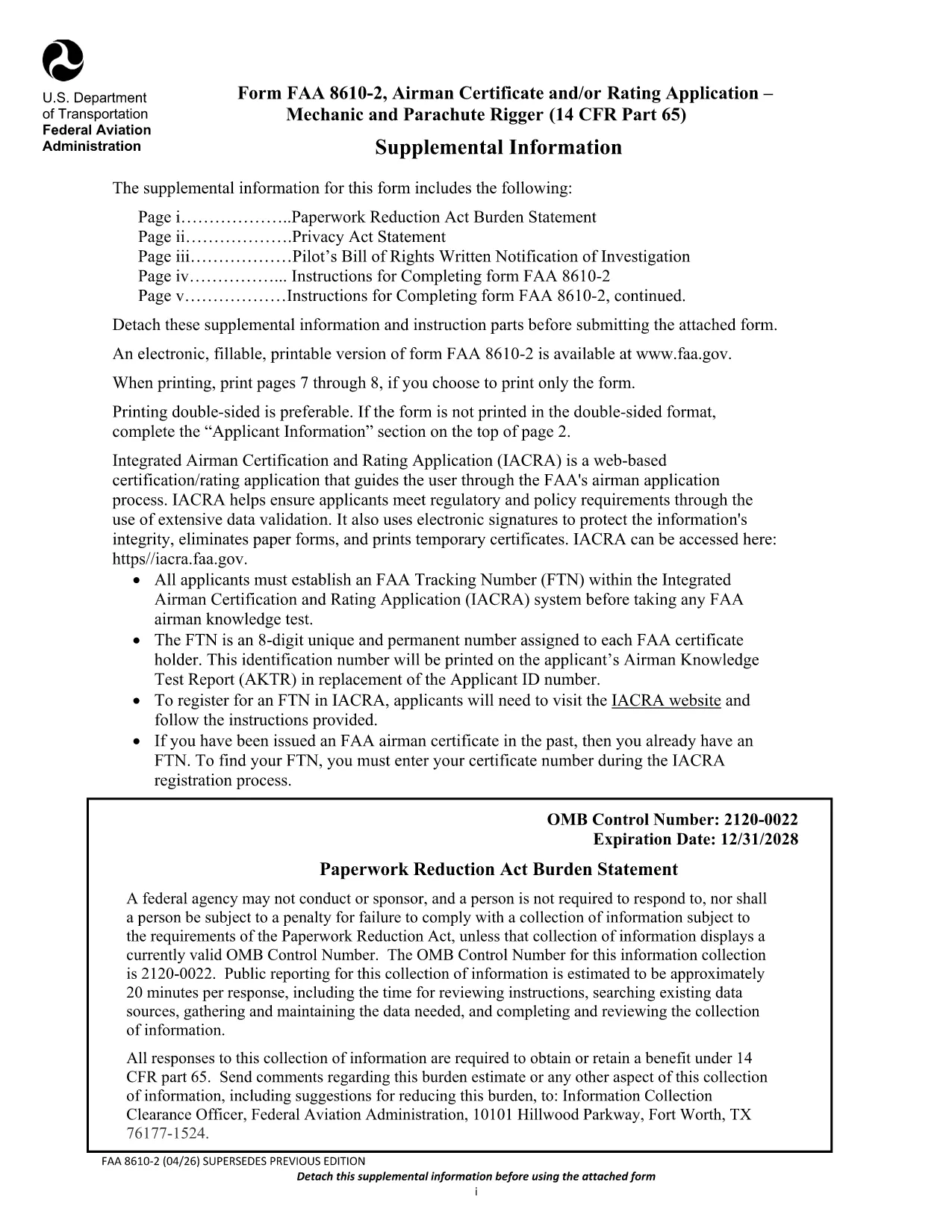
The FAA Form 8610-2 is the official Airman Certificate and/or Rating Application for mechanic and parachute rigger certifications (14 CFR Part 65). Whether you’re applying for an A&P, mechanic, or rigger rating, this form is required before you can schedule your oral and practical exams.

What Is FAA Form 8610-2?

Form 8610-2 collects personal information, employment history, and the specific ratings you are requesting. It is used by Flight Standards District Offices (FSDOs) and International Flight Standards Offices (IFOs) to verify eligibility and issue a tracking number (FTN) through the IACRA system.

How to Fill Out Form 8610-2 Online with Formize

Instead of downloading, printing, and scanning, simply click the “Fill out this form” button on this page. The Formize PDF Filler loads in your browser, letting you type, select check‑boxes, and save your progress instantly.

  • Step 1: Click the button and wait for the Formize app to load.
  • Step 2: Complete each field – the filler highlights required sections.
  • Step 3: Review, then click “Save & Download” to get a completed PDF copy.
  • Step 4: Print or email the file to your local FSDO for signature.

Common Mistakes to Avoid When Completing the Form

Even a small error can delay your certification. Avoid these pitfalls:

  • Leaving the top‑left “Mechanic”, “Airframe”, or “Powerplant” boxes checked – the FAA inspector fills them.
  • Providing incomplete experience worksheets (Tables I‑III). Use the exact language from 14 CFR §65.77.
  • Submitting an outdated FTN. Create a new IACRA account if you haven’t already.
  • Forgetting to attach a Real‑ID or passport copy when applying for a rating change.

Where to Submit Your Completed Form

After you’ve saved the filled PDF, bring the original and copies to your nearest Flight Standards District Office (FSDO) or International Flight Standards Office (IFO). The inspector will review, sign, and forward the application to the FAA certification database.

Download the Official Fillable PDF

Need the original PDF for offline use or reference? You can download the latest FAA‑issued form below.

Download FAA Form 8610-2 (PDF)

ՀՏՀ
  • Do I need a PDF editor to fill Form 8610-2?

    No. With Formize you can fill the form directly in your browser—no extra software required.

  • Can I submit the form electronically?

    The FAA still requires a hard copy signature at the FSDO, but you can email the completed PDF ahead of your appointment.

  • What is an FTN and why do I need it?

    An FTN (FAA Tracking Number) is generated in IACRA and links your written and practical exam results to your certification record.

  • How long is the FAA Form 8610-2 valid?

    The form is active until the expiration date shown on the PDF (currently 12/31/2028). Use the latest version for any new application.

  • What documents should I bring to the FSDO?

    Bring a government‑issued ID (Real‑ID, passport, or birth certificate), your FTN, experience worksheets (Tables I‑III), and any supporting letters of recommendation.

  • Can I apply for both airframe and powerplant ratings on the same form?

    Yes. Select the appropriate boxes on the form and provide experience for each rating in the corresponding tables.

  • Is there a fee to submit Form 8610-2?

    The form itself is free, but you will pay testing fees when you schedule your oral and practical exams.

ԻՆՉՊԵՍ

Ինչպես լրացնել FAA Form 8610-2-ն անվճար, առցանց՝ 4 հեշտ քայլերով.

  1. 1
    Open the Formize Filler
    Click the “Fill out this form” button on the page. The Formize PDF Filler will open in a new browser tab.
  2. 2
    Enter Your Information
    Type directly into each field. Required sections are highlighted in red. Use dropdowns for rating selections.
  3. 3
    Save and Download
    When you’ve completed all sections, click “Save & Download”. A filled‑out PDF will be saved to your device.
  4. 4
    Print or Email to Your FSDO
    Print the saved PDF (or email it) and bring it to your local Flight Standards District Office for the final signature.
Ձևավորել PDF Filler հավելվածը
ՄԱՍԻՆ

FAA Form 8610-2 ձևանմուշ

PDF փաստաթուղթը դիտելու և լրացնելու գործառույթների ավանդական փաթեթով, որը զուգորդվում է վեբ հավելվածի առավելությունների և արձագանքող դասավորության հետ, դուք կարող եք լրացնել FAA Form 8610-2-ը րոպեների ընթացքում:

ՀԱՏԿՈՒԹՅՈՒՆՆԵՐ

PDF լցոնիչ

Առցանց FAA Form 8610-2-ը լրացնելու ամենահեշտ ձևը

  • Արագ լրացրեք FAA Form 8610-2
    Փնտրու՞մ եք միջոց՝ արագորեն լրացնելու FAA Form 8610-2 առցանց: Մեր առցանց անվճար PDF ձևաթուղթ լրացնողի միջոցով դուք կիմանաք, թե ինչպես խմբագրել և լրացնել այս pdf փաստաթուղթը մեկ րոպեից պակաս ժամանակում:
  • Հեշտ օգտագործման առցանց PDF խմբագիր
    Հոգնե՞լ եք PDF ֆայլեր տպելուց, որպեսզի կարողանաք դրանք խմբագրել, նախքան նորից սկանավորելը և հետ ուղարկելը: Խմբագրել PDF փաստաթղթերը անվճար առցանց: Օգտագործեք մեր առցանց pdf խմբագրիչը ժամանակ և թուղթ խնայելու համար:
  • Հիանալի գործիքներ, բոլոր հարթակներ
    Զարմանում եք, թե ինչպես լրացնել FAA Form 8610-2-ը Mac-ում, կամ գուցե ինչպես անվճար օգտագործել PDF լցոնիչը: Մեր առցանց PDF գործիքներն աշխատում են բոլոր հարթակներում:
  • Անվտանգ ֆայլերի պահպանում
    Ավարտված «FAA Form 8610-2» ֆայլերը պահվում են պաշտպանված տվյալների բազայում, որը կառավարվում է Amazon Cloud հոսթինգի կողմից: Ցանկացած ժամանակ կարող եք ջնջել ձեր ֆայլերը մեր համակարգից: Ամեն դեպքում, այս ֆայլերը ավտոմատ կերպով ջնջվում են 24 ժամ հետո:
  • Զրուցեք FAA Form 8610-2-ի հետ
    Զրուցեք «FAA Form 8610-2»-ի հետ Chatize-ում, որը PDF ընթերցողի անվճար օգնական է: Հարցեր տվեք և ստացեք պատասխաններ «FAA Form 8610-2»-ից։ Պարզապես սեղմեք վերևում գտնվող Զրույց փաստաթղթի հետ կոճակը:

Ջնջել լրացման նիստը

Ջնջե՞լ ընտրված լրացման աշխատաշրջանը: Այս դեպքում ձևը լրացնելու ձեր առաջընթացը կկորչի:

Ջնջել խմբագրման նիստը

Ջնջե՞լ ընտրված խմբագրման աշխատաշրջանը: Այս դեպքում ձևը ստեղծելու և խմբագրելու ձեր առաջընթացը կկորչի: