
Ընտրել լեզուն

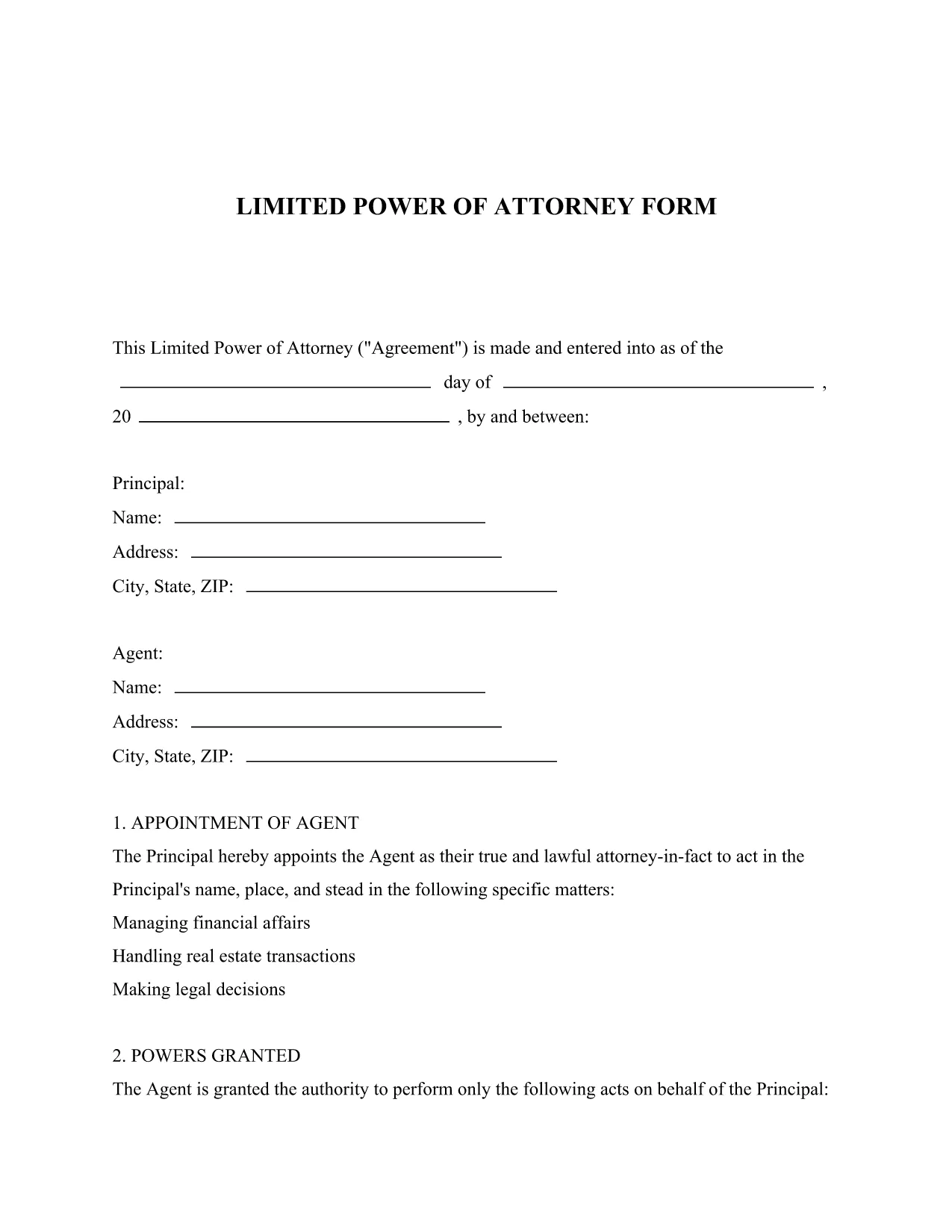
Limited Power of Attorney – Free Fillable PDF Form

  1. Լեզու Անգլերեն
  2. Երկիր ԱՄՆ
  3. Գործունեություն Legal Documents
  4. բաժին Legal Services
Limited Power of Attorney – Free Fillable PDF Form

What Is a Limited Power of Attorney?

A Limited Power of Attorney (LPOA) is a legal document that grants a trusted person (the Attorney‑in‑Fact) the authority to act on your behalf for a specific purpose or a limited period of time. Unlike a general power of attorney, the powers are narrowly defined, making it ideal for transactions such as selling a vehicle, handling a bank account, or signing a single contract.

Key Sections of the Form

The downloadable PDF includes the following essential sections:

  • Principal Information: Your name, address, and contact details.
  • Attorney‑in‑Fact Details: The person you are authorizing.
  • Scope of Authority: Exact powers you are granting (e.g., "to sell my car VIN 1234").
  • Effective Dates: When the authority starts and ends.
  • Signature & Notarization: Space for your signature and, if required, a notary seal.

How to Fill Out the Form Online

Instead of downloading the PDF and opening it in a separate editor, simply click the "Fill out this form" button on this page. The Formize PDF Filler app will load automatically, letting you complete every field directly in your browser.

Common Mistakes to Avoid

  • Leaving any required field blank – the filler will highlight missing information.
  • Using vague language in the "Scope of Authority" section; be as specific as possible.
  • Forgetting to notarize when your state law requires it.
  • Signing the form before all information is entered; wait until the final review screen.

Download and Save Your Completed Form

After you finish, click "Save & Download" to get a secure, PDF‑filled copy. Store it in a safe place or print it for notarization.

ՀՏՀ
  • What is the difference between a limited and a general power of attorney?

    A limited power of attorney grants authority for a specific task or time frame, while a general power of attorney gives broad authority over all of your affairs.

  • Do I need a notary for a Limited Power of Attorney?

    Requirements vary by state. Many states require notarization for the form to be legally binding; check your local regulations.

  • Can I edit the form after I download it?

    Yes. After filling it out with Formize, you can download the completed PDF, make additional edits with any PDF editor, and re‑upload if needed.

  • Is the Formize PDF Filler secure?

    Absolutely. All data is processed over encrypted connections, and no information is stored on our servers after you download the finished document.

  • How long is the limited power of attorney valid?

    The form lets you set an explicit start and end date. If you leave the end date blank, the authority remains until revoked in writing.

  • Can I revoke the limited power of attorney later?

    Yes. You can revoke it at any time by creating a written revocation notice and informing the attorney‑in‑fact and any third parties.

ԻՆՉՊԵՍ

Ինչպես լրացնել limited power of attorney-ն անվճար, առցանց՝ 5 հեշտ քայլերով.

  1. 1
    Open the Fillable Form
    Click the "Fill out this form" button on the page. The Formize PDF Filler app loads instantly in your browser.
  2. 2
    Enter Your Information
    Complete each highlighted field – principal details, attorney‑in‑fact name, and the specific powers you are granting.
  3. 3
    Review & Validate
    Use the built‑in validation to ensure all required fields are filled and the scope description is clear.
  4. 4
    Add Signature & Notarization
    If a notarization is required, print the completed PDF, have it notarized, then re‑upload the signed copy.
  5. 5
    Save & Download
    Click "Save & Download" to receive a fully‑filled PDF that you can store digitally or print for official use.
Ձևավորել PDF Filler հավելվածը
ՄԱՍԻՆ

limited power of attorney ձևանմուշ

PDF փաստաթուղթը դիտելու և լրացնելու գործառույթների ավանդական փաթեթով, որը զուգորդվում է վեբ հավելվածի առավելությունների և արձագանքող դասավորության հետ, դուք կարող եք լրացնել limited power of attorney-ը րոպեների ընթացքում:

ՀԱՏԿՈՒԹՅՈՒՆՆԵՐ

PDF լցոնիչ

Առցանց limited power of attorney-ը լրացնելու ամենահեշտ ձևը

  • Արագ լրացրեք limited power of attorney
    Փնտրու՞մ եք միջոց՝ արագորեն լրացնելու limited power of attorney առցանց: Մեր առցանց անվճար PDF ձևաթուղթ լրացնողի միջոցով դուք կիմանաք, թե ինչպես խմբագրել և լրացնել այս pdf փաստաթուղթը մեկ րոպեից պակաս ժամանակում:
  • Հեշտ օգտագործման առցանց PDF խմբագիր
    Հոգնե՞լ եք PDF ֆայլեր տպելուց, որպեսզի կարողանաք դրանք խմբագրել, նախքան նորից սկանավորելը և հետ ուղարկելը: Խմբագրել PDF փաստաթղթերը անվճար առցանց: Օգտագործեք մեր առցանց pdf խմբագրիչը ժամանակ և թուղթ խնայելու համար:
  • Հիանալի գործիքներ, բոլոր հարթակներ
    Զարմանում եք, թե ինչպես լրացնել limited power of attorney-ը Mac-ում, կամ գուցե ինչպես անվճար օգտագործել PDF լցոնիչը: Մեր առցանց PDF գործիքներն աշխատում են բոլոր հարթակներում:
  • Անվտանգ ֆայլերի պահպանում
    Ավարտված «limited power of attorney» ֆայլերը պահվում են պաշտպանված տվյալների բազայում, որը կառավարվում է Amazon Cloud հոսթինգի կողմից: Ցանկացած ժամանակ կարող եք ջնջել ձեր ֆայլերը մեր համակարգից: Ամեն դեպքում, այս ֆայլերը ավտոմատ կերպով ջնջվում են 24 ժամ հետո:
  • Զրուցեք limited power of attorney-ի հետ
    Զրուցեք «limited power of attorney»-ի հետ Chatize-ում, որը PDF ընթերցողի անվճար օգնական է: Հարցեր տվեք և ստացեք պատասխաններ «limited power of attorney»-ից։ Պարզապես սեղմեք վերևում գտնվող Զրույց փաստաթղթի հետ կոճակը:

Ջնջել լրացման նիստը

Ջնջե՞լ ընտրված լրացման աշխատաշրջանը: Այս դեպքում ձևը լրացնելու ձեր առաջընթացը կկորչի:

Ջնջել խմբագրման նիստը

Ջնջե՞լ ընտրված խմբագրման աշխատաշրջանը: Այս դեպքում ձևը ստեղծելու և խմբագրելու ձեր առաջընթացը կկորչի: