
Ընտրել լեզուն

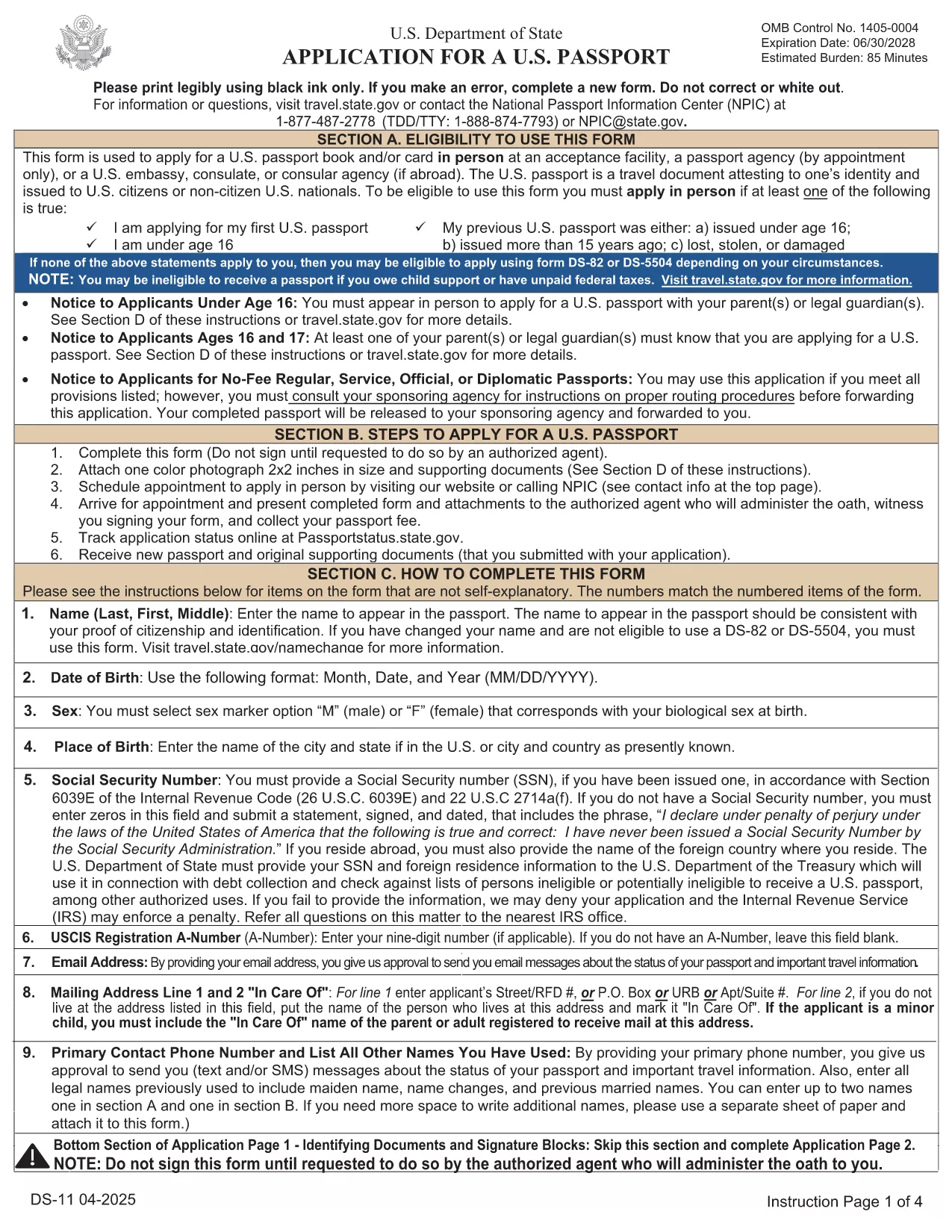
DS-11 U.S. Passport Application – Fillable PDF

  1. Լեզու Անգլերեն
  2. Երկիր ԱՄՆ
  3. Գործունեություն Անձնագիր
DS-11 U.S. Passport Application – Fillable PDF

The DS-11 is the official application for first‑time U.S. passports, passports for minors, and replacement of lost or damaged passports. Using Formize’s built‑in PDF filler, you can complete the form online, avoid manual errors, and print a clean, one‑sided copy ready for submission.

What Is the DS-11 Form?

DS-11 is issued by the U.S. Department of State. It collects personal information, citizenship proof, and travel details. You must present the unsigned, completed form at a passport acceptance facility along with supporting documents.

How to Complete the DS-11 with Formize

Follow these simple steps to fill the form directly in your browser—no PDF editor required.

  • Click “Fill out this form” on the page.
  • Wait a few seconds while the Formize PDF Filler loads the official DS-11.
  • Enter your information in each field using the on‑screen keyboard.
  • Use the navigation arrows to move between pages.
  • When finished, click Print to produce a one‑sided copy.

Common Mistakes to Avoid

  • Using colored ink – print in black ink only.
  • Leaving any required box empty – the filler will highlight missing fields.
  • Signing the form before you reach the acceptance facility – sign only on the printed copy.
  • Altering a printed form by hand – any corrections require a new form.

Where to Submit Your Completed Form

Take the printed, unsigned DS-11, your proof of citizenship, a government‑issued photo ID, and a passport‑size photo to any passport acceptance facility (post offices, libraries, or designated clerks). If you need expedited service, schedule an appointment at a regional passport agency.

Download the Official Fillable PDF

For offline use, you can download the original PDF from the U.S. Department of State. The online filler provides the same official form, but the download link is included for reference.

Download DS-11 PDF (official)

ՀՏՀ
  • Who must use the DS-11 form?

    First‑time applicants, minors under 16, and anyone replacing a lost, stolen, or damaged passport that is more than 5 years old must use DS‑11.

  • Can I submit a signed DS-11 online?

    No. The DS‑11 must be presented unsigned to a passport acceptance agent, who will witness your signature.

  • Do I need a passport photo?

    Yes. Provide one recent, 2×2 inch color photo that meets State Department requirements.

  • How long does processing take?

    Standard processing is 4‑6 weeks after the acceptance facility receives your application. Expedited service reduces this to 2‑3 weeks.

  • Is the Formize filler free?

    Formize offers a free online filler for the DS‑11. No download or software installation is required.

  • What documents accompany the DS‑11?

    You need proof of U.S. citizenship (birth certificate or naturalization certificate), a government‑issued photo ID, a passport‑size photo, and the applicable fee.

  • Can I correct errors after printing?

    If you discover an error, you must fill out a new DS‑11. Hand‑written corrections are not accepted.

ԻՆՉՊԵՍ

Ինչպես լրացնել DS-11-ն անվճար, առցանց՝ 5 հեշտ քայլերով.

  1. 1
    Open the Formizer Fillable DS-11
    Click the “Fill out this form” button on the page. The Formize PDF Filler will load the official DS-11 automatically.
  2. 2
    Enter Your Information
    Use the on‑screen fields to type your name, date of birth, address, and other required details. The filler validates each entry.
  3. 3
    Review and Print
    After completing all pages, click the Print button. Print a single‑sided copy on white paper using black ink.
  4. 4
    Sign at the Acceptance Facility
    Do NOT sign the printed form until you are in front of a passport acceptance agent.
  5. 5
    Submit Your Package
    Take the printed DS-11, your supporting documents, and payment to the nearest passport acceptance facility.
Ձևավորել PDF Filler հավելվածը
ՄԱՍԻՆ

Անձնագրերի ձևեր

DS-11-ը անձնագրի ձևերից մեկն է, որը փաստաթղթեր է, որն օգտագործվում է անձնագիր ստանալու համար դիմելու համար, որը ճամփորդական փաստաթուղթ է, որը հավաստում է սեփականատիրոջ ինքնությունը և քաղաքացիությունը և թույլ է տալիս նրանց ճանապարհորդել միջազգային: Անձնագրերի ձևերը կարող են տարբեր լինել՝ կախված անձնագիր տվող երկրից, բայց դրանք սովորաբար պարունակում են անձնական տվյալներ դիմողի մասին, ինչպիսիք են անունը, ծննդյան ամսաթիվը և ծննդյան վայրը, ինչպես նաև տեղեկություններ դիմողի ծնողների և նախկին անձնագրերի կամ ճամփորդական փաստաթղթերի մասին։ .

Միացյալ Նահանգներում անձնագրի երկու ամենատարածված ձևերն են՝ DS-11 և DS-82: DS-11 ձևը օգտագործվում է առաջին անգամ դիմողների, անչափահասների կամ անհատների համար, ովքեր իրավասու չեն օգտագործել DS-82 ձևը: DS-82 ձևաթուղթն օգտագործվում է իրավասու դիմորդների համար անձնագրերը փոստով երկարաձգելու համար: Երկու ձևերն էլ պահանջում են, որ դիմորդը տրամադրի անձնական տեղեկություններ և օժանդակ փաստաթղթեր, ինչպիսիք են անձնագրի լուսանկարը և քաղաքացիության ապացույցը:

Այլ երկրները կարող են ունենալ տարբեր անձնագրերի ձևեր և պահանջներ, սակայն հիմնական գործընթացը սովորաբար ներառում է անձնագրի դիմումի լրացում, օժանդակ փաստաթղթերի տրամադրում և անձնագրային պաշտոնյայի հետ հարցազրույցի մասնակցությունը պետական ​​հաստատությունում կամ դեսպանատանը: Կարևոր է նշել, որ անձնագրի հայտի գործընթացը կարող է տևել մի քանի շաբաթ կամ նույնիսկ ամիսներ, ուստի խորհուրդ է տրվում դիմել ցանկացած պլանավորված ճանապարհորդությունից շատ շուտ:

ՀԱՏԿՈՒԹՅՈՒՆՆԵՐ

PDF լցոնիչ

Առցանց DS-11-ը լրացնելու ամենահեշտ ձևը

  • Արագ լրացրեք DS-11
    Փնտրու՞մ եք միջոց՝ արագորեն լրացնելու DS-11 առցանց: Մեր առցանց անվճար PDF ձևաթուղթ լրացնողի միջոցով դուք կիմանաք, թե ինչպես խմբագրել և լրացնել այս pdf փաստաթուղթը մեկ րոպեից պակաս ժամանակում:
  • Հեշտ օգտագործման առցանց PDF խմբագիր
    Հոգնե՞լ եք PDF ֆայլեր տպելուց, որպեսզի կարողանաք դրանք խմբագրել, նախքան նորից սկանավորելը և հետ ուղարկելը: Խմբագրել PDF փաստաթղթերը անվճար առցանց: Օգտագործեք մեր առցանց pdf խմբագրիչը ժամանակ և թուղթ խնայելու համար:
  • Հիանալի գործիքներ, բոլոր հարթակներ
    Զարմանում եք, թե ինչպես լրացնել DS-11-ը Mac-ում, կամ գուցե ինչպես անվճար օգտագործել PDF լցոնիչը: Մեր առցանց PDF գործիքներն աշխատում են բոլոր հարթակներում:
  • Անվտանգ ֆայլերի պահպանում
    Ավարտված «DS-11» ֆայլերը պահվում են պաշտպանված տվյալների բազայում, որը կառավարվում է Amazon Cloud հոսթինգի կողմից: Ցանկացած ժամանակ կարող եք ջնջել ձեր ֆայլերը մեր համակարգից: Ամեն դեպքում, այս ֆայլերը ավտոմատ կերպով ջնջվում են 24 ժամ հետո:
  • Զրուցեք DS-11-ի հետ
    Զրուցեք «DS-11»-ի հետ Chatize-ում, որը PDF ընթերցողի անվճար օգնական է: Հարցեր տվեք և ստացեք պատասխաններ «DS-11»-ից։ Պարզապես սեղմեք վերևում գտնվող Զրույց փաստաթղթի հետ կոճակը:

Ջնջել լրացման նիստը

Ջնջե՞լ ընտրված լրացման աշխատաշրջանը: Այս դեպքում ձևը լրացնելու ձեր առաջընթացը կկորչի:

Ջնջել խմբագրման նիստը

Ջնջե՞լ ընտրված խմբագրման աշխատաշրջանը: Այս դեպքում ձևը ստեղծելու և խմբագրելու ձեր առաջընթացը կկորչի: