
kerangka authorization form
Dengan serangkaian fitur tradisional untuk melihat dan mengisi dokumen PDF, dipadukan dengan manfaat aplikasi web dan tata letak responsif, Anda dapat menyelesaikan authorization form dalam hitungan menit.


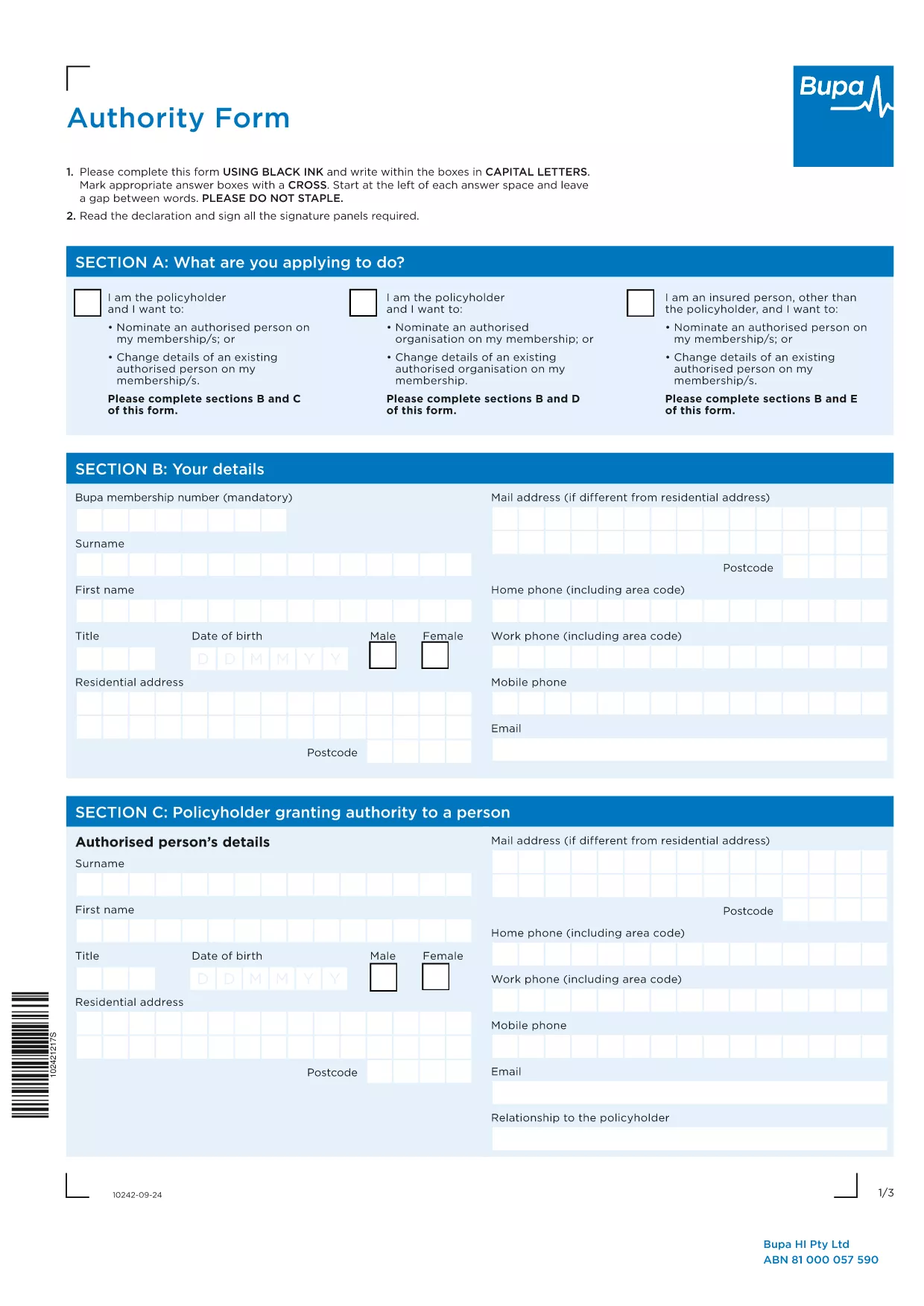
Need to grant someone permission to act on your behalf? Our fillable Authorization Form lets you quickly authorize a person or organization while keeping your information secure. The PDF is fully interactive, so you can type, check boxes, and sign directly in your browser – no extra software required.
Follow the simple steps below to finish the form online, then submit it to the appropriate organization.
After filling out the form, you can either:
Below are the most common queries about this Authorization Form.
The form follows the standard authority format used by major insurers such as Bupa and Medibank. Always verify with your specific insurer for any additional requirements.
Yes. The Formize PDF Filler includes an electronic signature field that complies with Australian e‑signature guidelines.
Printing is optional. You can submit the PDF electronically via email or upload it to your insurer’s portal.
Open the saved PDF again with the Formize PDF Filler, edit the needed fields, and re‑save or re‑submit.
No. Formize provides a free online filler for this authorization form.
Validity periods are set by the organization you submit the form to. Typically, authorizations remain active until revoked in writing.
Yes. The form includes separate sections for multiple authorized parties. Fill out each section completely.
Contact the receiving organization to request a replacement. Keep a digital copy saved securely for future reference.
Dengan serangkaian fitur tradisional untuk melihat dan mengisi dokumen PDF, dipadukan dengan manfaat aplikasi web dan tata letak responsif, Anda dapat menyelesaikan authorization form dalam hitungan menit.
Cara termudah untuk mengisi formulir PDF secara online
Hapus sesi pengisian
Hapus sesi pengeditan