
Pilih bahasa

Australian Citizenship Application Form – Requirements & Fillable PDF

  1. Negara Australia
  2. Bahasa Bahasa inggris
  3. Aktivitas Imigrasi
  4. Departemen Home Affairs
Australian Citizenship Application Form – Requirements & Fillable PDF

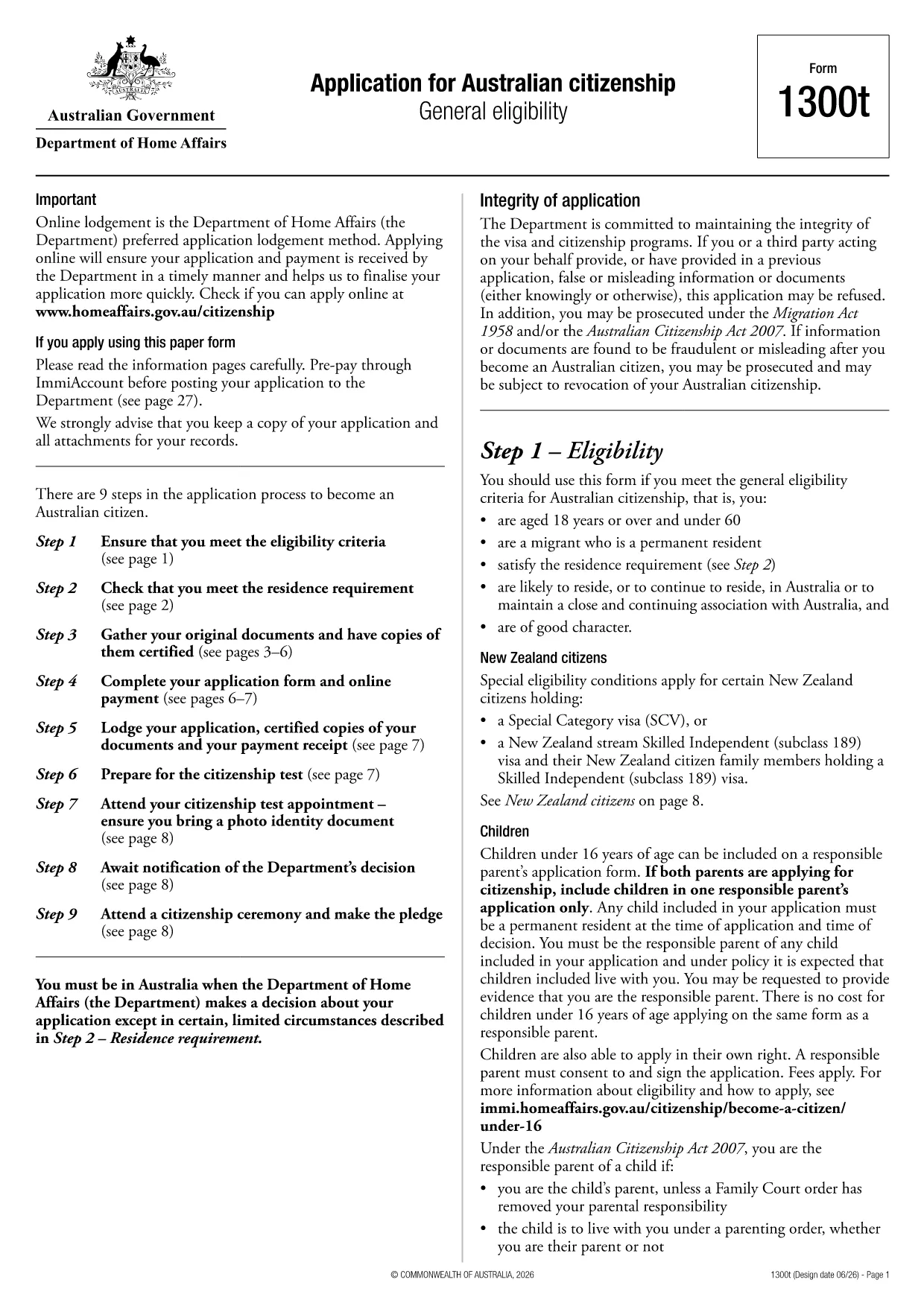
Looking for a clear guide on the application form requirements for Australian citizenship? You’ve come to the right place. Below you’ll find everything you need to know about the official Form 1300t, the eligibility rules, required documents, and a step‑by‑step walkthrough of filling it out online with Formize’s free fillable PDF tool.

Eligibility Criteria

Before you start, confirm you meet the general eligibility for citizenship. You must:

  • Be a permanent resident for at least 12 months.
  • Have lived in Australia on a valid visa for at least 4 years.
  • Pass the citizenship test (if applicable).
  • Be of good character.

How to Complete the Form Online

Instead of downloading the PDF and editing it in a separate program, simply click the "Fill out this form" button on this page. The Formize PDF Filler app will load directly in your browser, letting you type, check boxes, and sign without installing any software.

Common Mistakes to Avoid

  • Leaving blank fields – every required box must be completed.
  • Using the wrong document format – upload scans in PDF, JPG, or PNG only.
  • Incorrect dates – double‑check all dates against your passport and visa records.

What Documents to Attach

Prepare digital copies of the following before you start:

  • Current passport bio‑page.
  • Evidence of permanent residency (visa grant letter).
  • Proof of residency (utility bills, lease agreements).
  • Any name‑change certificates, if applicable.

Submit and Track Your Application

When the form is complete, click Submit within the Formize interface. You’ll receive a confirmation email with a tracking link. Keep this email for future reference and for any follow‑up communication with the Department of Home Affairs.

Need more help? Review the official PDF guide for detailed instructions.

FAQ
  • Do I need to print the form to sign it?

    No. The Formize PDF Filler includes a digital signature feature, so you can sign electronically without printing.

  • Can I save my progress and finish later?

    Yes. Use the "Save" button in the Formize interface to download a copy of your partially completed form and reload it later.

  • What file formats are accepted for supporting documents?

    PDF, JPG, and PNG are accepted. Keep each file under 5 MB for smooth uploading.

  • Is there a fee to submit the Australian citizenship application?

    The government charges a processing fee, which must be paid separately through the Department of Home Affairs portal after submission.

  • How long does it take to process the application?

    Processing times vary, but most applications are reviewed within 6‑12 months after submission.

  • What if I make a mistake after submitting?

    Contact the Department of Home Affairs with your reference number. Minor corrections can be made, but major changes may require a new form.

  • Is the fillable PDF compatible with mobile devices?

    Yes. The Formize PDF Filler works on modern smartphones and tablets using Chrome, Safari, or Edge browsers.

BAGAIMANA CARANYA

Cara mengisi application form requirements gratis secara online dalam 3 langkah mudah:

  1. 1
    Step 1 – Click the Fill‑out Button
    On this page, click the "Fill out this form" button. The Formize PDF Filler will open in a new tab.
  2. 2
    Step 2 – Complete the Form
    Enter your information directly into the fillable fields, upload required documents, and use the digital signature tool.
  3. 3
    Step 3 – Review, Submit & Track
    Double‑check all entries, click Submit, and save the confirmation email to track your citizenship application.
Bentuk aplikasi Pengisi PDF
TENTANG

kerangka application form requirements

Dengan serangkaian fitur tradisional untuk melihat dan mengisi dokumen PDF, dipadukan dengan manfaat aplikasi web dan tata letak responsif, Anda dapat menyelesaikan application form requirements dalam hitungan menit.

FITUR

Pengisi PDF

Cara termudah untuk mengisi formulir PDF secara online

  • Isi application form requirements dengan cepat
    Mencari cara mengisi application form requirements dengan cepat secara online? Dengan pengisi formulir PDF online gratis kami, Anda akan tahu cara mengedit dan mengisi dokumen pdf ini dalam waktu kurang dari satu menit.
  • Editor PDF online yang mudah digunakan
    Muak dengan mencetak file PDF sehingga Anda dapat mengeditnya, sebelum memindai ulang dan mengirimnya kembali? Edit dokumen PDF secara online gratis. Gunakan editor pdf online kami untuk menghemat waktu dan kertas.
  • Alat hebat, semua platform
    Ingin tahu cara mengisi application form requirements di Mac, atau mungkin cara menggunakan pengisi PDF gratis? Alat PDF online kami berfungsi di semua platform.
  • Penyimpanan file yang aman
    File "application form requirements" yang telah selesai disimpan dalam database aman yang dikelola oleh hosting Amazon Cloud. Anda dapat menghapus file Anda dari sistem kami kapan saja. Bagaimanapun, file-file ini secara otomatis dihapus setelah 24 jam.
  • Ngobrol dengan application form requirements
    Ngobrol dengan "application form requirements" di Chatize yang merupakan asisten pembaca PDF gratis. Ajukan pertanyaan dan dapatkan jawaban dari "application form requirements". Cukup klik tombol Chat Dengan Dokumen di atas.

Hapus sesi pengisian

Hapus sesi pengisian yang dipilih? Dalam hal ini, kemajuan Anda dalam menyelesaikan formulir akan hilang.

Hapus sesi pengeditan

Hapus sesi pengeditan yang dipilih? Dalam hal ini, kemajuan Anda dalam membuat dan mengedit formulir akan hilang.