Pilih bahasa

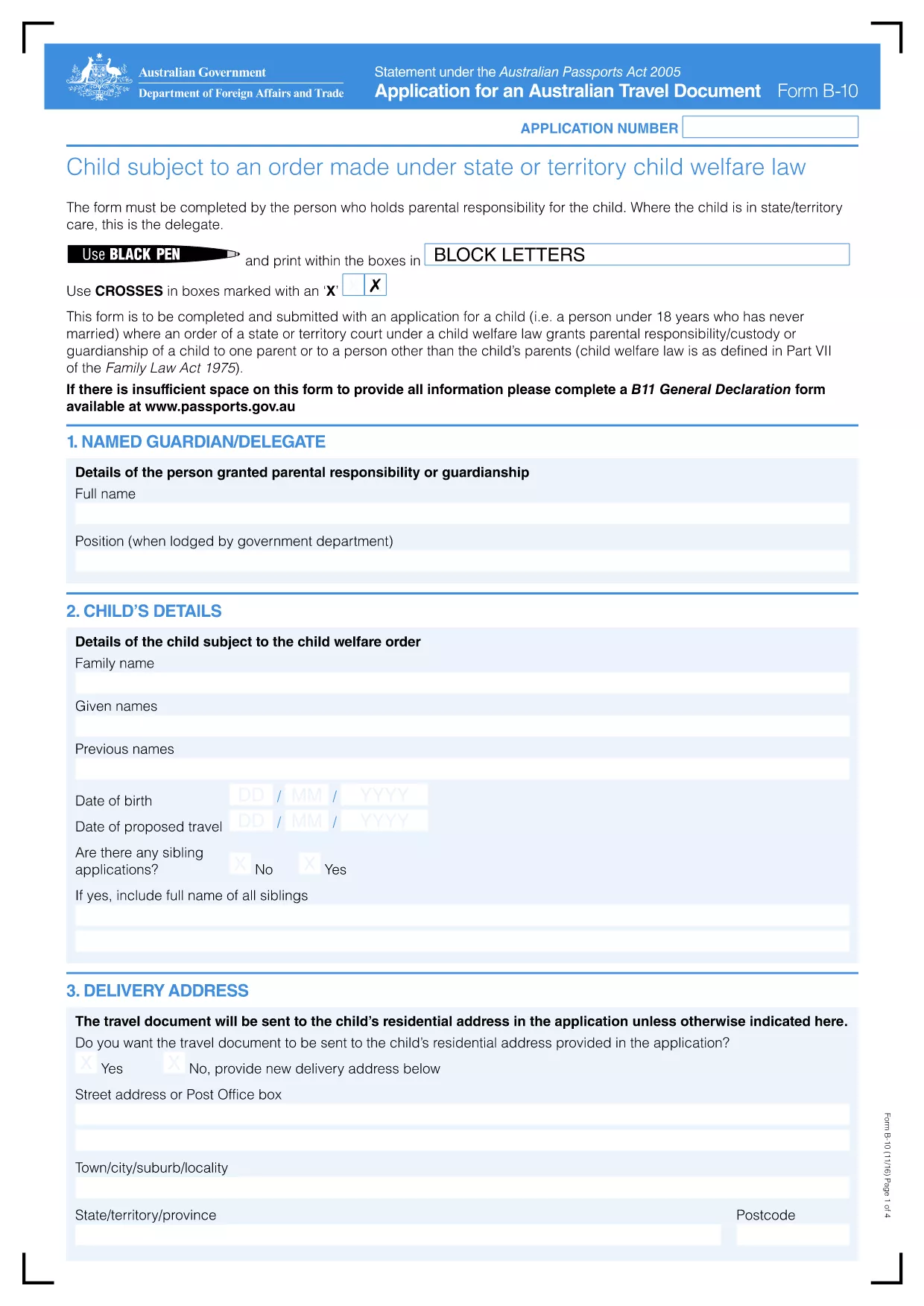
Application Form B-10 – Australian Travel Document

  1. Bahasa Bahasa inggris
  2. Negara Australia
  3. Aktivitas Travel Documents
  4. Departemen Passports
Application Form B-10 – Australian Travel Document

The Australian Travel Document B-10 (Form B-10) is the official application used by eligible individuals to obtain a travel document when a passport cannot be issued. This fillable PDF is now hosted on Formize, allowing you to complete the form directly in your browser without any additional software.

Key benefits of using the Formize PDF filler:

  • All fields are interactive – click, type, and save.
  • Automatic validation helps prevent errors.
  • Secure, cloud‑based processing keeps your data private.
  • Instant download of the completed PDF for submission.

Below you’ll find a quick guide on how to start, common pitfalls to watch for, and answers to the most‑asked questions about Form B-10.

FAQ
  • Who is eligible to use Form B-10?

    Form B-10 is for Australian citizens who cannot obtain a standard passport due to loss, damage, or legal restrictions, as well as certain permanent residents and stateless persons.

  • Can I submit the completed form electronically?

    Yes. After filling out the PDF, you can email the signed document to the address listed on the form or upload it via the Department of Home Affairs online portal.

  • Do I need to print the form to sign it?

    A digital signature is accepted if the PDF is signed using a certified e‑signature tool. Otherwise, print, sign, and scan the document before submission.

  • How long does processing take?

    Standard processing for a B‑10 travel document is 10‑15 business days after a complete application is received.

  • What supporting documents are required?

    You’ll need proof of identity (e.g., birth certificate), evidence of Australian citizenship or residency, and any documents explaining why a passport cannot be issued.

  • Is there a fee for the B-10 travel document?

    Yes. The current fee is AUD $220, payable by credit card, BPAY, or a cheque included with the application.

  • Can I save my progress and return later?

    The Formize filler allows you to save a draft locally. Click **"Save"** and reopen the file later to continue editing.

  • What if I make a mistake after submission?

    Contact the Department’s travel document unit immediately. Minor errors can be corrected with a written amendment; major errors may require a new application.

BAGAIMANA CARANYA

Cara mengisi application form B-10 gratis secara online dalam 5 langkah mudah:

  1. 1
    Open the Fillable Form
    Click the **"Fill out this form"** button on the page. The Formize PDF Filler app will open in a new tab.
  2. 2
    Wait for the Filler to Load
    Allow a few seconds for the interactive PDF to initialize. All fields will become clickable.
  3. 3
    Complete Each Section
    Enter your information exactly as it appears on supporting documents. Required fields are marked with an asterisk.
  4. 4
    Validate and Review
    The filler automatically checks for missing or incorrectly formatted data. Correct any highlighted issues.
  5. 5
    Save or Download
    When you’re satisfied, click **"Save"** to store the file in your browser or **"Download"** to obtain the completed PDF for submission to the Department of Home Affairs.
Bentuk aplikasi Pengisi PDF
TENTANG

kerangka application form B-10

Dengan serangkaian fitur tradisional untuk melihat dan mengisi dokumen PDF, dipadukan dengan manfaat aplikasi web dan tata letak responsif, Anda dapat menyelesaikan application form B-10 dalam hitungan menit.

FITUR

Pengisi PDF

Cara termudah untuk mengisi formulir PDF secara online

  • Isi application form B-10 dengan cepat
    Mencari cara mengisi application form B-10 dengan cepat secara online? Dengan pengisi formulir PDF online gratis kami, Anda akan tahu cara mengedit dan mengisi dokumen pdf ini dalam waktu kurang dari satu menit.
  • Editor PDF online yang mudah digunakan
    Muak dengan mencetak file PDF sehingga Anda dapat mengeditnya, sebelum memindai ulang dan mengirimnya kembali? Edit dokumen PDF secara online gratis. Gunakan editor pdf online kami untuk menghemat waktu dan kertas.
  • Alat hebat, semua platform
    Ingin tahu cara mengisi application form B-10 di Mac, atau mungkin cara menggunakan pengisi PDF gratis? Alat PDF online kami berfungsi di semua platform.
  • Penyimpanan file yang aman
    File "application form B-10" yang telah selesai disimpan dalam database aman yang dikelola oleh hosting Amazon Cloud. Anda dapat menghapus file Anda dari sistem kami kapan saja. Bagaimanapun, file-file ini secara otomatis dihapus setelah 24 jam.
  • Ngobrol dengan application form B-10
    Ngobrol dengan "application form B-10" di Chatize yang merupakan asisten pembaca PDF gratis. Ajukan pertanyaan dan dapatkan jawaban dari "application form B-10". Cukup klik tombol Chat Dengan Dokumen di atas.

Hapus sesi pengisian

Hapus sesi pengisian yang dipilih? Dalam hal ini, kemajuan Anda dalam menyelesaikan formulir akan hilang.

Hapus sesi pengeditan

Hapus sesi pengeditan yang dipilih? Dalam hal ini, kemajuan Anda dalam membuat dan mengedit formulir akan hilang.