
Pilih bahasa

RTB‑12L‑PT – Landlord’s Application for Dispute Resolution (Past Tenancy)

  1. Bahasa Bahasa inggris
  2. Negara Kanada
  3. Aktivitas Penyewaan
  4. Negara British Columbia
RTB‑12L‑PT – Landlord’s Application for Dispute Resolution (Past Tenancy)

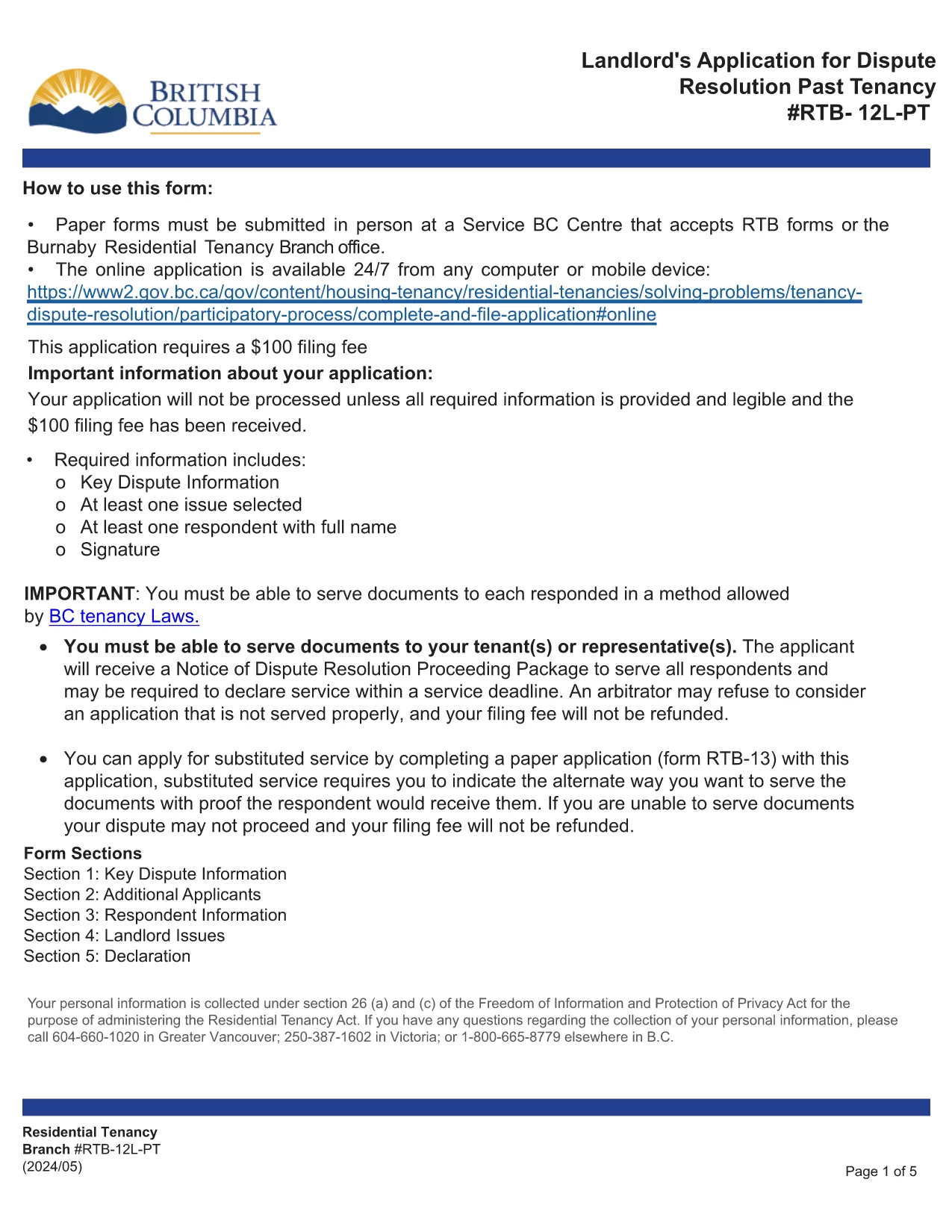
The RTB‑12L‑PT is the official “Landlord’s Application for Dispute Resolution (Past Tenancy)” used by the British Columbia Residential Tenancy Branch. It allows landlords to request a formal hearing for disputes that arose after a tenancy has ended.

What Is the RTB‑12L‑PT Form?

This fillable PDF captures landlord and tenant information, details of the tenancy, the nature of the dispute, and any supporting evidence. It is required for all past‑tenancy dispute applications.

How to Fill Out the RTB‑12L‑PT Online

Instead of printing and scanning, you can complete the form directly in your browser using Formize’s PDF Filler. Click the “Fill out this form” button below, enter the requested data, and the system will save a completed PDF ready for submission.

Common Mistakes to Avoid

  • Leaving required fields blank – the filler highlights missing information.
  • Providing inaccurate dates – double‑check lease start and end dates.
  • Omitting supporting documents – attach lease copies, notices, and payment records.
  • Submitting the form to the wrong address – it must be delivered to a Service BC centre or the RTB office.

Where to Submit Your Application

After completing the PDF, bring the saved file to any Service BC centre that accepts RTB forms, or visit the Burnaby Residential Tenancy Branch office. Some locations also accept electronic submissions.

Download the Official Fillable PDF

The original, government‑approved PDF is available for download below. Using Formize ensures the form stays fillable and compliant.

FAQ
  • Who can use the RTB‑12L‑PT form?

    Any landlord in British Columbia who needs to resolve a dispute that arose after a tenancy has ended.

  • Do I need a lawyer to fill out the form?

    No, the form is designed for self‑service, but you may consult a legal professional for complex cases.

  • Can I submit the form online?

    The form itself must be submitted in person at a Service BC centre or the Residential Tenancy Branch, but you can complete it online with Formize.

  • What supporting documents are required?

    Attach a copy of the original lease, any written notices, payment records, and evidence related to the dispute.

  • How long does the dispute resolution process take?

    After submission, the RTB typically schedules a hearing within 30‑45 days, depending on workload.

  • What if I make a mistake on the form?

    You can edit the fillable PDF before saving. If you have already submitted, you may need to file a new application or request an amendment.

BAGAIMANA CARANYA

Cara mengisi RTB-12L-PT gratis secara online dalam 5 langkah mudah:

  1. 1
    Open the Form
    Click the “Fill out this form” button on this page. The Formize PDF Filler will launch in a new tab.
  2. 2
    Complete the Fields
    Enter all required information such as landlord and tenant details, dates, and dispute description. The fillable PDF guides you field‑by‑field.
  3. 3
    Validate and Sign
    Use the built‑in validation to check for missing data, then add your electronic signature if required.
  4. 4
    Save or Print
    When finished, save the completed PDF to your device or print it for submission.
  5. 5
    Submit the Application
    Take the saved PDF to a Service BC centre or the Residential Tenancy Branch office, or submit it electronically if your office accepts digital copies.
Bentuk aplikasi Pengisi PDF
TENTANG

Formulir untuk tuan tanah dan/atau penyewa untuk mengusulkan tindakan yang berkaitan dengan perjanjian sewa-menyewa.

RTB-12L-PT adalah jenis perjanjian sewa tempat tinggal yang digunakan oleh sebagian besar tuan tanah swasta dan asosiasi perumahan.

Ada beberapa hal yang harus dipatuhi oleh pemilik atau penggarap yang diatur dalam peraturan tersebut. Dalam beberapa kasus, mereka mungkin perlu mengisi formulir, yang disebut 'formulir yang ditentukan', yang mengusulkan tindakan yang dapat memengaruhi pihak lain dalam perjanjian sewa.

Formulir disebut formulir yang ditentukan karena kata-kata di dalamnya telah disusun dengan hati-hati untuk memastikan bahwa orang yang mengisi formulir dan orang yang dilayani dapat memahami apa yang diusulkan dan apa yang dapat mereka lakukan sebagai tanggapan. Kegagalan untuk memberikan formulir yang benar dapat membatalkan tindakan yang diusulkan.

Anda tidak boleh mengubah kata-kata dalam formulir ini kecuali ada formulir yang menyatakan bahwa Anda boleh melakukannya. Jika Anda mengubah kata-kata, formulir mungkin tidak valid. Anda juga harus mematuhi setiap periode pemberitahuan yang ditetapkan dalam formulir.

FITUR

Pengisi PDF

Cara termudah untuk mengisi formulir PDF secara online

  • Isi RTB-12L-PT dengan cepat
    Mencari cara mengisi RTB-12L-PT dengan cepat secara online? Dengan pengisi formulir PDF online gratis kami, Anda akan tahu cara mengedit dan mengisi dokumen pdf ini dalam waktu kurang dari satu menit.
  • Editor PDF online yang mudah digunakan
    Muak dengan mencetak file PDF sehingga Anda dapat mengeditnya, sebelum memindai ulang dan mengirimnya kembali? Edit dokumen PDF secara online gratis. Gunakan editor pdf online kami untuk menghemat waktu dan kertas.
  • Alat hebat, semua platform
    Ingin tahu cara mengisi RTB-12L-PT di Mac, atau mungkin cara menggunakan pengisi PDF gratis? Alat PDF online kami berfungsi di semua platform.
  • Penyimpanan file yang aman
    File "RTB-12L-PT" yang telah selesai disimpan dalam database aman yang dikelola oleh hosting Amazon Cloud. Anda dapat menghapus file Anda dari sistem kami kapan saja. Bagaimanapun, file-file ini secara otomatis dihapus setelah 24 jam.
  • Ngobrol dengan RTB-12L-PT
    Ngobrol dengan "RTB-12L-PT" di Chatize yang merupakan asisten pembaca PDF gratis. Ajukan pertanyaan dan dapatkan jawaban dari "RTB-12L-PT". Cukup klik tombol Chat Dengan Dokumen di atas.

Hapus sesi pengisian

Hapus sesi pengisian yang dipilih? Dalam hal ini, kemajuan Anda dalam menyelesaikan formulir akan hilang.

Hapus sesi pengeditan

Hapus sesi pengeditan yang dipilih? Dalam hal ini, kemajuan Anda dalam membuat dan mengedit formulir akan hilang.