
Pilih bahasa

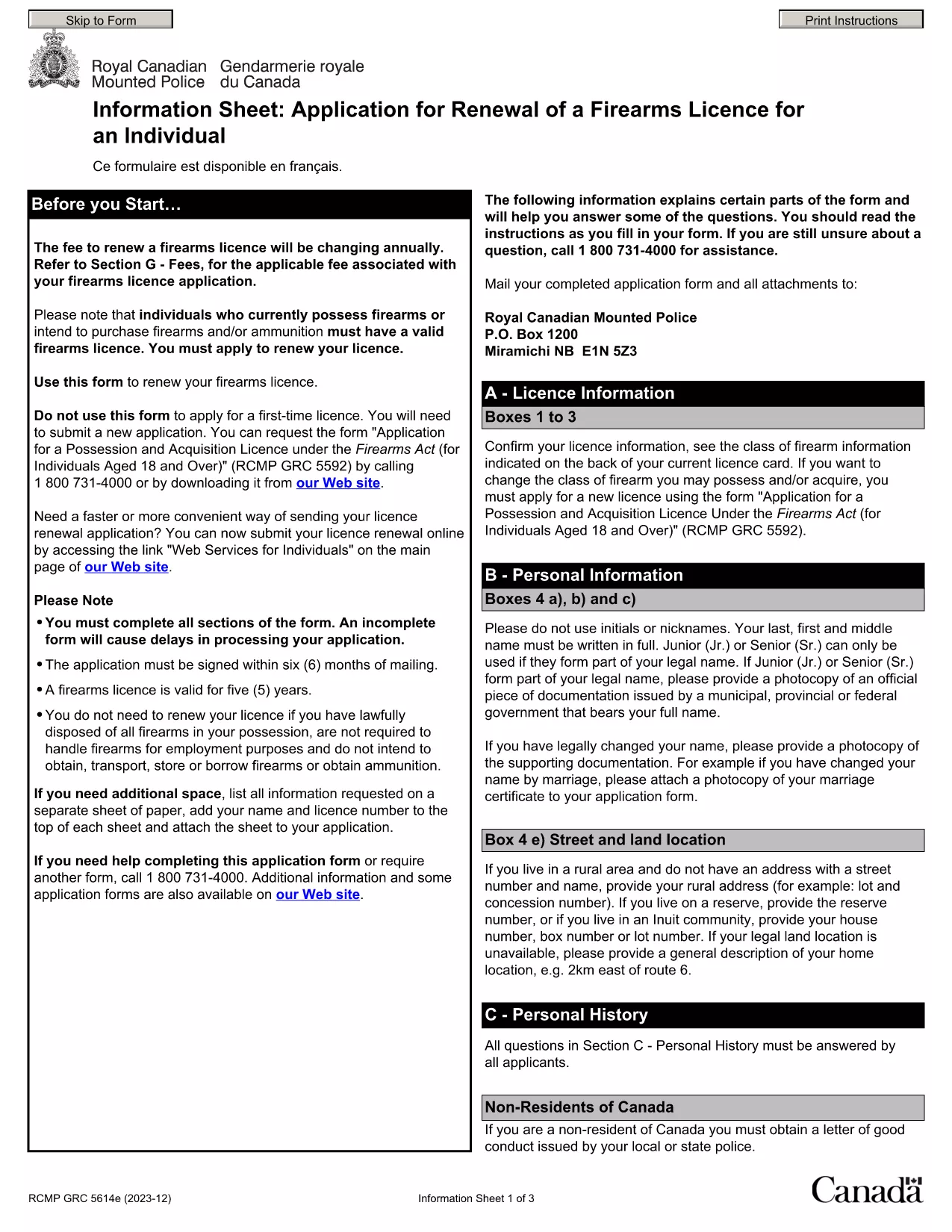
Punjab Renewal of Arms License Form for Individuals (Fillable PDF)

  1. Bahasa Bahasa inggris Hindi
  2. Negara India
  3. Negara Punjab
  4. Departemen Departemen Dalam Negeri dan Kehakiman
Punjab Renewal of Arms License Form for Individuals (Fillable PDF)

Renewing your personal arms license in Punjab has never been easier. Our dedicated page provides the official Punjab renewal of arms license form for individuals as a fully fillable PDF that you can complete directly in your browser.

By using Formize’s PDF Filler, you avoid printing, scanning, and the risk of missing handwritten information. The form is powered by the same structure as the RCMP PAL Renewal Form, which meets international standards for firearm licensing documentation.

Why Use a Fillable PDF for Your Punjab Arms License Renewal

A fillable PDF ensures:

  • Accuracy – fields are validated in real time.
  • Speed – submit within minutes, not days.
  • Security – your data stays encrypted while you work.

Step‑by‑Step Guide to Completing the Form Online

Follow the simple steps below to finish your renewal without leaving the page.

Common Mistakes to Avoid When Renewing Your Arms License

Skipping a required field or uploading an unsupported file format can delay processing. Our guide highlights the most frequent errors and how to prevent them.

Where to Submit Your Completed Form

After you finish, download the completed PDF and submit it to the Punjab Police Arms Licensing Office either in person or via their official online portal.

Ready to start? Click the button below, let Formize load the PDF filler, and complete the form in a few easy steps.

FAQ
  • Is the Punjab arms license renewal form available for free?

    Yes. The fillable PDF is provided at no cost. You only need an internet connection to complete it online.

  • Can I edit the form after I download it?

    Once you download the completed PDF, you can open it in any standard PDF viewer, but the official submission should be the version you saved from Formize.

  • What documents do I need to attach with the renewal?

    Typically you must attach a recent passport‑size photograph, a copy of your current license, and any supporting certificates. Check the form’s attachment section for exact requirements.

  • How long does the renewal process take after submission?

    Processing times vary by district, but most renewals are completed within 7‑10 business days once the correct form and documents are received.

  • What if I make a mistake while filling the form?

    The fillable PDF highlights incomplete or incorrectly formatted fields. Correct the information before saving, or you can start over by clicking the reset button.

  • Do I need to print the form to submit it?

    No. The Punjab Police accepts a digitally signed PDF via their online portal or by email. Printing is optional.

  • Is my personal data safe while using Formize?

    Formize uses SSL encryption, and the PDF is processed locally in your browser, ensuring your data never leaves your computer unless you choose to upload it.

  • Can I use this form on a mobile device?

    Yes. The fillable PDF works on most modern smartphones and tablets with a compatible browser.

BAGAIMANA CARANYA

Cara mengisi Punjab arms license renewal gratis secara online dalam 5 langkah mudah:

  1. 1
    Click the Fill Out This Form button
    Press the highlighted button on the page to open the Formize PDF Filler app.
  2. 2
    Wait for the filler to load
    The fillable PDF loads automatically; this usually takes a few seconds.
  3. 3
    Enter your information
    Complete each field – the form validates entries in real time to prevent errors.
  4. 4
    Review and sign
    Double‑check all details, add your digital signature if required, and save the document.
  5. 5
    Download or submit
    Download the finished PDF for your records and submit it to the Punjab Police Arms Licensing Office.
Bentuk aplikasi Pengisi PDF
TENTANG

Formulir permohonan Kementerian Luar Negeri

Punjab arms license renewal adalah salah satu formulir permohonan Kementerian Luar Negeri. Kementerian Luar Negeri India menawarkan berbagai formulir pendaftaran untuk berbagai layanan yang berkaitan dengan urusan luar negeri dan hubungan internasional. Beberapa formulir aplikasi umum meliputi:

Permohonan Paspor: Formulir ini digunakan untuk mengajukan paspor India. Ini mengumpulkan rincian pribadi seperti nama, alamat, tanggal lahir, dan kewarganegaraan.

Permohonan Kewarganegaraan Luar Negeri India (OCI): Formulir ini digunakan untuk mengajukan status OCI, yang memungkinkan individu asal India untuk tinggal dan bekerja di India tanpa batas waktu. Ia mengumpulkan detail pribadi, termasuk bukti asal India.

Permohonan Visa: Formulir ini digunakan untuk mengajukan visa untuk bepergian ke luar negeri. Ini mengumpulkan detail pribadi, informasi perjalanan, dan tujuan perjalanan.

Permohonan Izin Emigrasi: Formulir ini digunakan oleh individu yang mencari izin emigrasi untuk bekerja di negara tertentu. Ini mengumpulkan informasi pribadi dan rincian pekerjaan.

Permohonan Pengesahan: Formulir ini digunakan untuk mengajukan pengesahan berbagai dokumen, seperti akta pendidikan, akta nikah, dan dokumen komersial. Ini mengumpulkan rincian dokumen yang akan dibuktikan dan tujuan pengesahan.

Aplikasi Layanan Konsuler: Formulir ini digunakan untuk berbagai layanan konsuler, termasuk penerbitan sertifikat darurat, bantuan kepada warga negara India di luar negeri, dan pendaftaran warga negara India. Rincian spesifik yang diperlukan bergantung pada sifat layanan yang diminta.

FITUR

Pengisi PDF

Cara termudah untuk mengisi formulir PDF secara online

  • Isi Punjab arms license renewal dengan cepat
    Mencari cara mengisi Punjab arms license renewal dengan cepat secara online? Dengan pengisi formulir PDF online gratis kami, Anda akan tahu cara mengedit dan mengisi dokumen pdf ini dalam waktu kurang dari satu menit.
  • Editor PDF online yang mudah digunakan
    Muak dengan mencetak file PDF sehingga Anda dapat mengeditnya, sebelum memindai ulang dan mengirimnya kembali? Edit dokumen PDF secara online gratis. Gunakan editor pdf online kami untuk menghemat waktu dan kertas.
  • Alat hebat, semua platform
    Ingin tahu cara mengisi Punjab arms license renewal di Mac, atau mungkin cara menggunakan pengisi PDF gratis? Alat PDF online kami berfungsi di semua platform.
  • Penyimpanan file yang aman
    File "Punjab arms license renewal" yang telah selesai disimpan dalam database aman yang dikelola oleh hosting Amazon Cloud. Anda dapat menghapus file Anda dari sistem kami kapan saja. Bagaimanapun, file-file ini secara otomatis dihapus setelah 24 jam.
  • Ngobrol dengan Punjab arms license renewal
    Ngobrol dengan "Punjab arms license renewal" di Chatize yang merupakan asisten pembaca PDF gratis. Ajukan pertanyaan dan dapatkan jawaban dari "Punjab arms license renewal". Cukup klik tombol Chat Dengan Dokumen di atas.

Hapus sesi pengisian

Hapus sesi pengisian yang dipilih? Dalam hal ini, kemajuan Anda dalam menyelesaikan formulir akan hilang.

Hapus sesi pengeditan

Hapus sesi pengeditan yang dipilih? Dalam hal ini, kemajuan Anda dalam membuat dan mengedit formulir akan hilang.