Pilih bahasa

EN-AD.02 – Notice of Location or Change of Location Form (Fillable PDF)

  1. Bahasa Bahasa inggris
  2. Negara United Kingdom
  3. Aktivitas Legal filings
  4. Departemen Companies House
EN-AD.02 – Notice of Location or Change of Location Form (Fillable PDF)

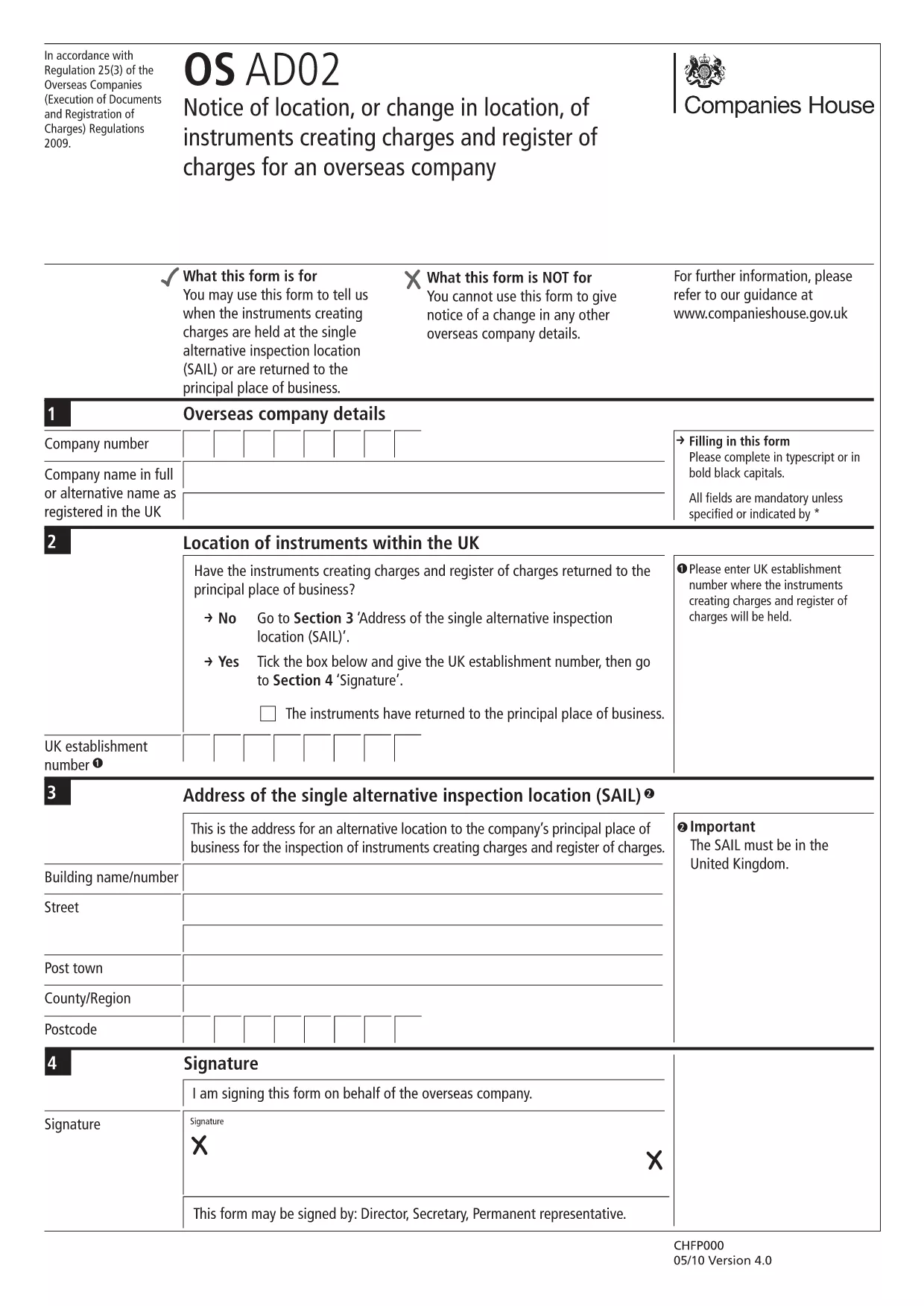
The EN-AD.02 (also referenced as OS AD02) is the official notice used to record the location, or any change in location, of instruments that create charges on the UK Register of Charges for overseas companies. Completing this form correctly ensures your charge is properly registered and publicly searchable.

Formize makes the EN-AD.02 form 100 % fillable online – no PDF editor required. Simply click the button below, let the Formize PDF Filler load, and start typing. All data is saved automatically, and you can download a completed copy or submit it directly to Companies House.

What Is EN-AD.02?

EN-AD.02 is a statutory document required by Companies House when an overseas company creates a charge over assets in the United Kingdom. The form captures details such as:

  • Company name and registration number
  • Type of instrument creating the charge
  • Exact location of the charge (or any change to that location)
  • Date of registration

How to Complete the EN-AD.02 Form Online

Follow the simple steps in the How‑To section below. The Formize PDF Filler loads the official PDF, turns every field into an interactive input, and validates dates and numeric entries for you.

Common Mistakes to Avoid

  • Leaving required fields blank: The form will not submit if mandatory sections are empty.
  • Mismatching dates: Ensure the “Date of Change” is later than the original registration date.
  • Incorrect charge description: Use the exact wording from the instrument to avoid rejection.

Where to Submit the Completed Form

After you finish, you can either:

  1. Download the signed PDF and upload it through the Companies House WebFiling service.
  2. Send the PDF by post to the Companies House office handling overseas charges.

Both methods require the form to be signed by an authorized representative of the overseas company.

FAQ
  • What is the purpose of the EN-AD.02 form?

    It notifies Companies House of the location, or any change in location, of instruments that create charges on the UK Register of Charges for overseas companies.

  • Can I edit the EN-AD.02 PDF without Formize?

    Technically you could use a PDF editor, but Formize provides a secure, fillable version that validates data and prevents common errors.

  • Is an electronic signature accepted on EN-AD.02?

    Yes, Companies House accepts qualified electronic signatures. Upload the signed PDF through WebFiling or attach a scanned handwritten signature.

  • How long does it take for the completed form to be processed?

    Once submitted, Companies House usually updates the Register of Charges within 5‑7 business days.

  • Do I need to submit supporting documents with EN-AD.02?

    Only if the charge instrument references additional agreements. Include any annexes mentioned in the instrument to avoid delays.

  • What if I make a mistake after submitting?

    You can file a corrected EN-AD.02 using the same process, clearly marking it as an amendment and referencing the original filing reference number.

BAGAIMANA CARANYA

Cara mengisi EN-AD.02 gratis secara online dalam 5 langkah mudah:

  1. 1
    Click the “Fill out this form” button
    Locate the bright button on this page and click it. The Formize PDF Filler will open in a new tab.
  2. 2
    Wait for the Formize PDF Filler to load
    The app loads the official EN-AD.02 PDF and automatically converts every field into an editable box.
  3. 3
    Enter the required information
    Type directly into each field. The filler validates dates, numbers, and required entries in real time.
  4. 4
    Review and sign
    Double‑check all entries, add an electronic signature if your organization uses one, and click “Save”.
  5. 5
    Download or submit
    Choose to download the completed PDF for your records or follow the on‑screen instructions to submit it to Companies House.
Bentuk aplikasi Pengisi PDF
TENTANG

kerangka EN-AD.02

Dengan serangkaian fitur tradisional untuk melihat dan mengisi dokumen PDF, dipadukan dengan manfaat aplikasi web dan tata letak responsif, Anda dapat menyelesaikan EN-AD.02 dalam hitungan menit.

FITUR

Pengisi PDF

Cara termudah untuk mengisi formulir PDF secara online

  • Isi EN-AD.02 dengan cepat
    Mencari cara mengisi EN-AD.02 dengan cepat secara online? Dengan pengisi formulir PDF online gratis kami, Anda akan tahu cara mengedit dan mengisi dokumen pdf ini dalam waktu kurang dari satu menit.
  • Editor PDF online yang mudah digunakan
    Muak dengan mencetak file PDF sehingga Anda dapat mengeditnya, sebelum memindai ulang dan mengirimnya kembali? Edit dokumen PDF secara online gratis. Gunakan editor pdf online kami untuk menghemat waktu dan kertas.
  • Alat hebat, semua platform
    Ingin tahu cara mengisi EN-AD.02 di Mac, atau mungkin cara menggunakan pengisi PDF gratis? Alat PDF online kami berfungsi di semua platform.
  • Penyimpanan file yang aman
    File "EN-AD.02" yang telah selesai disimpan dalam database aman yang dikelola oleh hosting Amazon Cloud. Anda dapat menghapus file Anda dari sistem kami kapan saja. Bagaimanapun, file-file ini secara otomatis dihapus setelah 24 jam.
  • Ngobrol dengan EN-AD.02
    Ngobrol dengan "EN-AD.02" di Chatize yang merupakan asisten pembaca PDF gratis. Ajukan pertanyaan dan dapatkan jawaban dari "EN-AD.02". Cukup klik tombol Chat Dengan Dokumen di atas.

Hapus sesi pengisian

Hapus sesi pengisian yang dipilih? Dalam hal ini, kemajuan Anda dalam menyelesaikan formulir akan hilang.

Hapus sesi pengeditan

Hapus sesi pengeditan yang dipilih? Dalam hal ini, kemajuan Anda dalam membuat dan mengedit formulir akan hilang.