Seleziona la lingua

Australian Citizenship Application Form – Fillable PDF Online

  1. Paese Australia
  2. Lingua Inglese
  3. Attività Immigrazione
  4. Dipartimento Dipartimento degli affari interni e della giustizia
Compila questo modulo
Australian Citizenship Application Form – Fillable PDF Online

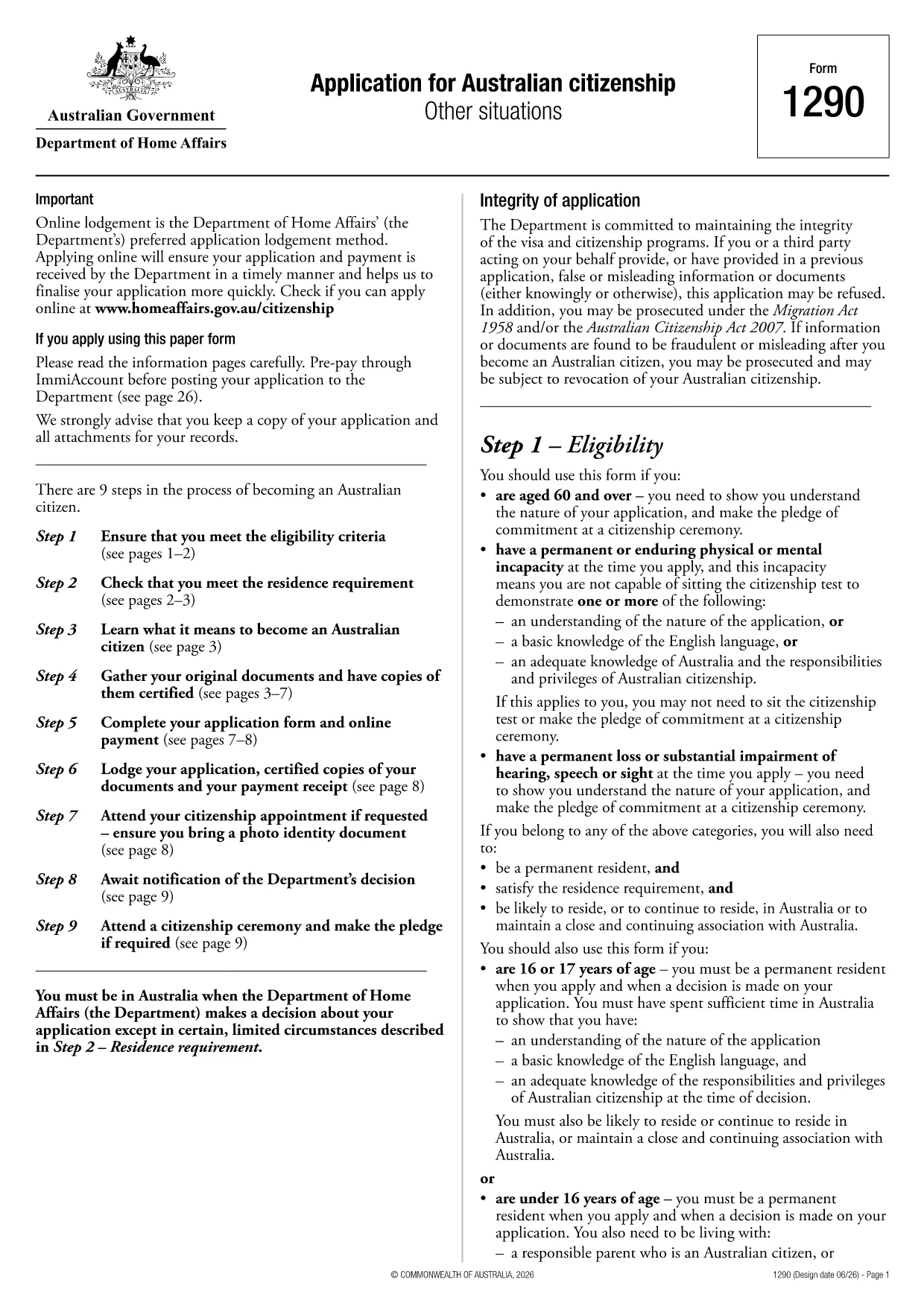
Applying for Australian citizenship is a major step, and the first requirement is submitting the correct application form. The Application for Australian citizenship – Other situations (Form 1290) is the official PDF provided by the Department of Home Affairs. With Formize you can open the PDF directly in your browser, fill every field, and save a completed copy without printing.

What is the Australian Citizenship Application Form?

Form 1290 is used when you apply under special circumstances such as:

  • Applying after a previous citizenship application was refused
  • Applying for a child born overseas to Australian parents
  • Other exceptional cases defined by the Department of Home Affairs

The form is a fillable PDF, meaning each field can be typed into, checked, or selected directly on the screen.

How to Fill the Form Using Formize

Instead of downloading the PDF and opening a separate editor, simply click the "Fill out this form" button on this page. The Formize PDF Filler will load in seconds, letting you complete the application online.

Key Sections & Required Information

Make sure you have the following documents handy before you start:

  • Proof of identity (passport, birth certificate)
  • Evidence of residency in Australia
  • Previous citizenship or visa details
  • Supporting documents for the specific "other situation" you are applying under

Each section of the form is clearly labelled. Fill in personal details, residency history, and the reason for your special application. Use block letters as required.

Common Mistakes & Tips for a Successful Submission

  • Do not leave any mandatory field blank. The PDF will highlight missing information when you try to save.
  • Use black or blue ink equivalents when printing. If you later need a hard copy, the digital entry will translate cleanly.
  • Double‑check dates and passport numbers. A typo can delay processing.
  • Save a copy for your records. After completing the form, download the filled PDF and store it securely.

Once you have completed the form, you can either download it for printing and mailing to the Department of Home Affairs or submit it electronically if the department accepts digital submissions.

FAQ
  • Do I need to print the form after filling it online?

    If the Department of Home Affairs requires a paper copy, print the completed PDF using black or blue ink. Otherwise, you can submit the digital file directly if electronic submission is accepted.

  • Can I save my progress and return later?

    Yes. The Formize PDF Filler lets you save the partially completed form to your device or cloud storage, then reopen it later to finish.

  • What documents should I have ready before starting?

    You’ll need proof of identity, residence history, any previous citizenship or visa details, and supporting evidence for the special situation you’re applying under.

  • Is there a fee for using Formize to fill the form?

    Formize’s basic PDF filling feature is free. Any government filing fees are paid directly to the Department of Home Affairs, not through Formize.

  • How do I know if my application was received?

    After mailing the printed form, you’ll receive a receipt from the Department. If you submit electronically, you’ll get a confirmation email with a reference number.

  • Can I edit the form after I’ve downloaded it?

    Yes, as long as the PDF is not locked. Open the downloaded file again in Formize to make any needed changes before final submission.

COME

Come compilare Australian citizenship application form gratuitamente, online in 5 semplici passaggi:

  1. 1
    Open the Fillable Form
    Click the "Fill out this form" button on the page. The Formize PDF Filler app will load instantly in your browser.
  2. 2
    Enter Your Information
    Type directly into each field, select dates from the calendar picker, and upload any required supporting documents.
  3. 3
    Review & Validate
    Use the built‑in validation to ensure no required fields are missing. Correct any highlighted errors.
  4. 4
    Save or Download
    When completed, click "Save" to store the filled PDF in your cloud storage or download it to your device for printing.
  5. 5
    Submit to the Department
    Print and mail the form with supporting documents, or follow any electronic submission instructions provided by the Department of Home Affairs.
App Formize PDF Filler
DI

modello Australian citizenship application form

Con il tradizionale set di funzionalità per la visualizzazione e la compilazione di un documento PDF, combinato con i vantaggi di un'applicazione Web e un layout reattivo, puoi completare Australian citizenship application form in pochi minuti.

CARATTERISTICHE

Compilatore PDF

Il modo più semplice per compilare moduli PDF online

  • Compila rapidamente Australian citizenship application form
    Cerchi un modo per compilare rapidamente Australian citizenship application form online? Con il nostro compilatore di moduli PDF gratuito online, saprai come modificare e compilare questo documento PDF in meno di un minuto.
  • Editor PDF online facile da usare
    Stufo di stampare file PDF in modo da poterli modificare, prima di riscansionarli e rispedirli? Modifica documenti PDF gratuitamente online. Utilizza il nostro editor PDF online per risparmiare tempo e carta.
  • Grandi strumenti, tutte le piattaforme
    Ti stai chiedendo come inserire Australian citizenship application form su un Mac o forse come utilizzare un riempitivo PDF gratuito? I nostri strumenti PDF online funzionano su tutte le piattaforme.
  • Archiviazione sicura dei file
    I file "Australian citizenship application form" completati vengono archiviati in un database protetto gestito dall'hosting Amazon Cloud. Puoi eliminare i tuoi file dal nostro sistema in qualsiasi momento. In ogni caso, questi file vengono automaticamente cancellati dopo 24 ore.
  • Chatta con {parola chiave}
    Chatta con "Australian citizenship application form" su Chatize che è un assistente di lettura PDF gratuito. Fai domande e ottieni risposte da "Australian citizenship application form". Basta fare clic sul pulsante Chatta con il documento in alto.

Elimina sessione di riempimento

Eliminare la sessione di riempimento selezionata? In questo caso, i progressi nella compilazione del modulo andranno persi.

Elimina la sessione di modifica

Eliminare la sessione di editing selezionata? In questo caso, i tuoi progressi nella creazione e modifica del modulo andranno persi.