Seleziona la lingua

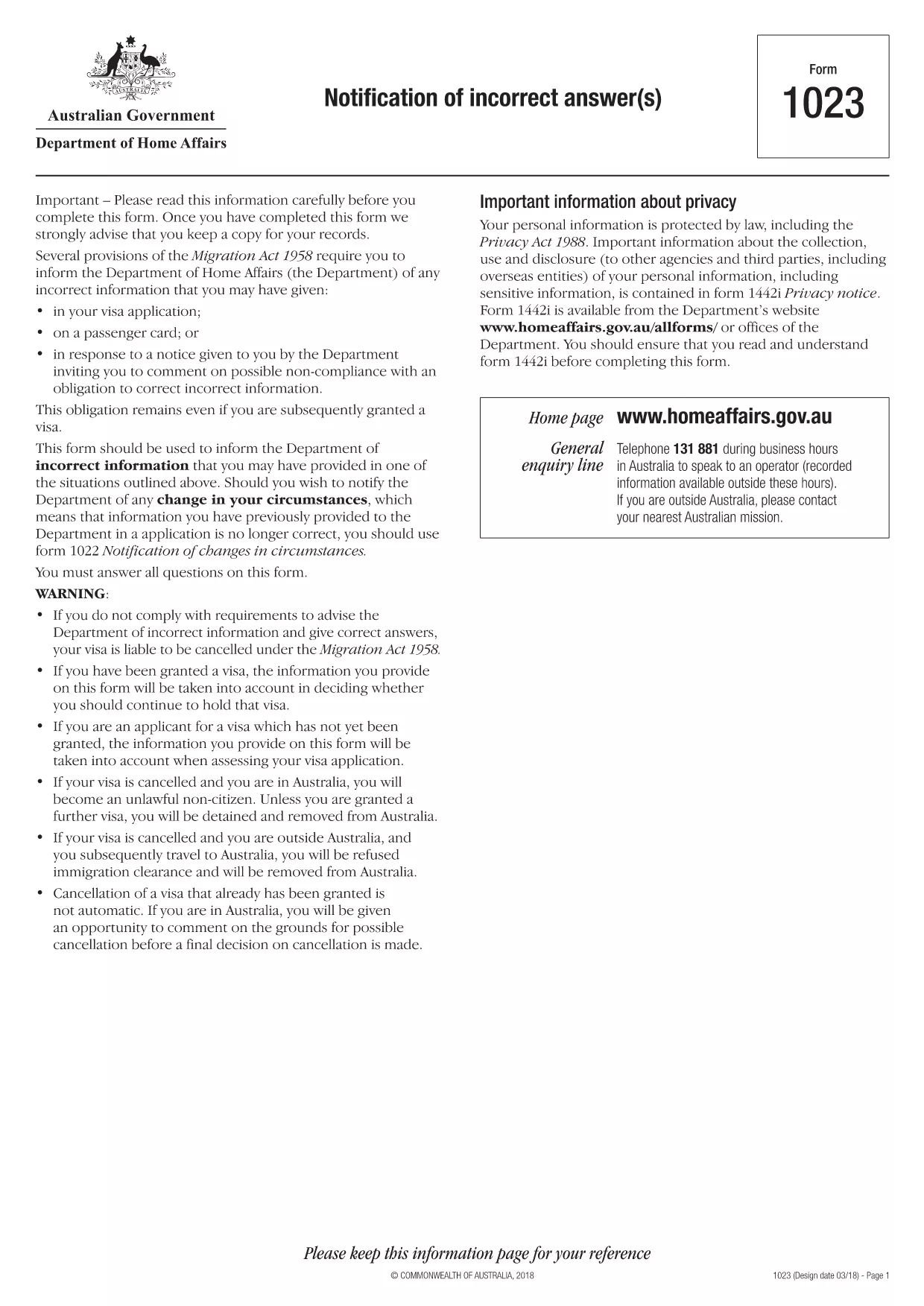
INZ1023 – Notification of Incorrect Answer (Fillable PDF)

  1. Paese Australia
  2. Lingua Inglese
  3. Attività Immigrazione
  4. Dipartimento Dipartimento degli affari interni e della giustizia
Compila questo modulo
INZ1023 – Notification of Incorrect Answer (Fillable PDF)

The INZ1023 – Notification of Incorrect Answer is an official form used by the Australian Department of Home Affairs to inform the agency of any incorrect information previously supplied in an immigration application. Whether you discovered a typo, an outdated address, or a change in personal circumstances, this fillable PDF lets you correct the record quickly and securely.

What Is the INZ1023 Form?

The INZ1023 form is specifically designed for applicants who need to notify the Department of Home Affairs about errors in earlier submissions. It captures:

  • Applicant details (name, passport number, visa reference)
  • Original application reference
  • Exact information that was incorrect
  • Corrected details and supporting evidence
  • Signature and date

How to Complete the INZ1023 Online

Instead of downloading and editing the PDF in a separate editor, simply click the "Fill out this form" button on this page. The Formize PDF Filler app will load within seconds, allowing you to:

  1. Enter your personal information in the pre‑filled fields.
  2. Attach supporting documents directly from your computer or cloud storage.
  3. Validate entries with built‑in checks to avoid common errors.
  4. Save a copy for your records and submit the completed form electronically.

Common Mistakes & Tips

  • Incorrect reference numbers: Double‑check the visa or application reference before typing.
  • Missing signatures: The digital signature field must be completed; otherwise the form will be rejected.
  • Unsupported file types: Upload only PDF, JPG, or PNG documents as evidence.
  • Leaving optional fields blank: If a field is not applicable, write "N/A" to avoid blank spaces.

Where to Submit the Completed Form

After you finish filling out the INZ1023 with Formize, you can:

  • Submit directly through the ImmiAccount portal.
  • Email the PDF to immigration@homeaffairs.gov.au with your visa reference in the subject line.
  • Mail a printed copy to the address shown on the form if electronic submission is not possible.

Using the online filler reduces processing time and ensures your correction is received in a readable, searchable format.

FAQ
  • What is the purpose of the INZ1023 form?

    It notifies the Department of Home Affairs about any incorrect or outdated information you previously provided in an immigration application.

  • Can I fill out INZ1023 on a mobile device?

    Yes. The Formize PDF Filler works on most modern smartphones and tablets with a compatible browser.

  • Do I need to print the form after filling it online?

    Printing is optional. You can submit the completed PDF electronically via ImmiAccount or email.

  • How long does it take for the Department to process the correction?

    Processing times vary, but electronic submissions are usually reviewed within 5‑7 business days.

  • What if I make a mistake while filling the form?

    You can use the "Reset" button in the Formize filler to clear fields, or simply edit the incorrect entry before saving.

  • Is there a fee to submit the INZ1023 form?

    No. The form is free of charge; however, standard visa processing fees still apply to your original application.

  • Can I attach more than one supporting document?

    Yes. The filler allows multiple attachments; each file must be under 10 MB and in PDF, JPG, or PNG format.

COME

Come compilare INZ1023 gratuitamente, online in 5 semplici passaggi:

  1. 1
    Open the Fillable Form
    Click the "Fill out this form" button on the page. The Formize PDF Filler will load in your browser.
  2. 2
    Enter Your Details
    Complete each field, including your name, passport number, and the incorrect information you need to correct.
  3. 3
    Attach Supporting Documents
    Use the attachment icon to upload PDFs, JPGs, or PNGs that prove the corrected information.
  4. 4
    Review and Sign
    Check every entry for accuracy, then add your digital signature in the designated field.
  5. 5
    Submit or Download
    Click "Submit" to send directly to ImmiAccount, or download the completed PDF for manual submission.
App Formize PDF Filler
DI

modello INZ1023

Con il tradizionale set di funzionalità per la visualizzazione e la compilazione di un documento PDF, combinato con i vantaggi di un'applicazione Web e un layout reattivo, puoi completare INZ1023 in pochi minuti.

CARATTERISTICHE

Compilatore PDF

Il modo più semplice per compilare moduli PDF online

  • Compila rapidamente INZ1023
    Cerchi un modo per compilare rapidamente INZ1023 online? Con il nostro compilatore di moduli PDF gratuito online, saprai come modificare e compilare questo documento PDF in meno di un minuto.
  • Editor PDF online facile da usare
    Stufo di stampare file PDF in modo da poterli modificare, prima di riscansionarli e rispedirli? Modifica documenti PDF gratuitamente online. Utilizza il nostro editor PDF online per risparmiare tempo e carta.
  • Grandi strumenti, tutte le piattaforme
    Ti stai chiedendo come inserire INZ1023 su un Mac o forse come utilizzare un riempitivo PDF gratuito? I nostri strumenti PDF online funzionano su tutte le piattaforme.
  • Archiviazione sicura dei file
    I file "INZ1023" completati vengono archiviati in un database protetto gestito dall'hosting Amazon Cloud. Puoi eliminare i tuoi file dal nostro sistema in qualsiasi momento. In ogni caso, questi file vengono automaticamente cancellati dopo 24 ore.
  • Chatta con {parola chiave}
    Chatta con "INZ1023" su Chatize che è un assistente di lettura PDF gratuito. Fai domande e ottieni risposte da "INZ1023". Basta fare clic sul pulsante Chatta con il documento in alto.

Elimina sessione di riempimento

Eliminare la sessione di riempimento selezionata? In questo caso, i progressi nella compilazione del modulo andranno persi.

Elimina la sessione di modifica

Eliminare la sessione di editing selezionata? In questo caso, i tuoi progressi nella creazione e modifica del modulo andranno persi.