Seleziona la lingua

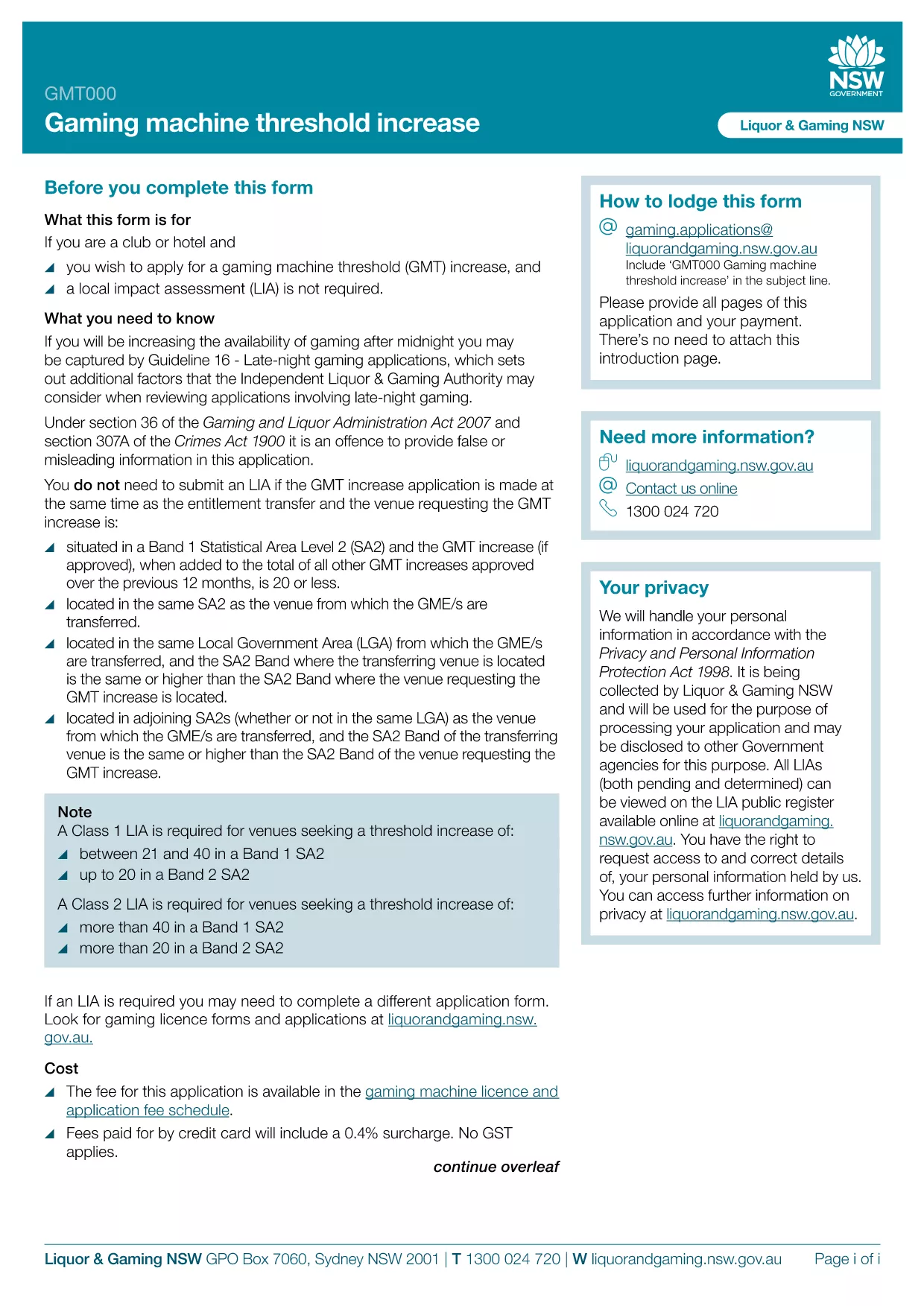
GMT000 Gaming Machine Threshold Increase Form (Fillable PDF)

  1. Lingua Inglese
  2. Paese Australia
  3. Attività Gaming Regulation
  4. Dipartimento Liquor & Gaming NSW
Compila questo modulo
GMT000 Gaming Machine Threshold Increase Form (Fillable PDF)

The GMT000 Gaming Machine Threshold Increase form is required when a licensee wants to raise the monetary limit on a gaming machine in New South Wales. This fillable PDF lets you submit the request quickly, without printing or scanning.

Why You Need the GMT000 Threshold Increase

Increasing the threshold allows higher‑value wagers, which can boost revenue and improve player experience. The regulator, Liquor & Gaming NSW, must approve any change, and the GMT000 form is the official channel.

How to Complete the Form Online

Instead of downloading the PDF to a desktop editor, simply click the "Fill out this form" button on this page. The Formize PDF Filler app will load in your browser, presenting an intuitive, field‑by‑field interface.

  • Enter the licence number and holder details.
  • Specify the current threshold and the requested new limit.
  • Provide supporting documentation links or attachments.
  • Sign electronically and submit.

Common Mistakes & Tips

  • Incorrect licence number: Double‑check the licence reference on the back of your current permit.
  • Missing signatures: The electronic signature field must be completed; otherwise the submission is rejected.
  • Unsupported file types: Attach only PDF, JPG or PNG files for supporting evidence.

Submission & Follow‑Up

After you click Submit, you will receive an automated acknowledgement email. The regulator typically reviews the request within 10‑15 business days. Keep the confirmation number handy for any follow‑up inquiries.

Need more help? Review the FAQs below or contact Liquor & Gaming NSW directly.

FAQ
  • What is the GMT000 form used for?

    It is the official request to increase the monetary threshold limit on a gaming machine in NSW.

  • Can I fill out the form on a mobile device?

    Yes. The Formize PDF Filler works on modern smartphones and tablets.

  • Do I need a digital signature?

    An electronic signature is required. The form will not accept a blank signature field.

  • How long does the approval process take?

    Liquor & Gaming NSW typically reviews threshold increase requests within 10‑15 business days.

  • What supporting documents are required?

    Attach a copy of the current licence, a financial justification for the increase, and any relevant audit reports.

  • What happens if I make a mistake after submitting?

    Contact Liquor & Gaming NSW with your reference number. They may allow a corrected resubmission.

  • Is there a fee to submit the GMT000 form?

    Yes, a processing fee applies. Check the latest fee schedule on the Liquor & Gaming NSW website.

  • Can I save my progress and finish later?

    The Formize app lets you save a draft locally. Return to the saved file, reopen it in the filler, and continue.

COME

Come compilare GMT000 gratuitamente, online in 5 semplici passaggi:

  1. 1
    Open the Fillable Form
    Click the "Fill out this form" button on the page. The Formize PDF Filler app will launch directly in your browser.
  2. 2
    Enter Your Details
    Complete each field – licence number, current threshold, requested increase, and any supporting information.
  3. 3
    Add Attachments
    Upload required documents (PDF, JPG, PNG) using the attachment button.
  4. 4
    Sign Electronically
    Use the electronic signature field to sign the form. This replaces a handwritten signature.
  5. 5
    Submit & Receive Confirmation
    Press "Submit". An acknowledgement email with a reference number will be sent to the address you provided.
App Formize PDF Filler
DI

modello GMT000

Con il tradizionale set di funzionalità per la visualizzazione e la compilazione di un documento PDF, combinato con i vantaggi di un'applicazione Web e un layout reattivo, puoi completare GMT000 in pochi minuti.

CARATTERISTICHE

Compilatore PDF

Il modo più semplice per compilare moduli PDF online

  • Compila rapidamente GMT000
    Cerchi un modo per compilare rapidamente GMT000 online? Con il nostro compilatore di moduli PDF gratuito online, saprai come modificare e compilare questo documento PDF in meno di un minuto.
  • Editor PDF online facile da usare
    Stufo di stampare file PDF in modo da poterli modificare, prima di riscansionarli e rispedirli? Modifica documenti PDF gratuitamente online. Utilizza il nostro editor PDF online per risparmiare tempo e carta.
  • Grandi strumenti, tutte le piattaforme
    Ti stai chiedendo come inserire GMT000 su un Mac o forse come utilizzare un riempitivo PDF gratuito? I nostri strumenti PDF online funzionano su tutte le piattaforme.
  • Archiviazione sicura dei file
    I file "GMT000" completati vengono archiviati in un database protetto gestito dall'hosting Amazon Cloud. Puoi eliminare i tuoi file dal nostro sistema in qualsiasi momento. In ogni caso, questi file vengono automaticamente cancellati dopo 24 ore.
  • Chatta con {parola chiave}
    Chatta con "GMT000" su Chatize che è un assistente di lettura PDF gratuito. Fai domande e ottieni risposte da "GMT000". Basta fare clic sul pulsante Chatta con il documento in alto.

Elimina sessione di riempimento

Eliminare la sessione di riempimento selezionata? In questo caso, i progressi nella compilazione del modulo andranno persi.

Elimina la sessione di modifica

Eliminare la sessione di editing selezionata? In questo caso, i tuoi progressi nella creazione e modifica del modulo andranno persi.