

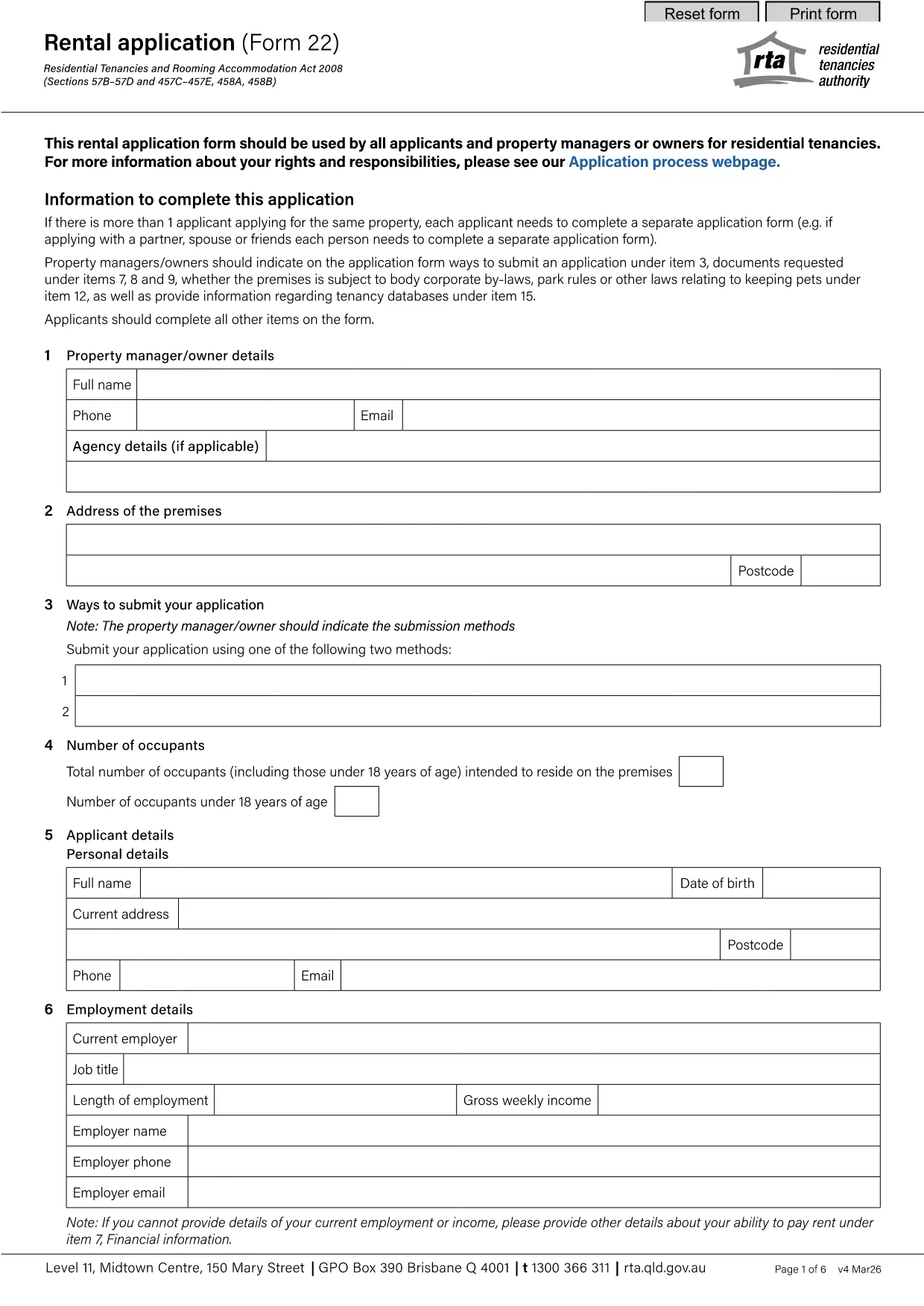

Moduli per i proprietari e/o gli inquilini per proporre azioni relative ai contratti di locazione.
rental application pdf è uno dei documenti utilizzati nel processo di affitto o locazione di un immobile. Questi moduli stabiliscono l'accordo legale tra il proprietario dell'immobile (proprietario) e l'inquilino, delineando i termini e le condizioni del contratto di locazione. Ecco alcuni moduli comuni di noleggio o locazione:
Richiesta di affitto: questo modulo viene generalmente compilato dai potenziali inquilini interessati ad affittare una proprietà. Raccoglie informazioni personali sul richiedente, come nome, informazioni di contatto, dettagli sull'occupazione, cronologia degli affitti e referenze. L'applicazione di locazione aiuta i proprietari a valutare l'idoneità degli inquilini e a prendere decisioni informate.
Contratto di locazione: il contratto di locazione è un contratto giuridicamente vincolante che delinea i diritti e le responsabilità sia del proprietario che dell'affittuario. Copre dettagli importanti come la durata del contratto di locazione, l'importo dell'affitto, il deposito cauzionale, le penali per ritardi di pagamento, la politica sugli animali domestici, le responsabilità di manutenzione e qualsiasi altro termine specifico per la proprietà in affitto. I contratti di locazione possono variare in durata e complessità a seconda del mercato degli affitti e delle leggi locali.
Contratto di locazione: simile a un contratto di locazione, un contratto di locazione è un contratto che regola l'affitto di un immobile. Tuttavia, i contratti di noleggio vengono generalmente utilizzati per affitti a breve termine, ad esempio accordi mensili. I contratti di noleggio in genere hanno maggiore flessibilità e possono essere risolti o modificati con periodi di preavviso più brevi rispetto ai contratti di locazione a lungo termine.
Moduli di ispezione di trasloco/trasloco: questi moduli vengono utilizzati per documentare le condizioni della proprietà in affitto all'inizio e alla fine della locazione. Descrivono in dettaglio le condizioni di ciascuna camera e gli eventuali danni esistenti, garantendo che entrambe le parti abbiano una registrazione delle condizioni della proprietà per risolvere controversie relative a depositi cauzionali o richieste di risarcimento danni.
Avviso di sgombero: questo modulo viene utilizzato dal proprietario o dall'affittuario per fornire un avviso di intenzione di rescindere il contratto di locazione. Il periodo di preavviso richiesto può variare a seconda delle leggi locali e dei termini del contratto di locazione o del contratto di noleggio.
È importante notare che le forme di affitto o locazione possono variare a seconda della giurisdizione e dei requisiti specifici del proprietario o della società di gestione immobiliare. Si consiglia di consultare le leggi locali e chiedere una consulenza professionale per garantire il rispetto delle normative applicabili e di utilizzare i moduli appropriati per la specifica operazione di noleggio o locazione.