

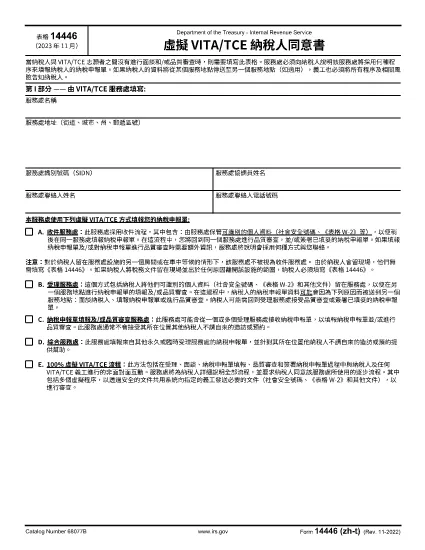

Moduli dell'Agenzia delle entrate (IRS).
Form 14446 è uno dei moduli fiscali ufficiali utilizzati negli Stati Uniti per segnalare il reddito, richiedere detrazioni e crediti, calcolare la responsabilità fiscale e adempiere ad altri obblighi fiscali. L'IRS è l'agenzia federale responsabile dell'amministrazione e dell'applicazione delle leggi fiscali interne negli Stati Uniti.
Ecco alcuni esempi di moduli dell'Agenzia delle Entrate:
Modulo 1040: questo è il modulo di dichiarazione dei redditi individuale principale utilizzato dalla maggior parte dei contribuenti. Viene utilizzato per segnalare vari tipi di reddito, richiedere detrazioni e crediti, calcolare la responsabilità fiscale e determinare se un contribuente deve pagare tasse aggiuntive o ha diritto a un rimborso.
Modulo 1099: esistono diverse varianti del modulo 1099, come 1099-MISC, 1099-INT, 1099-DIV, ecc. Questi moduli vengono utilizzati per segnalare i redditi percepiti da individui o aziende da varie fonti diverse dal lavoro dipendente, come il lavoro autonomo reddito, interessi attivi, dividendi e affitti.
Modulo W-2: questo modulo viene utilizzato dai datori di lavoro per segnalare gli stipendi pagati ai dipendenti e le tasse trattenuti dalla loro paga. I dipendenti utilizzano le informazioni sul modulo W-2 per completare le dichiarazioni dei redditi individuali.
Modulo 941: i datori di lavoro utilizzano questo modulo per segnalare le imposte sul lavoro, comprese le ritenute fiscali federali sul reddito, le imposte sulla previdenza sociale e le imposte Medicare, per i propri dipendenti.
Modulo 1065: questo modulo viene utilizzato dalle società di persone per segnalare reddito, detrazioni e passività fiscali. Le società di persone stesse non pagano l'imposta sul reddito; invece, i partner riportano la loro quota di reddito di partenariato nelle loro dichiarazioni dei redditi individuali.
Modulo 1120: questo è il modulo di dichiarazione dei redditi delle società utilizzato dalle società C per dichiarare il proprio reddito, detrazioni e responsabilità fiscale.
Modulo 990: questo modulo viene utilizzato da organizzazioni esentasse, come organizzazioni non profit ed enti di beneficenza, per segnalare le proprie informazioni finanziarie, attività e conformità alle leggi fiscali.
Modulo 8862: questo modulo viene utilizzato dai contribuenti che hanno precedentemente richiesto il credito d'imposta sul reddito guadagnato (EITC) ma non è stato consentito e ora voglio rivendicarlo di nuovo.
Questi sono solo alcuni esempi dei numerosi moduli IRS esistenti per adempiere ai vari obblighi fiscali. I moduli specifici richiesti per un individuo o un'azienda dipendono dalle circostanze specifiche, dalle fonti di reddito e dalle detrazioni. Si consiglia di consultare il sito web ufficiale dell'Internal Revenue Service (www.irs.gov) o chiedere una consulenza fiscale professionale per ottenere informazioni precise e aggiornate riguardanti lo specifico IRS moduli rilevanti per la vostra situazione fiscale.