
Seleziona la lingua

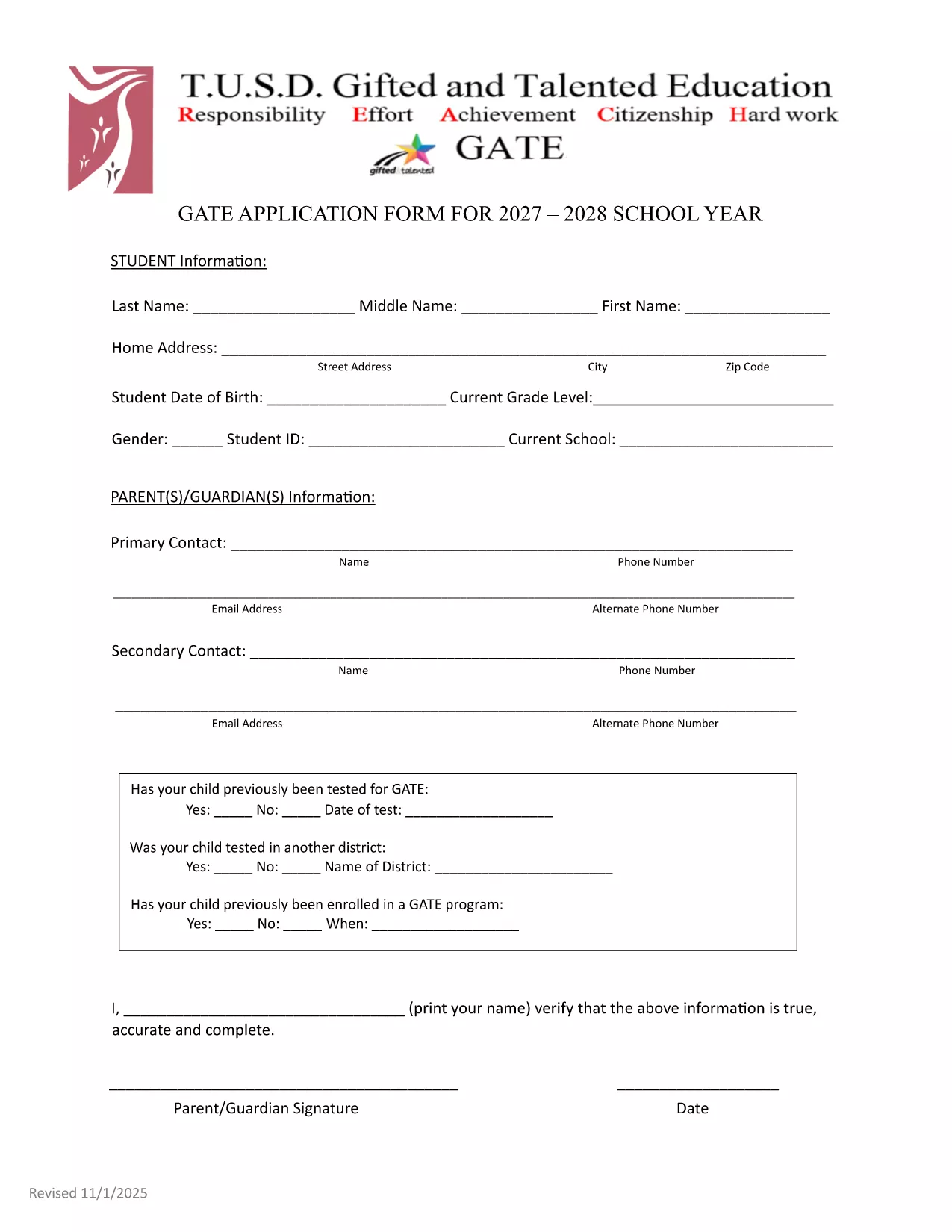
GATE 2027‑28 Application Form – Fillable PDF

  1. Lingua Inglese
  2. Paese Stati Uniti d'America
  3. Dipartimento Education
  4. Attività School Admissions
Compila questo modulo
GATE 2027‑28 Application Form – Fillable PDF

The GATE 2027‑28 Application Form is now available as a fully fillable PDF. Whether you’re a parent, guardian, or student, you can complete the form directly in your browser using the Formize PDF Filler – no extra software required.

Why Choose the Fillable GATE 2027 Form?

  • Instant online editing – start typing as soon as the page loads.
  • Built‑in validation to reduce errors.
  • Secure, cloud‑based processing ensures your data stays private.
  • Printable version available for hard‑copy submission if needed.

How to Complete the GATE Application Online

Follow the simple steps below to fill out the form quickly and accurately.

Common Mistakes to Avoid

  • Leaving the "Date of Test" field blank when a prior GATE test was taken.
  • Using unofficial abbreviations for school names.
  • Submitting incomplete contact information – double‑check phone numbers and email addresses.

Submission Guidelines & Deadlines

After completing the form, review all entries, sign electronically, and submit according to your district’s instructions. The deadline for the 2027‑28 cycle is May 15, 2027. Late submissions may not be considered.

Need help? Refer to the official PDF guide for detailed explanations of each section.

FAQ
  • Do I need Adobe Acrobat to fill out the GATE 2027 form?

    No. The Formize PDF Filler works in any modern browser, so you can complete the form without installing additional software.

  • Can I save my progress and finish later?

    Yes. Use the "Save Draft" button in the Formize app to store your work securely, then return with the same link to finish.

  • What if I make a mistake after submitting?

    Contact your district’s GATE coordinator immediately. They can provide a corrected form or allow you to resubmit a revised PDF.

  • Is the information I enter encrypted?

    All data transmitted through Formize is encrypted with SSL/TLS, keeping your personal details safe.

  • Do I need to print and mail the form after filling it online?

    Most districts accept the electronic submission directly. Check your local guidelines; a printed copy is only needed if explicitly requested.

  • What if my student was tested for GATE before 2027?

    Enter the previous test date in the "Date of Test" field and attach the original test report if required.

COME

Come compilare GATE application 2027 gratuitamente, online in 4 semplici passaggi:

  1. 1
    Click the "Fill out this form" button
    On this page, press the highlighted button to launch the Formize PDF Filler app.
  2. 2
    Wait for the Formize PDF Filler to load
    The app loads in seconds; a progress bar will show when it’s ready.
  3. 3
    Enter your information
    Type directly into each field, use dropdowns where provided, and upload any required documents.
  4. 4
    Review, sign, and submit
    Double‑check all entries, add your electronic signature, then click Submit to send the completed application.
App Formize PDF Filler
DI

modello GATE application 2027

Con il tradizionale set di funzionalità per la visualizzazione e la compilazione di un documento PDF, combinato con i vantaggi di un'applicazione Web e un layout reattivo, puoi completare GATE application 2027 in pochi minuti.

CARATTERISTICHE

Compilatore PDF

Il modo più semplice per compilare moduli PDF online

  • Compila rapidamente GATE application 2027
    Cerchi un modo per compilare rapidamente GATE application 2027 online? Con il nostro compilatore di moduli PDF gratuito online, saprai come modificare e compilare questo documento PDF in meno di un minuto.
  • Editor PDF online facile da usare
    Stufo di stampare file PDF in modo da poterli modificare, prima di riscansionarli e rispedirli? Modifica documenti PDF gratuitamente online. Utilizza il nostro editor PDF online per risparmiare tempo e carta.
  • Grandi strumenti, tutte le piattaforme
    Ti stai chiedendo come inserire GATE application 2027 su un Mac o forse come utilizzare un riempitivo PDF gratuito? I nostri strumenti PDF online funzionano su tutte le piattaforme.
  • Archiviazione sicura dei file
    I file "GATE application 2027" completati vengono archiviati in un database protetto gestito dall'hosting Amazon Cloud. Puoi eliminare i tuoi file dal nostro sistema in qualsiasi momento. In ogni caso, questi file vengono automaticamente cancellati dopo 24 ore.
  • Chatta con {parola chiave}
    Chatta con "GATE application 2027" su Chatize che è un assistente di lettura PDF gratuito. Fai domande e ottieni risposte da "GATE application 2027". Basta fare clic sul pulsante Chatta con il documento in alto.

Elimina sessione di riempimento

Eliminare la sessione di riempimento selezionata? In questo caso, i progressi nella compilazione del modulo andranno persi.

Elimina la sessione di modifica

Eliminare la sessione di editing selezionata? In questo caso, i tuoi progressi nella creazione e modifica del modulo andranno persi.