Seleziona la lingua

Employee Time‑Off Request Form – Fillable PDF

  1. Lingua Inglese
  2. Paese Stati Uniti d'America
  3. Dipartimento Human Resources
  4. Attività Leave Management
Compila questo modulo
Employee Time‑Off Request Form – Fillable PDF

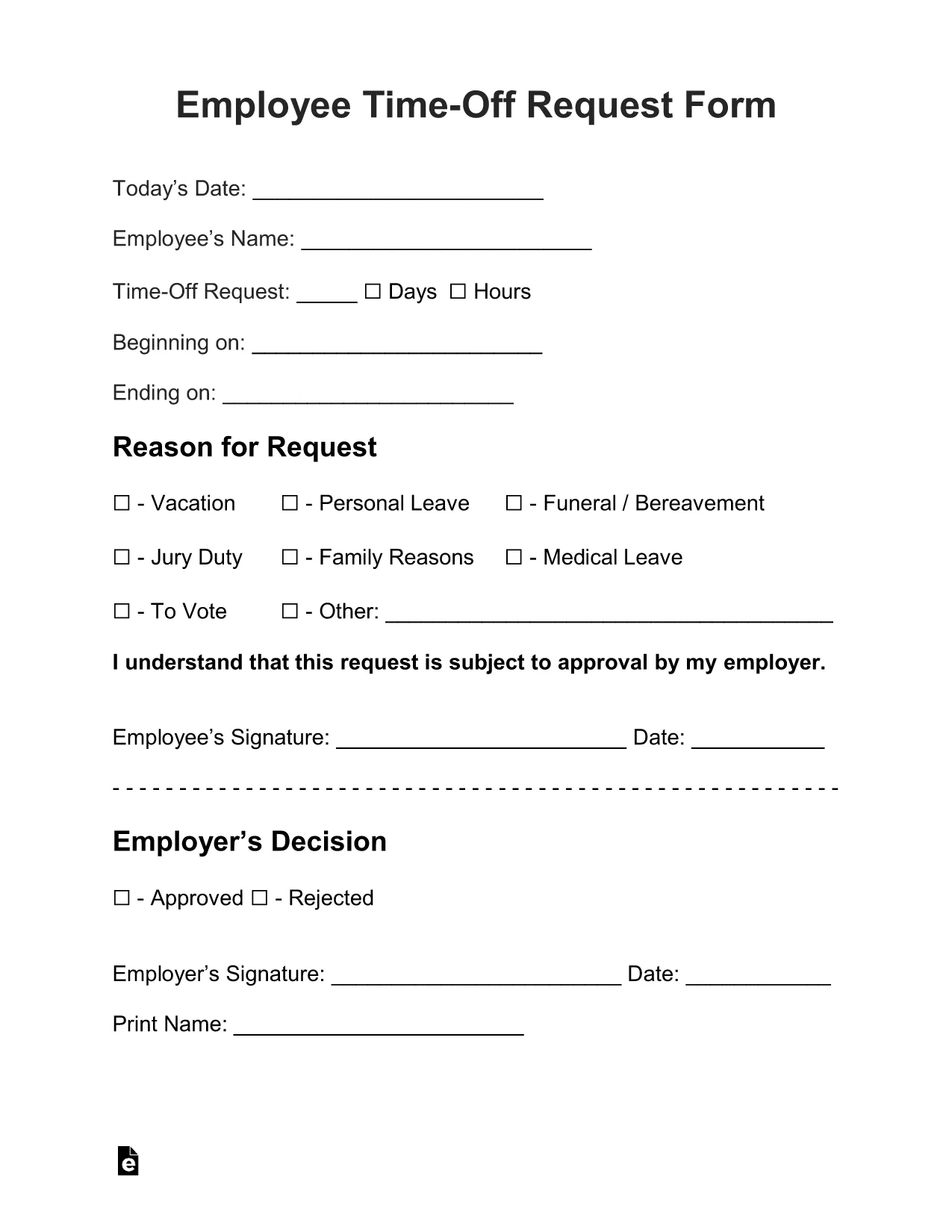
Need a quick, professional way to ask for vacation, sick leave, or personal time? The Employee Time‑Off Request Form is a standard, fillable PDF used by many U.S. employers. With Formize’s built‑in PDF Filler, you can complete the form directly in your browser—no extra software, no printing until you’re ready.

What Is the Employee Time‑Off Request Form?

This form captures essential details such as employee name, department, dates requested, type of leave, and manager approval. It is designed to be simple, compliant with HR policies, and easy to submit to your supervisor or HR department.

How to Fill Out the Form Online with Formize

Just click the "Fill out this form" button below. The Formize PDF Filler app loads instantly, letting you type, select dates, and add signatures. When you’re done, you can download the completed PDF, email it, or save it to the cloud.

Common Mistakes to Avoid

  • Leaving required fields blank: The form highlights missing information in red.
  • Incorrect dates: Double‑check start and end dates before submitting.
  • Wrong leave type: Choose the appropriate category (vacation, sick, personal, etc.).
  • Missing manager signature: Use the signature field provided; you can also upload a scanned signature.

Download, Save, and Print Your Completed Request

After filling the form, click Download PDF to store a copy on your device. You can also email the file directly from the Formize interface or print it for a hard‑copy signature if your company requires it.

Frequently Asked Questions

Below are the most common questions about using this fillable request form.

FAQ
  • Do I need any special software to fill this PDF?

    No. The Formize PDF Filler works in any modern browser, so you can complete the form without Adobe Acrobat or other editors.

  • Can I edit the form after I download it?

    Yes. The downloaded PDF remains fully editable with Formize or any standard PDF editor if you need to make changes later.

  • Is my data secure while I fill out the form?

    Absolutely. Formize uses HTTPS encryption, and your data never leaves your browser unless you choose to email or upload it.

  • What if my employer requires a printed copy?

    After you finish online, click "Download PDF" and print the completed form for a hard‑copy signature.

  • Can I save a draft and finish later?

    Yes. Use the "Save Draft" button to download a partially completed PDF, then reopen it later with Formize to continue.

COME

Come compilare request form pdf gratuitamente, online in 4 semplici passaggi:

  1. 1
    Open the Fillable Form
    Click the "Fill out this form" button on the page. The Formize PDF Filler loads automatically in your browser.
  2. 2
    Enter Your Information
    Type your name, employee ID, dates, and select the type of leave from the dropdown menus. All fields are editable.
  3. 3
    Add Your Signature
    Use the signature field to draw or upload a scanned signature. Your manager can sign later if needed.
  4. 4
    Save or Submit
    When the form is complete, click "Download PDF" to save a copy, or use the built‑in email button to send it directly to HR.
App Formize PDF Filler
DI

modello request form pdf

Con il tradizionale set di funzionalità per la visualizzazione e la compilazione di un documento PDF, combinato con i vantaggi di un'applicazione Web e un layout reattivo, puoi completare request form pdf in pochi minuti.

CARATTERISTICHE

Compilatore PDF

Il modo più semplice per compilare moduli PDF online

  • Compila rapidamente request form pdf
    Cerchi un modo per compilare rapidamente request form pdf online? Con il nostro compilatore di moduli PDF gratuito online, saprai come modificare e compilare questo documento PDF in meno di un minuto.
  • Editor PDF online facile da usare
    Stufo di stampare file PDF in modo da poterli modificare, prima di riscansionarli e rispedirli? Modifica documenti PDF gratuitamente online. Utilizza il nostro editor PDF online per risparmiare tempo e carta.
  • Grandi strumenti, tutte le piattaforme
    Ti stai chiedendo come inserire request form pdf su un Mac o forse come utilizzare un riempitivo PDF gratuito? I nostri strumenti PDF online funzionano su tutte le piattaforme.
  • Archiviazione sicura dei file
    I file "request form pdf" completati vengono archiviati in un database protetto gestito dall'hosting Amazon Cloud. Puoi eliminare i tuoi file dal nostro sistema in qualsiasi momento. In ogni caso, questi file vengono automaticamente cancellati dopo 24 ore.
  • Chatta con {parola chiave}
    Chatta con "request form pdf" su Chatize che è un assistente di lettura PDF gratuito. Fai domande e ottieni risposte da "request form pdf". Basta fare clic sul pulsante Chatta con il documento in alto.

Elimina sessione di riempimento

Eliminare la sessione di riempimento selezionata? In questo caso, i progressi nella compilazione del modulo andranno persi.

Elimina la sessione di modifica

Eliminare la sessione di editing selezionata? In questo caso, i tuoi progressi nella creazione e modifica del modulo andranno persi.