
Seleziona la lingua

Fillable New Employee Tax Form PDF – Quick & Easy Online

  1. Paese Stati Uniti d'America
  2. Lingua Inglese
  3. Attività Le tasse
  4. Dipartimento IRS
Compila questo modulo
Fillable New Employee Tax Form PDF – Quick & Easy Online

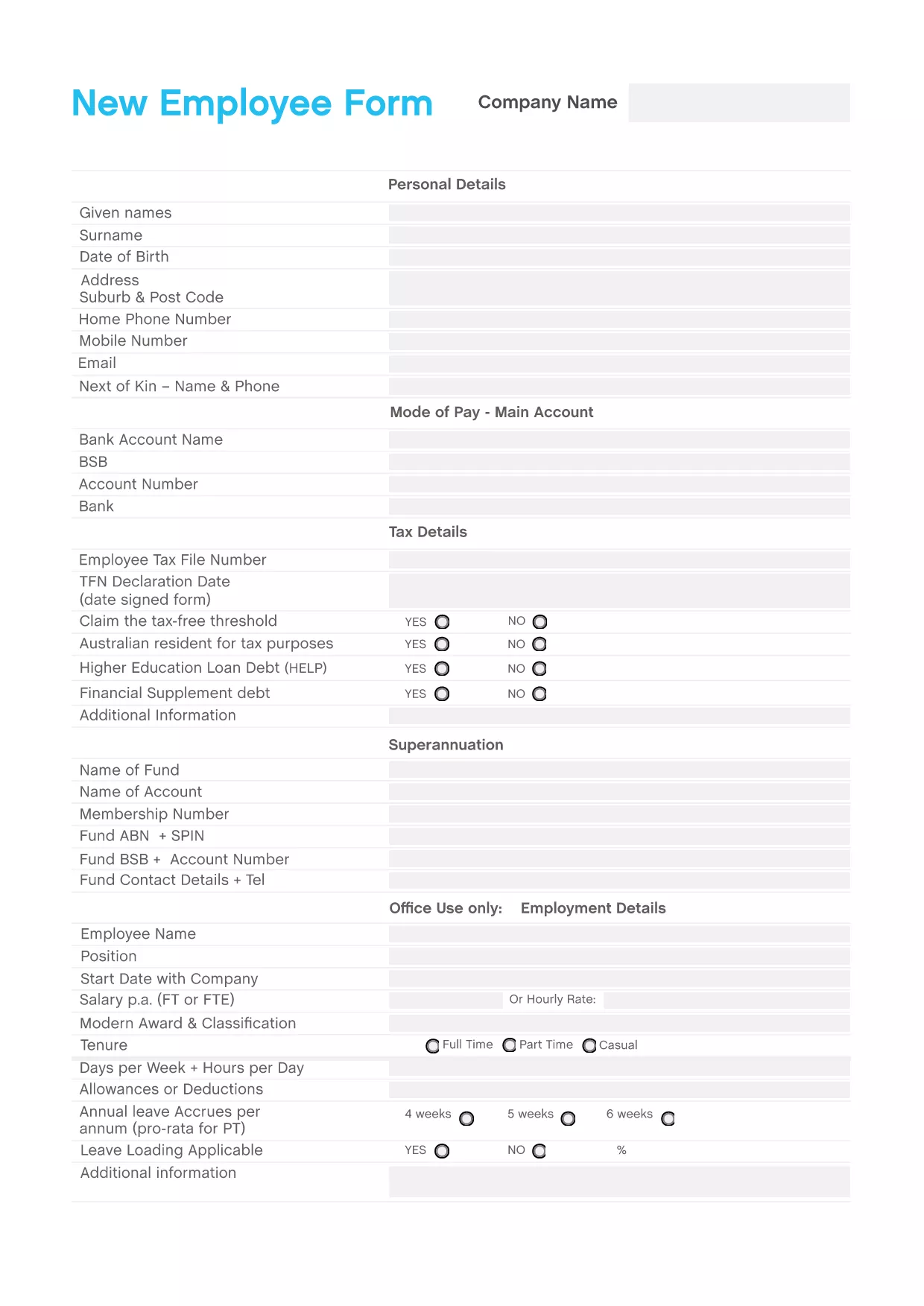
Starting a new job means handling paperwork quickly and accurately. The New Employee Tax Form PDF is the essential document for reporting tax information, salary details, and personal data to your employer and the IRS.

Our fillable version lets you complete every field directly in your browser—no Adobe Acrobat required. Simply click Fill out this form on the page, and the Formize PDF Filler app will load, guiding you through each section.

Why You Need a New Employee Tax Form

The form captures critical information such as your Social Security Number, filing status, and withholding allowances. Employers use it to calculate the correct federal and state tax withholdings, ensuring you’re paid accurately from day one.

How to Fill Out the Form Online with Formize

Our step‑by‑step guide (see the How‑To section below) walks you through the online process, from opening the form to saving a copy for your records.

Common Mistakes to Avoid

  • Leaving the Social Security Number field blank or entering it incorrectly.
  • Selecting the wrong filing status (e.g., "Married" instead of "Single").
  • Forgetting to sign and date the form before submission.
  • Using an outdated PDF version that isn’t fillable.

Download & Save Your Completed Form

After you finish, the Formize app lets you download a completed PDF or store it securely in the cloud. Keep a copy for your personal records and provide the employer‑requested version.

Ready to get started? Click the button below and let Formize handle the rest.

FAQ
  • Do I need Adobe Acrobat to fill this form?

    No. The Formize PDF Filler works entirely in your web browser—no additional software is required.

  • Can I edit the form after I’ve submitted it to my employer?

    Yes. Save a copy before sending, then reopen it in Formize to make any needed changes.

  • Is the information I enter secure?

    Formize uses SSL encryption, and your data is stored only for the duration of the session unless you choose to save it.

  • What if I make a mistake while filling out the form?

    You can clear individual fields or reset the entire form using the toolbar at the top of the Formize interface.

  • Do I need a separate state tax form?

    Many employers combine federal and state information on one form, but check with your HR department for any additional state-specific forms.

  • How long does it take to complete the form?

    Most users finish in 5–10 minutes once they have their personal details handy.

  • Can I print the completed form?

    Absolutely. After saving, click "Print" in the Formize app or download the PDF and print it locally.

COME

Come compilare new employee tax form pdf gratuitamente, online in 4 semplici passaggi:

  1. 1
    Open the Fillable Form
    Click the "Fill out this form" button on the page. The Formize PDF Filler app will load directly in your browser.
  2. 2
    Enter Your Information
    Complete each field—personal details, Social Security Number, filing status, and withholding allowances. The app highlights required fields.
  3. 3
    Review and Sign
    Double‑check all entries for accuracy, then use the digital signature tool to sign and date the form.
  4. 4
    Save or Download
    When finished, click "Save" to store the PDF in the cloud or "Download" to keep a copy on your device.
App Formize PDF Filler
DI

Moduli fiscali federali

new employee tax form pdf è uno dei moduli fiscali federali che sono documenti utilizzati per segnalare e presentare le imposte federali sul reddito presso l'Internal Revenue Service (IRS) negli Stati Uniti. Questi moduli vengono utilizzati da individui, aziende e organizzazioni per segnalare i propri redditi, detrazioni e altre informazioni rilevanti necessarie per il calcolo della propria responsabilità fiscale federale.

Il modulo fiscale federale più comunemente utilizzato è il Modulo 1040, utilizzato dai singoli contribuenti per dichiarare la propria imposta sul reddito personale. Altri moduli comunemente utilizzati includono il Modulo 1065 per le partnership, Modulo 1120 per le aziende e Modulo 990 per le organizzazioni esentasse.

I moduli fiscali federali in genere richiedono ai contribuenti di segnalare varie fonti di reddito, come salari, stipendi e mance, nonché redditi da investimenti, proprietà in affitto e altre fonti. I moduli consentono inoltre ai contribuenti di richiedere detrazioni e crediti per varie spese, come contributi di beneficenza, interessi ipotecari e spese sanitarie.

È importante compilare i moduli fiscali federali in modo accurato e puntuale, poiché in caso contrario si potrebbero incorrere in sanzioni e addebiti di interessi da parte dell'IRS.

CARATTERISTICHE

Compilatore PDF

Il modo più semplice per compilare moduli PDF online

  • Compila rapidamente new employee tax form pdf
    Cerchi un modo per compilare rapidamente new employee tax form pdf online? Con il nostro compilatore di moduli PDF gratuito online, saprai come modificare e compilare questo documento PDF in meno di un minuto.
  • Editor PDF online facile da usare
    Stufo di stampare file PDF in modo da poterli modificare, prima di riscansionarli e rispedirli? Modifica documenti PDF gratuitamente online. Utilizza il nostro editor PDF online per risparmiare tempo e carta.
  • Grandi strumenti, tutte le piattaforme
    Ti stai chiedendo come inserire new employee tax form pdf su un Mac o forse come utilizzare un riempitivo PDF gratuito? I nostri strumenti PDF online funzionano su tutte le piattaforme.
  • Archiviazione sicura dei file
    I file "new employee tax form pdf" completati vengono archiviati in un database protetto gestito dall'hosting Amazon Cloud. Puoi eliminare i tuoi file dal nostro sistema in qualsiasi momento. In ogni caso, questi file vengono automaticamente cancellati dopo 24 ore.
  • Chatta con {parola chiave}
    Chatta con "new employee tax form pdf" su Chatize che è un assistente di lettura PDF gratuito. Fai domande e ottieni risposte da "new employee tax form pdf". Basta fare clic sul pulsante Chatta con il documento in alto.

Elimina sessione di riempimento

Eliminare la sessione di riempimento selezionata? In questo caso, i progressi nella compilazione del modulo andranno persi.

Elimina la sessione di modifica

Eliminare la sessione di editing selezionata? In questo caso, i tuoi progressi nella creazione e modifica del modulo andranno persi.