Seleziona la lingua

USCIS Form G-1041 – Genealogy Index Search Request (Fillable PDF)

  1. Paese Stati Uniti d'America
  2. Lingua Inglese
  3. Dipartimento Servizi per la cittadinanza e l'immigrazione degli Stati Uniti
Compila questo modulo
USCIS Form G-1041 – Genealogy Index Search Request (Fillable PDF)

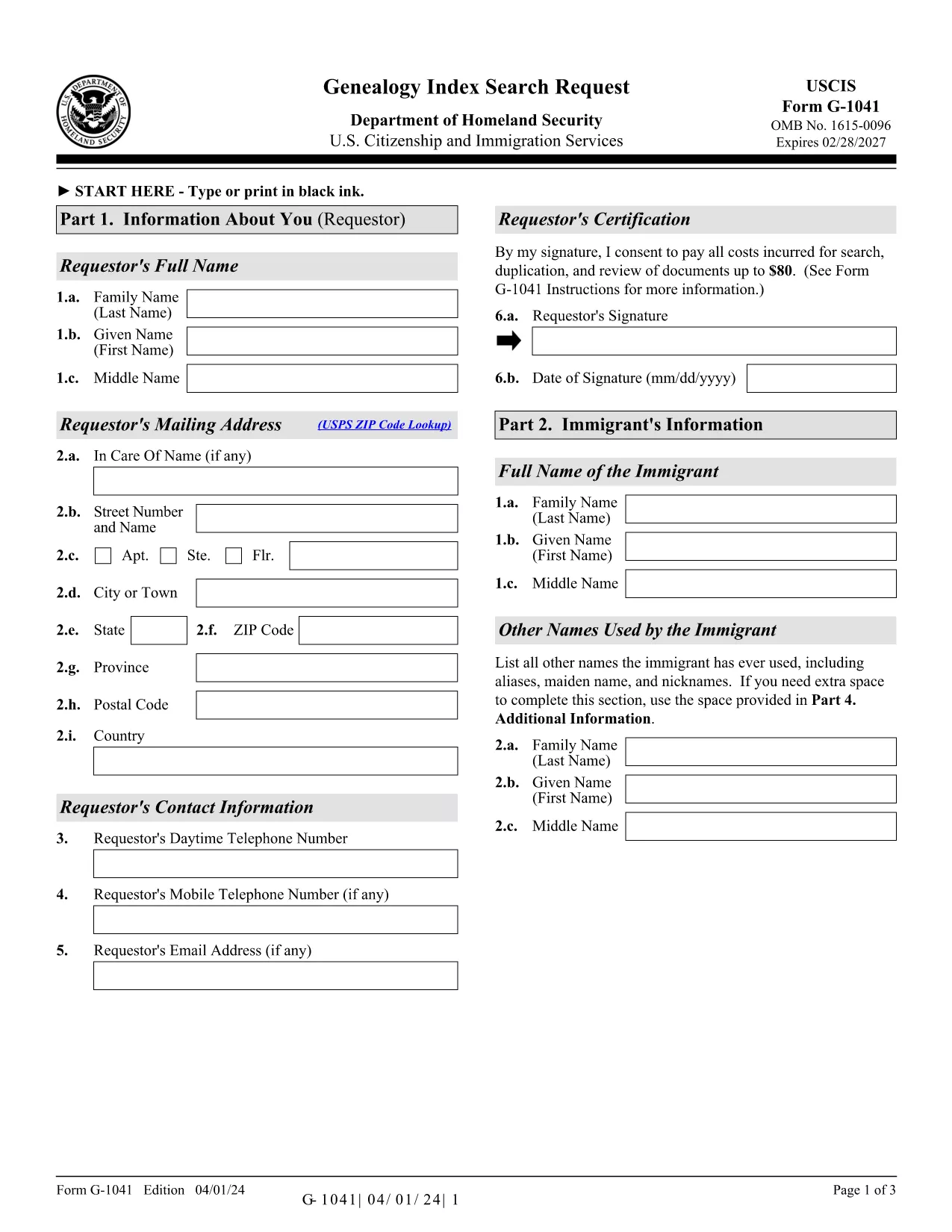
Form G-1041, the Genealogy Index Search Request, is the official USCIS form used to ask the agency to search its historical immigration records for a specific ancestor. This form is essential for anyone researching family history, preparing a citizenship application, or seeking proof of a relative’s immigration status.

The form is available as a fillable PDF that you can complete directly in your browser with Formize’s PDF Filler. No extra software is required – simply click the “Fill out this form” button, wait for the Formize app to load, and start entering your information.

Below you will find step‑by‑step instructions, helpful tips, and answers to the most common questions about Form G-1041.

Key features of the fillable G-1041 PDF:

  • All fields are interactive – you can type, select dates, and add check marks.
  • Automatic validation helps prevent common errors before you submit.
  • Electronic signature option saves you a trip to the printer.
  • Secure download of the official USCIS edition (04/01/24).

Remember to review the edition date at the bottom of each page; USCIS may reject forms that mix different editions.

FAQ
  • What is the purpose of Form G‑1041?

    Form G‑1041 requests USCIS to search its historical immigration indices for a specific individual. It is used for genealogy research, citizenship applications, and proof of immigration status.

  • Can I file Form G‑1041 online?

    Yes. USCIS offers an online filing option through its Genealogy Program page. The fillable PDF on Formize can also be completed online and then submitted electronically if the online portal is available.

  • Do I need to pay a fee to submit G‑1041?

    A filing fee is required for the search request. Check the USCIS Fee Schedule for the current amount and payment methods (credit/debit card, ACH, or prepaid card).

  • What supporting documents should I include?

    Include any evidence that helps identify the ancestor: death certificate (if under 100 years old), obituaries, gravestone photos, church records, or Social Security Death Index entries.

  • How long does USCIS take to respond?

    Response times vary, but USCIS typically replies within 30‑45 days after receiving a complete request and payment.

  • Can I sign the form with a handwritten signature?

    Yes, you may print, sign, and scan the form. However, the electronic signature option in Formize is faster and accepted by USCIS.

  • What edition of Form G‑1041 should I use?

    Always use the latest edition posted on the USCIS website. The current edition date is 04/01/24 and appears at the bottom of each page of the PDF.

  • Do I need to submit original documents?

    Only submit originals if USCIS specifically requests them. Otherwise, provide clear photocopies or digital scans along with certified English translations if needed.

  • Where do I mail the completed form?

    Mail the completed form, supporting documents, and payment to: USCIS Attn: Genealogy Program, P.O. Box 805925, Chicago, IL 60680‑4188.

  • What if I make a mistake after submitting?

    Contact the USCIS Genealogy Program as soon as possible. You may need to submit a corrected form with a brief explanation of the error.

COME

Come compilare G-1041 gratuitamente, online in 5 semplici passaggi:

  1. 1
    Click the Fill‑out Button
    On the Formize page, locate the bright “Fill out this form” button and click it. This launches the Formize PDF Filler in a new window.
  2. 2
    Wait for the PDF Filler to Load
    The Formize app loads the official G‑1041 PDF. A loading bar will appear; wait a few seconds for all fields to become interactive.
  3. 3
    Enter Your Information
    Fill in each required field: personal details, ancestor’s name, dates, and supporting evidence. Use the drop‑down menus and date pickers where available.
  4. 4
    Review and Sign Electronically
    Double‑check the entered data for accuracy. When you’re satisfied, use the electronic signature field to sign the form.
  5. 5
    Submit or Download the Completed Form
    You can either submit the completed PDF directly to USCIS through their online portal (if available) or download the signed PDF to mail it to the Chicago Lockbox.
App Formize PDF Filler
DI

modello G-1041

Con il tradizionale set di funzionalità per la visualizzazione e la compilazione di un documento PDF, combinato con i vantaggi di un'applicazione Web e un layout reattivo, puoi completare G-1041 in pochi minuti.

CARATTERISTICHE

Compilatore PDF

Il modo più semplice per compilare moduli PDF online

  • Compila rapidamente G-1041
    Cerchi un modo per compilare rapidamente G-1041 online? Con il nostro compilatore di moduli PDF gratuito online, saprai come modificare e compilare questo documento PDF in meno di un minuto.
  • Editor PDF online facile da usare
    Stufo di stampare file PDF in modo da poterli modificare, prima di riscansionarli e rispedirli? Modifica documenti PDF gratuitamente online. Utilizza il nostro editor PDF online per risparmiare tempo e carta.
  • Grandi strumenti, tutte le piattaforme
    Ti stai chiedendo come inserire G-1041 su un Mac o forse come utilizzare un riempitivo PDF gratuito? I nostri strumenti PDF online funzionano su tutte le piattaforme.
  • Archiviazione sicura dei file
    I file "G-1041" completati vengono archiviati in un database protetto gestito dall'hosting Amazon Cloud. Puoi eliminare i tuoi file dal nostro sistema in qualsiasi momento. In ogni caso, questi file vengono automaticamente cancellati dopo 24 ore.
  • Chatta con {parola chiave}
    Chatta con "G-1041" su Chatize che è un assistente di lettura PDF gratuito. Fai domande e ottieni risposte da "G-1041". Basta fare clic sul pulsante Chatta con il documento in alto.

Elimina sessione di riempimento

Eliminare la sessione di riempimento selezionata? In questo caso, i progressi nella compilazione del modulo andranno persi.

Elimina la sessione di modifica

Eliminare la sessione di editing selezionata? In questo caso, i tuoi progressi nella creazione e modifica del modulo andranno persi.