言語を選択する

Tax Form P55 PDF – Fillable, Free, and Easy to Use

  1. オーストラリア
  2. 言語 英語
  3. アクティビティ 税金
  4. デパートメント ATO
Tax Form P55 PDF – Fillable, Free, and Easy to Use

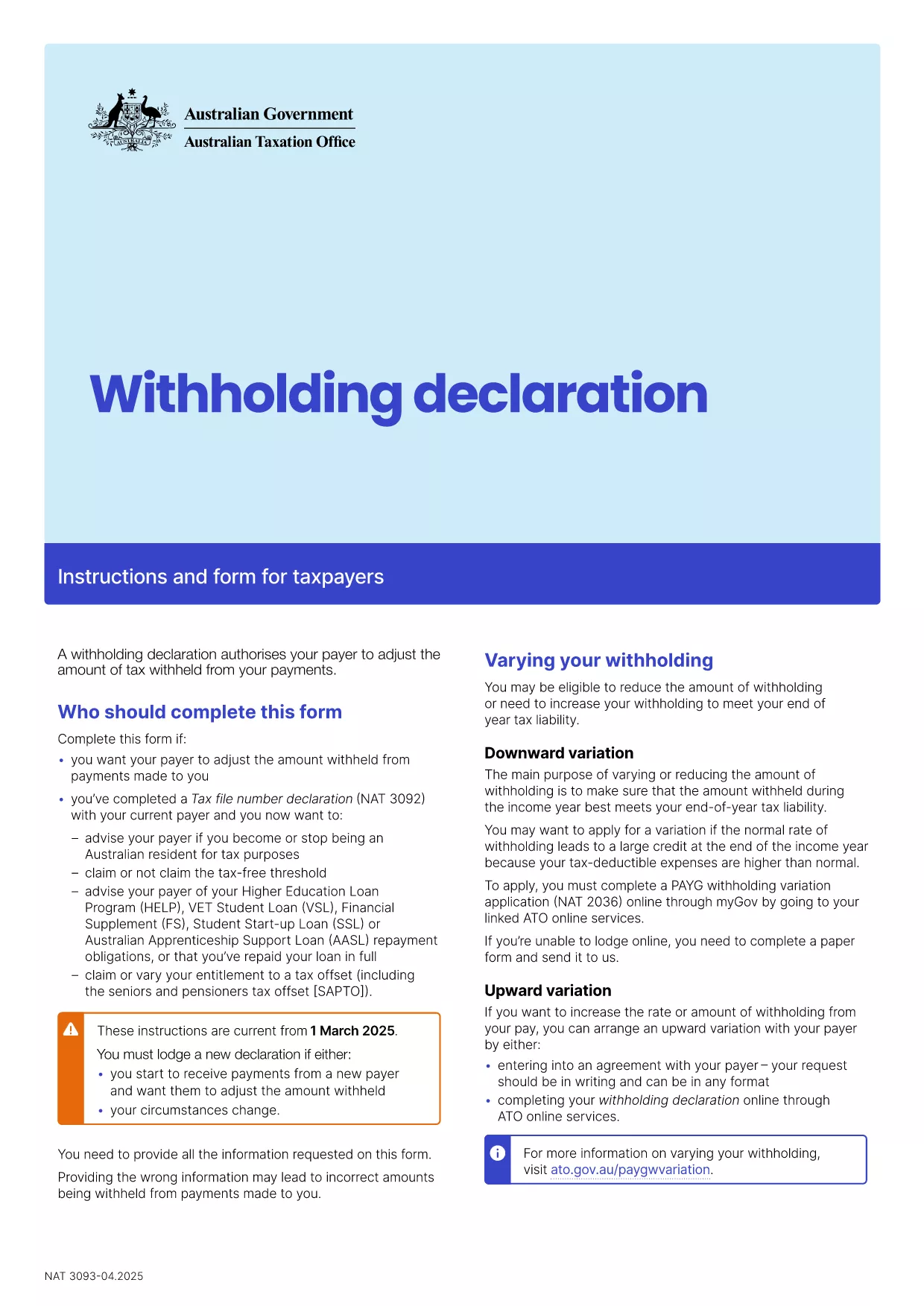
The Australian Taxation Office (ATO) requires employers to submit a Tax Form P55 for PAYG withholding declarations. This form records the amount of tax withheld from employee payments and ensures accurate reporting to the ATO.

Our fillable Tax Form P55 PDF is hosted on Formize.com, allowing you to complete the form directly in your browser—no extra software or printer needed. Simply click the “Fill out this form” button, let the Formize PDF Filler load, and start entering your details.

Using a digital, fillable PDF reduces errors, speeds up processing, and provides an immediate printable copy for your records. The downloadable version is fully compliant with ATO specifications.

Key benefits:

  • Instant online completion
  • Auto‑save and validation
  • Secure download or direct electronic submission
  • Free and no registration required

Follow the step‑by‑step guide below to finish your P55 quickly and correctly.

よくある質問
  • What is the purpose of Tax Form P55?

    Form P55 records the total PAYG tax withheld by an employer during a financial year, helping the ATO verify that the correct amount of tax has been remitted.

  • Can I fill out the P55 PDF on a mobile device?

    Yes. The Formize PDF Filler works on all modern browsers, including mobile Safari and Chrome, so you can complete the form on a phone or tablet.

  • Do I need special software to edit the P55 PDF?

    No. The fillable PDF is edited directly in the browser via Formize’s online filler—no Adobe Acrobat or other PDF editor required.

  • Is the fillable P55 form free to use?

    Absolutely. Formize provides the fillable version at no cost, and the download is free after you complete the form.

  • What common mistakes should I avoid?

    Ensure the employee’s TFN is correct, double‑check the total tax withheld, and verify that the financial year dates match your payroll records.

  • How do I submit the completed P55 to the ATO?

    Most employers submit the data through their payroll software. If a paper copy is required, print the completed PDF and mail it to the ATO address listed in the instructions.

  • Can I save my progress and return later?

    Yes. The Formize filler allows you to save a draft locally in your browser and resume editing at any time before final submission.

方法

オンラインで 4 回の簡単なステップで tax form p55 pdf を無料で入力する方法:

  1. 1
    Open the Fillable Form
    Click the “Fill out this form” button on the page. The Formize PDF Filler app will load in a new window.
  2. 2
    Enter Your Details
    Type directly into each field—employee names, TFN, payment amounts, and tax withheld. The filler validates entries in real time.
  3. 3
    Review & Save
    Check all information for accuracy. Use the “Save” button to download a completed PDF copy or keep it stored in your browser.
  4. 4
    Submit or Print
    Print the form for your records or submit the PDF electronically to the ATO as instructed in your payroll system.
Formize PDF Filler アプリ
だいたい

納税フォーム

tax form p55 pdf は税務フォームの 1 つで、個人または企業の収入、控除、納税義務に関する情報を関連する税務当局に報告するために使用される文書です。これらのフォームは税法を遵守し、納税義務を果たすために必要です。納税フォームは国と適用される特定の税金要件によって異なります。一般的な納税フォームのいくつかを次に示します。

個人納税フォーム: これらのフォームは、個人の納税者が個人所得を報告し、控除、控除、免除を申請するために使用します。例としては、米国の1040 フォームや英国の自己申告納税申告書などがあります。

事業税フォーム: 事業税フォームは、企業、パートナーシップ、または自営業者が事業収入、経費、その他の税関連情報を報告するために使用します。例には、米国のスケジュール C フォーム (事業からの損益) や英国の CT600 フォーム (法人税申告書) が含まれます。

給与税フォーム: これらのフォームは、雇用主が従業員の給与から源泉徴収された賃金、給与、税金を報告するために使用されます。例としては、米国の W-2 形式や英国の P60 形式などが挙げられます。

売上税フォーム: 売上税フォームは、企業が課税対象の商品またはサービスに対して徴収した売上税を報告および納付するために使用されます。特定の売上税フォームは管轄区域によって異なります。

付加価値税 (VAT) フォーム: VAT フォームは、販売に対して徴収された VAT を報告および送金し、購入に対する VAT クレジットを請求するために、付加価値税を課す国で使用されます。例には、多くの国で使用されている VAT 申告書が含まれます。

見積納税フォーム: 見積納税フォームは、自営業収入や投資収入など、源泉徴収の対象とならない所得に対する見積税を報告し、支払うために使用されます。

これらは、存在する可能性のある多数の納税フォームのほんの一例です。必要な特定のフォームは、お住まいの国または管轄区域の税法および規制によって異なります。どのフォームが自分の状況に適用できるかを判断するには、税務当局のガイドラインを参照するか、専門家のアドバイスを求めることが重要です。

特徴

PDFフィラー

オンラインで PDF フォームに記入する最も簡単な方法

  • tax form p55 pdf をすばやく入力してください
    tax form p55 pdf をオンラインですばやく入力する方法をお探しですか?オンラインの無料 PDF フォーム フィラーを使用すると、この PDF ドキュメントを 1 分以内に編集して入力する方法がわかります。
  • 使いやすいオンライン PDF エディター
    再スキャンして返送する前に、編集できるように PDF ファイルを印刷することにうんざりしていませんか? PDFドキュメントをオンラインで無料で編集.当社のオンライン PDF エディターを使用して、時間と紙を節約してください。
  • 優れたツール、すべてのプラットフォーム
    Mac で tax form p55 pdf を入力する方法や、PDF フィラーを無料で使用する方法を知りたいですか?当社のオンライン PDF ツールは、すべてのプラットフォームで動作します。
  • 安全なファイル ストレージ
    完成した「tax form p55 pdf」ファイルは、Amazon クラウド ホスティングが管理する安全なデータベースに保存されます。いつでもシステムからファイルを削除できます。いずれにせよ、これらのファイルは 24 時間後に自動的に削除されます。
  • {キーワード} とチャットする
    無料の PDF リーダー アシスタントである Chatize で「tax form p55 pdf」とチャットします。質問すると、「tax form p55 pdf」から回答が得られます。上の [ドキュメントとチャット] ボタンをクリックするだけです。

フィルセッションを削除

選択したフィルセッションを削除しますか?この場合、フォームへの記入の進捗状況は失われます。

編集セッションを削除する

選択した編集セッションを削除しますか?この場合、フォームの作成および編集の進行状況は失われます。