
言語を選択する

Form 47BU – Application for a Business Skills (Permanent) Visa

  1. 言語 英語
  2. オーストラリア
  3. アクティビティ ビジネスと投資
Form 47BU – Application for a Business Skills (Permanent) Visa

Form 47BU – Application for a Business Skills (Permanent) Visa

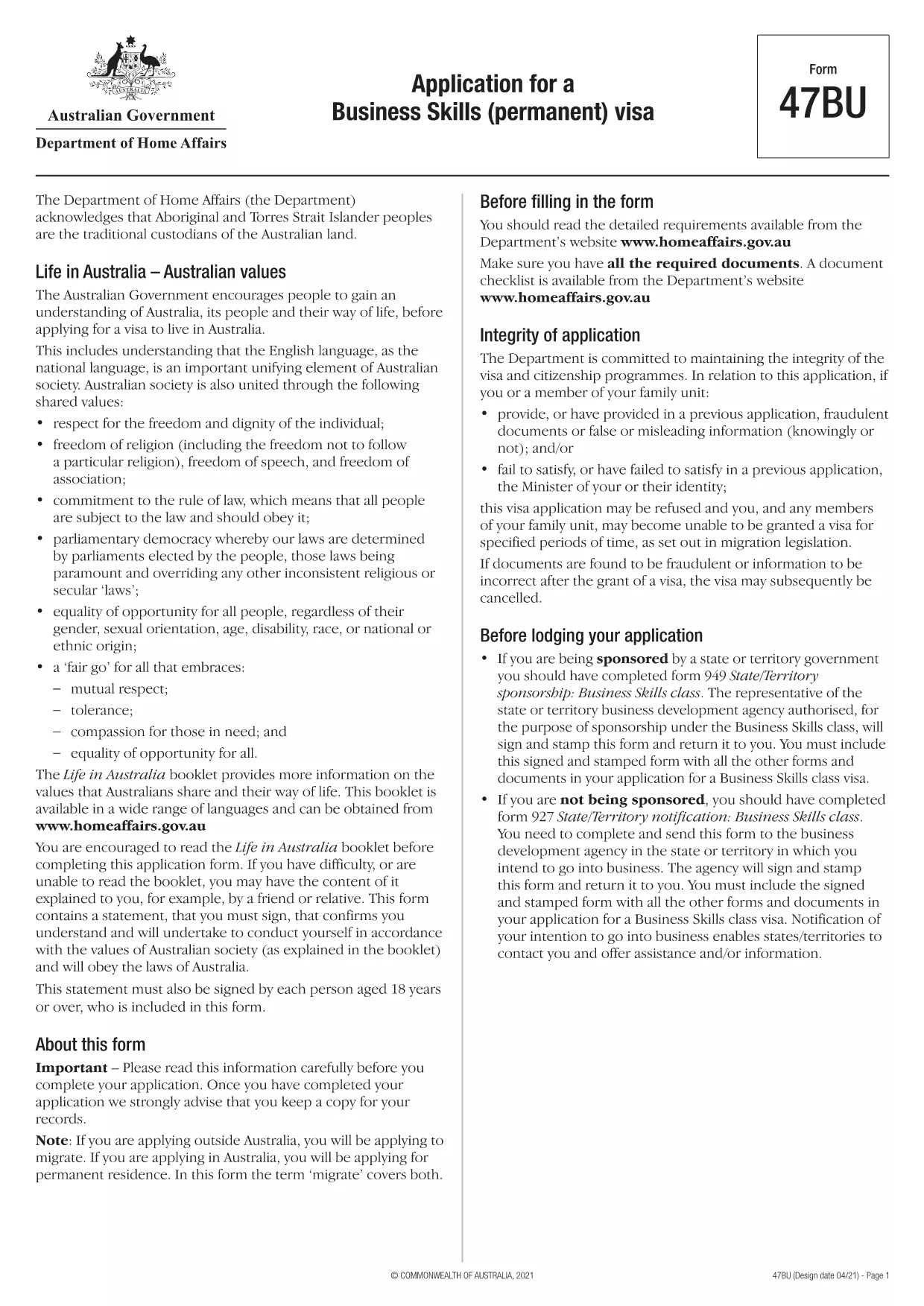
The Form 47BU is the official Department of Home Affairs document used by entrepreneurs and business owners who want to apply for a permanent Business Skills visa (subclass 132) in Australia. This fillable PDF lets you provide personal, business, and sponsorship details required for a successful application.

What is Form 47BU?

Form 47BU collects information about the applicant’s business experience, investment plans, and the state or territory sponsor’s endorsement. It must be submitted together with other supporting documents such as the Business Plan, Financial Statements, and the sponsor’s Form 1318.

How to Fill Out Form 47BU Online with Formize

Instead of downloading the PDF and editing it in a separate editor, you can complete the form directly on our site:

  1. Click the "Fill out this form" button below.
  2. Wait a few seconds while the Formize PDF Filler app loads.
  3. Enter your details in each field – the interface is drag‑and‑drop friendly and auto‑saves.
  4. When finished, click Save & Download to get the completed PDF ready for submission.

Common Mistakes to Avoid

  • Leaving sections blank: Every field marked with an asterisk (*) is mandatory.
  • Mismatched sponsor details: Ensure the state/territory sponsor’s name and signature match the endorsement letter.
  • Incorrect dates: Use the DD/MM/YYYY format as required by Australian immigration.
  • Uploading the wrong version: Always use the latest 47BU PDF (downloaded from the link below).

Eligibility & Supporting Documents

Before you start, confirm that you meet the basic eligibility criteria for a Business Skills (permanent) visa, including:

  • Minimum business turnover of AUD 1 million for the last two fiscal years.
  • Ownership of at least 30 % of the business.
  • State or territory sponsorship.

Attach the following documents when you submit the form:

  • Business Plan (minimum 12 pages).
  • Financial statements and tax returns.
  • Sponsor’s Form 1318 and supporting letter.
  • Proof of assets and investment funds.

Where to Find Help

If you need assistance, consult the Department of Home Affairs website or a registered migration agent. Our fillable PDF is designed to reduce errors, but professional advice can ensure your application meets all legal requirements.

Download the official Form 47BU (PDF)

よくある質問
  • What is the purpose of Form 47BU?

    Form 47BU is used to apply for a permanent Business Skills visa (subclass 132). It captures personal, business, and sponsorship details required by the Department of Home Affairs.

  • Can I edit Form 47BU on a mobile device?

    Yes. The Formize fillable PDF works on smartphones and tablets, allowing you to complete the form on any device with an internet connection.

  • Do I need a certified translation if my documents are not in English?

    All supporting documents submitted with Form 47BU must be in English or accompanied by a certified translation.

  • How many pages does the completed Form 47BU have?

    The form itself is 7 pages long, but you will attach additional supporting documents as required.

  • Is there a fee to use Formize’s fillable PDF?

    No. Formize provides the fillable version of Form 47BU for free. The visa application fee is paid directly to the Australian Department of Home Affairs.

  • What should I do if I make a mistake after downloading the PDF?

    Return to the Formize page, click "Fill out this form" again, and re‑enter the corrected information. The tool will generate a new, clean PDF.

  • Do I need a sponsor to submit Form 47BU?

    Yes. A state or territory government sponsor must endorse your application and provide a signed Form 1318.

方法

オンラインで 4 回の簡単なステップで Form 47BU を無料で入力する方法:

  1. 1
    Click the Fill‑out Button
    Press the "Fill out this form" button on the page to launch the Formize PDF Filler.
  2. 2
    Wait for the App to Load
    The fillable interface loads in a few seconds; no download is required.
  3. 3
    Enter Your Information
    Complete each field, using the on‑screen guidance for format and mandatory sections.
  4. 4
    Save and Download
    When all sections are filled, click "Save & Download" to obtain the completed PDF ready for submission.
Formize PDF Filler アプリ
だいたい

ビジネスと投資の形態

Form 47BU は、ビジネスの開始、管理、または投資の文脈で使用される形式の 1 つです。これらのフォームは、情報の収集、法人の設立、または事業運営や投資に関連する特定の規則や規制の遵守のために、政府機関、金融機関、または規制当局によって要求されることがよくあります。具体的な形式は、ビジネスまたは投資活動の性質に応じて異なります。 「ビジネスおよび投資」フォームの例をいくつか示します。

企業登録フォーム: これらのフォームは、適切な政府機関に企業体を登録するために使用されます。これらは、商号、法的構造 (個人事業主、パートナーシップ、法人など)、事業所の住所、所有権の詳細、および法的承認に必要なその他の必要な情報に関する情報を収集します。

設立書類: 法人または会社を設立する場合、法人を設立するためにさまざまな書類を提出する必要があります。これらの文書には通常、定款、定款、株主協定、およびその他の関連フォームが含まれます。

ビジネス ライセンスの申請: 業界や場所に応じて、特定のビジネスは合法的に運営するために特定のライセンスまたは許可を必要とします。ビジネスライセンス申請では、ビジネスの性質、所在地、所有権の詳細、関連規制の遵守に関する情報を収集します。

投資口座開設フォーム: 金融機関または証券会社に投資口座を開設しようとしている投資家は、口座開設フォームに記入する必要がある場合があります。これらのフォームは、投資家のアカウントを確立するために、個人情報、投資目的、リスク許容度、その他の関連詳細を収集します。

パートナーシップ契約: パートナーシップを締結する場合、パートナーは通常、ビジネス関係の条件を概説するパートナーシップ契約を作成します。この契約には、利益分配、意思決定、寄付、およびパートナーシップのその他の側面に関連する条項が含まれる場合があります。

機密保持契約 (NDA): NDA は、機密情報や企業秘密を保護するために商取引で一般的に使用されます。これらの契約により、ビジネスまたは投資取引に関与する当事者は、取引中に共有される特定の情報について機密性を維持することが保証されます。

ローンまたは融資申請フォーム: 金融機関からの融資または融資を求める企業は、融資申請フォームに記入する必要がある場合があります。これらのフォームは、企業の財務状況、信用履歴、担保、ローン承認プロセスに必要なその他の詳細に関する情報を収集します。

有価証券届出: 株式や債券などの有価証券の発行に関わる企業の場合、証券法や規制を遵守するためにさまざまな有価証券届出が必要になる場合があります。これらのフォームには、目論見書、登録届出書、年次報告書、その他の開示情報が含まれます。

具体的な形式や要件は、国、業界、特定のビジネスや投資活動によって異なる場合があります。特定のビジネスまたは投資関連活動に必要なフォームに関する正確かつ最新の情報を入手するには、関連する政府機関、法律専門家、または金融機関に相談することが重要です。

特徴

PDFフィラー

オンラインで PDF フォームに記入する最も簡単な方法

  • Form 47BU をすばやく入力してください
    Form 47BU をオンラインですばやく入力する方法をお探しですか?オンラインの無料 PDF フォーム フィラーを使用すると、この PDF ドキュメントを 1 分以内に編集して入力する方法がわかります。
  • 使いやすいオンライン PDF エディター
    再スキャンして返送する前に、編集できるように PDF ファイルを印刷することにうんざりしていませんか? PDFドキュメントをオンラインで無料で編集.当社のオンライン PDF エディターを使用して、時間と紙を節約してください。
  • 優れたツール、すべてのプラットフォーム
    Mac で Form 47BU を入力する方法や、PDF フィラーを無料で使用する方法を知りたいですか?当社のオンライン PDF ツールは、すべてのプラットフォームで動作します。
  • 安全なファイル ストレージ
    完成した「Form 47BU」ファイルは、Amazon クラウド ホスティングが管理する安全なデータベースに保存されます。いつでもシステムからファイルを削除できます。いずれにせよ、これらのファイルは 24 時間後に自動的に削除されます。
  • {キーワード} とチャットする
    無料の PDF リーダー アシスタントである Chatize で「Form 47BU」とチャットします。質問すると、「Form 47BU」から回答が得られます。上の [ドキュメントとチャット] ボタンをクリックするだけです。

フィルセッションを削除

選択したフィルセッションを削除しますか?この場合、フォームへの記入の進捗状況は失われます。

編集セッションを削除する

選択した編集セッションを削除しますか?この場合、フォームの作成および編集の進行状況は失われます。