


application form section 54 テンプレート
PDF ドキュメントを表示および入力するための従来の一連の機能に、Web アプリケーションおよびレスポンシブ レイアウトの利点を組み合わせることで、数分で application form section 54 を完成させることができます。
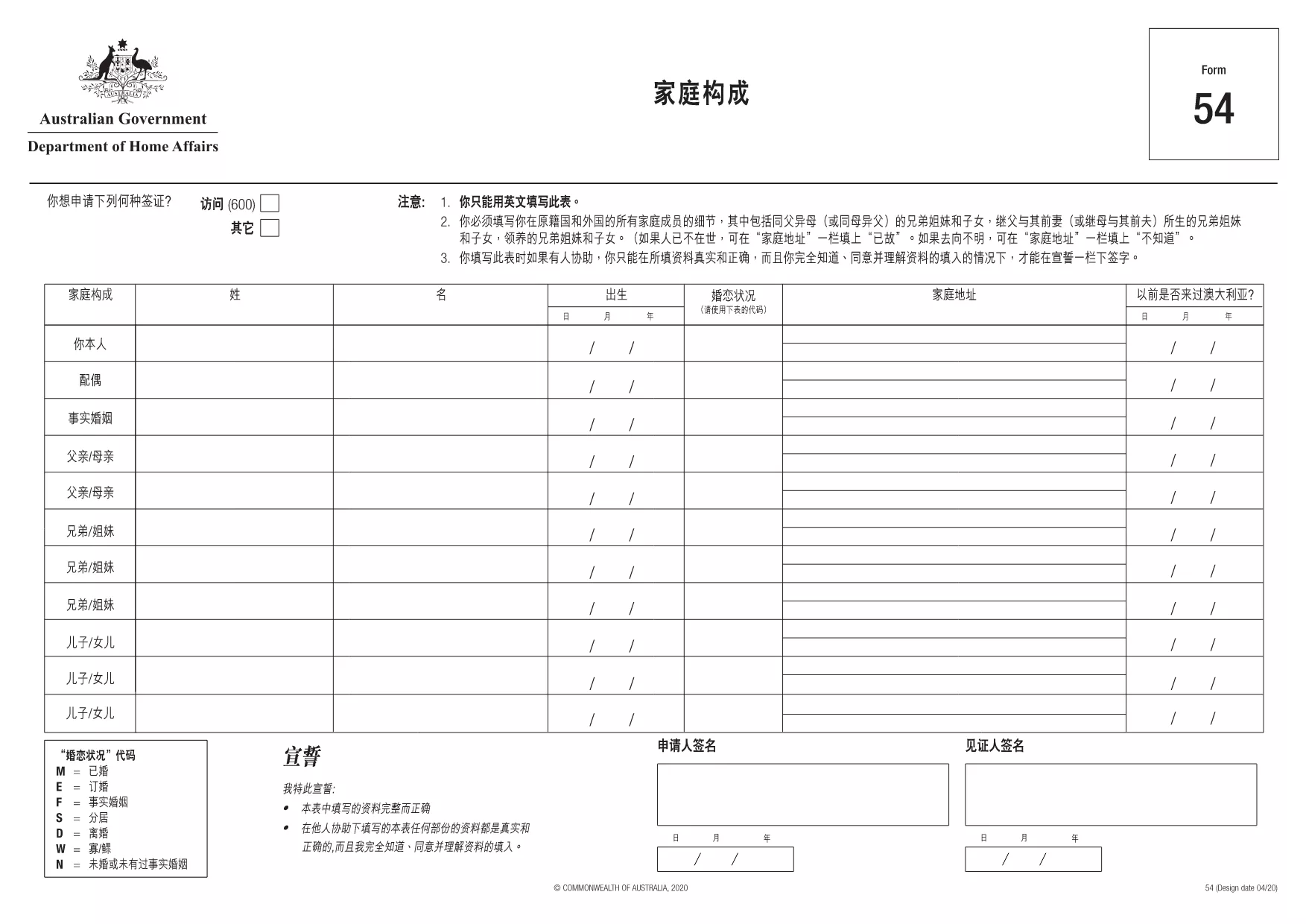
The Application Form Section 54 is an official document used by the Australian Department of Home Affairs for a variety of immigration‑related requests. This fillable PDF version lets you complete the form directly in your browser – no extra software required.
Section 54 covers applications that require detailed personal information, supporting documents, and declarations of truthfulness. It is commonly used for visa extensions, sponsorship requests, and certain travel authorisations.
Using Formize’s built‑in PDF filler, you can fill out every field, add signatures, and attach supporting files. The process is fully secure and saves your progress automatically.
Once you have saved the completed PDF, you can:
Find quick answers to the most common queries below, or scroll down to the full FAQ section.
Yes. The PDF linked on this page is fully fillable using the Formize PDF Filler, which works in any modern browser.
No. The Formize filler runs in your browser, so you don’t need any additional software.
Absolutely. Use the “Save” button to store the partially completed PDF on your device, then reopen it later with Formize.
Accepted formats are PDF, JPG, and PNG. Keep each file under 5 MB to ensure smooth uploading.
Yes. The Department of Home Affairs accepts digitally created signatures when the form is submitted electronically.
The link on this page is regularly updated. The file name includes the version number and the page shows the most recent upload date.
Open the downloaded PDF again with Formize, correct the error, and re‑save. The filler preserves all previous entries.
No. Formize provides the filler for free for all government forms.
PDF ドキュメントを表示および入力するための従来の一連の機能に、Web アプリケーションおよびレスポンシブ レイアウトの利点を組み合わせることで、数分で application form section 54 を完成させることができます。
オンラインで PDF フォームに記入する最も簡単な方法
フィルセッションを削除
編集セッションを削除する