


student admission form テンプレート
PDF ドキュメントを表示および入力するための従来の一連の機能に、Web アプリケーションおよびレスポンシブ レイアウトの利点を組み合わせることで、数分で student admission form を完成させることができます。
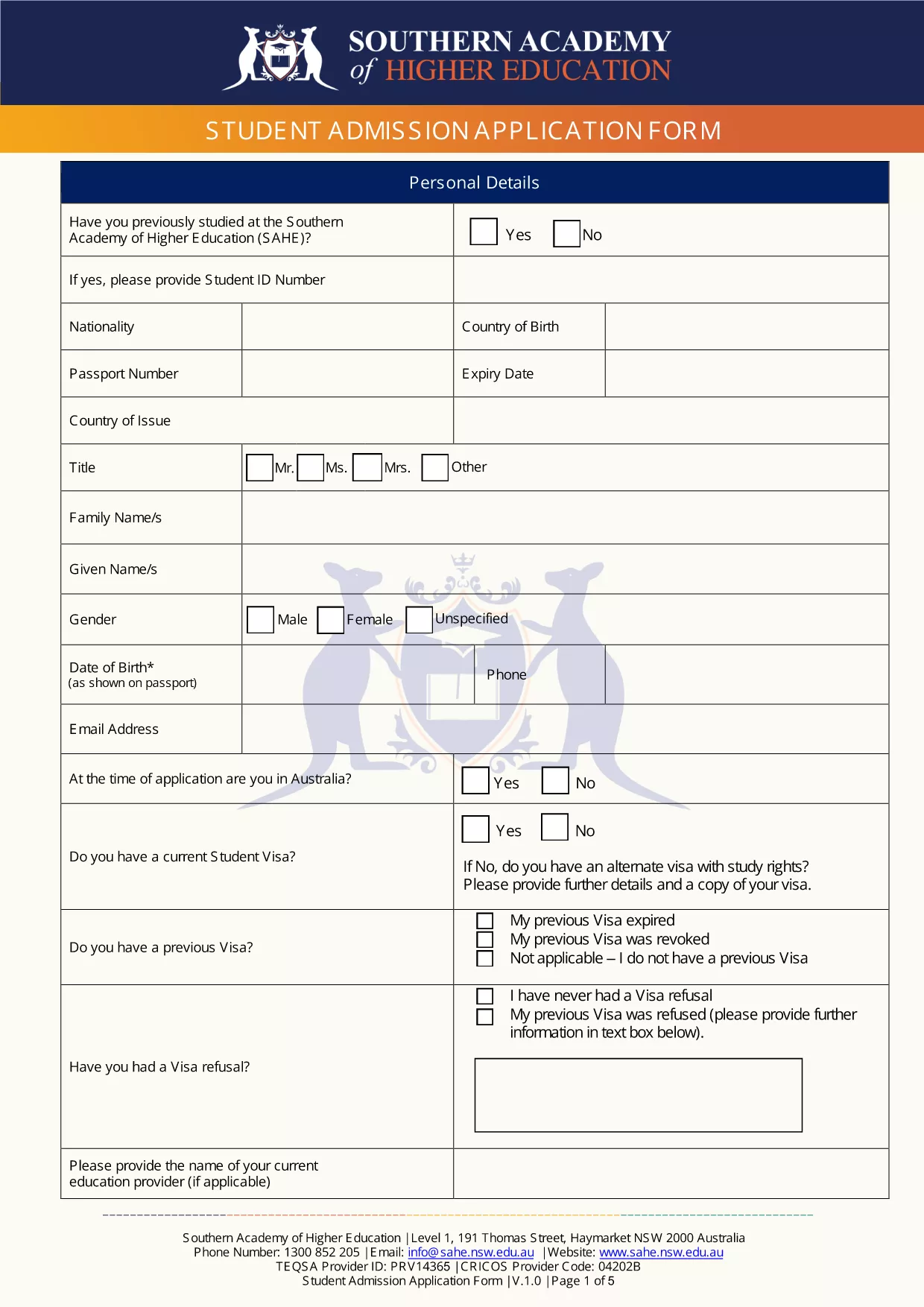
Welcome to the official Student Admission Application Form for New South Wales schools. This fillable PDF lets you enter all required details directly in your browser, eliminating the need for printing, scanning, or manual data entry.
Simply click the "Fill out this form" button below. The Formize PDF Filler app will load the document, and you can start typing immediately.
After completing all sections, review the summary page, click Submit, and choose whether to download a copy for your records or email it directly to the school’s admissions office.
Need help? Contact your school’s admissions staff for clarification on any question.
Yes. After clicking the button, the Formize PDF Filler loads a fully interactive version that works in any modern browser.
No physical signature is required. The electronic signature field records your typed name and the date.
The filler automatically saves your entries locally. You can close the browser and reopen the form to continue.
Only PDF, JPG, and PNG files up to 5 MB each are accepted.
All data stays on your device until you choose to submit or download. Formize uses HTTPS encryption for any transmission.
Contact the admissions office immediately. They can provide a revised form or allow you to submit an updated version.
PDF ドキュメントを表示および入力するための従来の一連の機能に、Web アプリケーションおよびレスポンシブ レイアウトの利点を組み合わせることで、数分で student admission form を完成させることができます。
オンラインで PDF フォームに記入する最も簡単な方法
フィルセッションを削除
編集セッションを削除する