


CET application form テンプレート
PDF ドキュメントを表示および入力するための従来の一連の機能に、Web アプリケーションおよびレスポンシブ レイアウトの利点を組み合わせることで、数分で CET application form を完成させることができます。
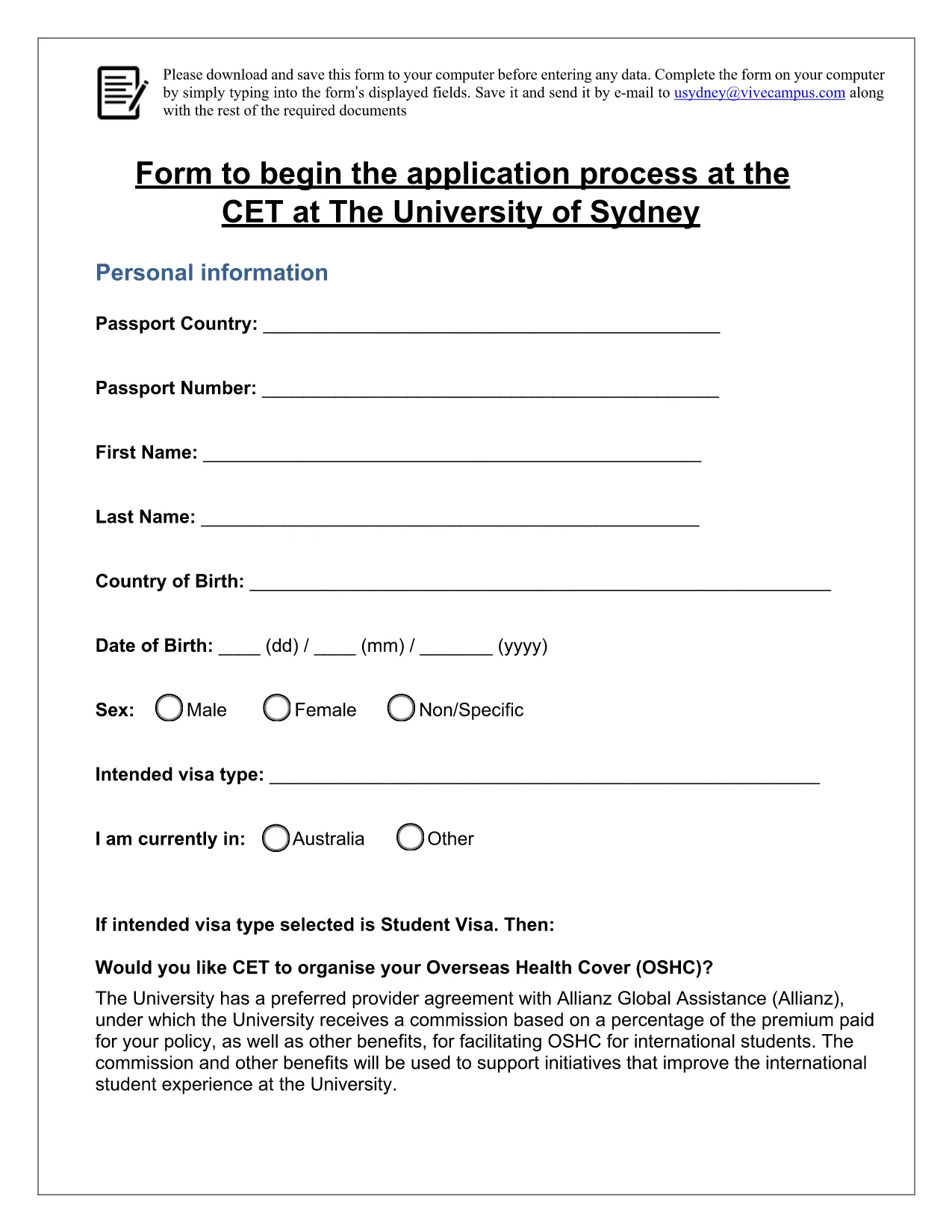
Looking for a quick, secure way to submit your College English Test (CET) application? Our fillable PDF form lets you enter all required information directly in your browser—no printing, scanning, or faxing needed.
The CET (College English Test) application form is the official document used by many educational institutions to collect applicant details, test preferences, and supporting documents. The version hosted on Formize is a fillable PDF that mirrors the original university form, ensuring compliance while offering a modern, digital experience.
Follow these simple steps to fill out the form without downloading any software:
Even with a user‑friendly interface, small errors can delay processing. Keep these tips in mind:
After submission, you can download a copy of the completed form for your records. Store it safely—most institutions request a printable version for their archives.
Need the original, non‑fillable version? Use the direct PDF link below.
No. The Formize PDF Filler works in any modern browser, so you can complete the form without installing additional software.
Yes. The filler autosaves your entries locally. Simply close the window and reopen the form to continue where you left off.
Only PDF and JPG files are supported. Ensure each file is under 5 MB to avoid upload errors.
After you submit, you can email the completed PDF directly to the admissions office or download it and attach it to your application portal.
Formize uses SSL encryption for all data transmission, and the completed PDF is stored only on your device unless you choose to share it.
Absolutely. Once the PDF is generated, click the Print button in your PDF viewer to produce a high‑quality hard copy.
PDF ドキュメントを表示および入力するための従来の一連の機能に、Web アプリケーションおよびレスポンシブ レイアウトの利点を組み合わせることで、数分で CET application form を完成させることができます。
オンラインで PDF フォームに記入する最も簡単な方法
フィルセッションを削除
編集セッションを削除する