


Arc Infrastructure application form テンプレート
PDF ドキュメントを表示および入力するための従来の一連の機能に、Web アプリケーションおよびレスポンシブ レイアウトの利点を組み合わせることで、数分で Arc Infrastructure application form を完成させることができます。
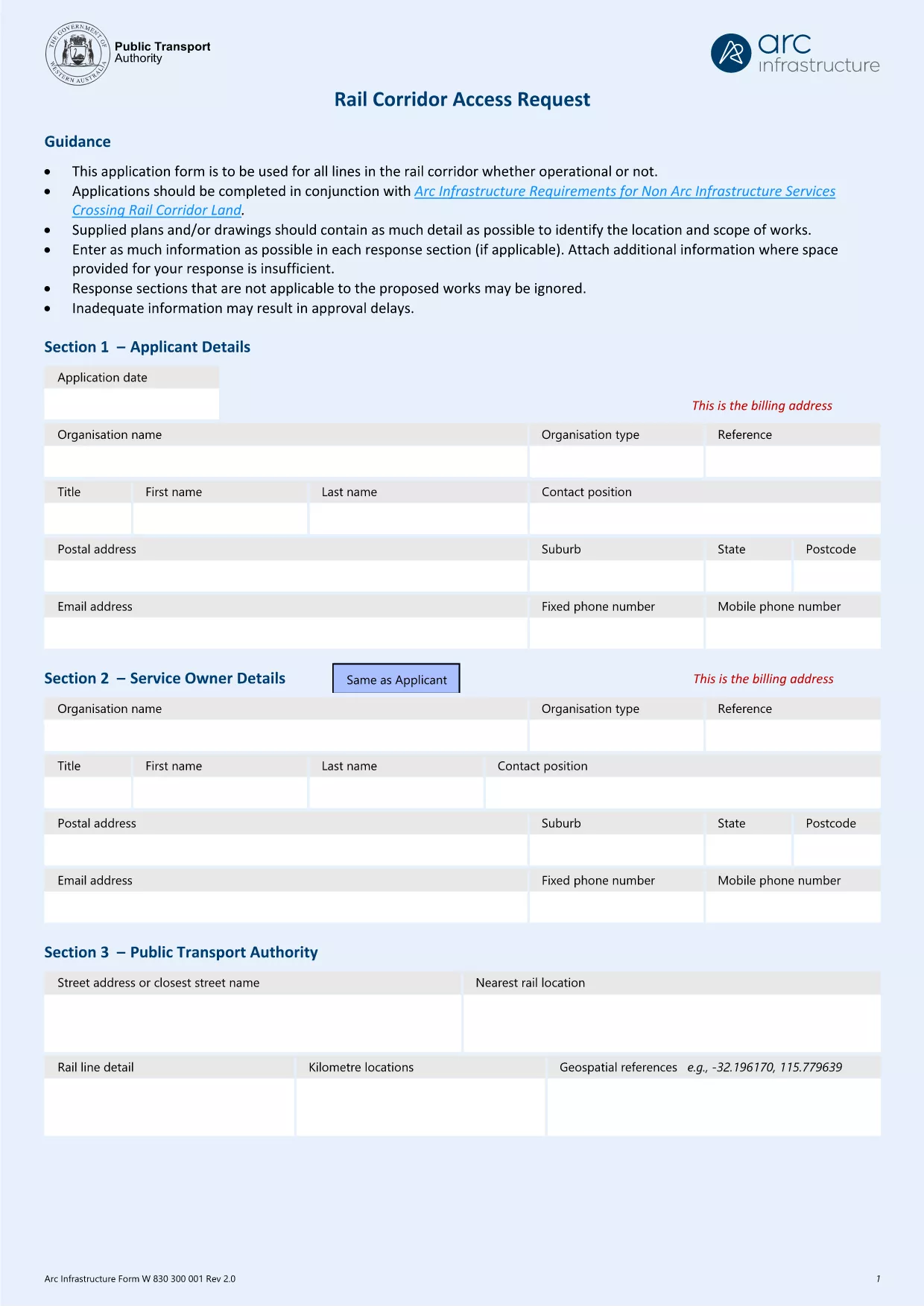
The Arc Infrastructure TPS Application Form (referenced by the email address hr@arcs.af) is required for anyone seeking permission to cross or use rail corridor land managed by Arc Infrastructure. Instead of printing, printing‑and‑scanning, or dealing with cumbersome paper copies, you can now complete the form instantly online with our Formize PDF Filler. The fillable PDF is fully compatible with all modern browsers and devices.
Our landing page gives you direct access to the official PDF, a step‑by‑step guide, and answers to the most common questions, ensuring a smooth and error‑free submission.
Key benefits of using the online fillable version:
Ready to start? Click the “Fill out this form” button below and let the Formize PDF Filler do the heavy lifting.
No. The Formize PDF Filler works in any modern browser and does not require Adobe Acrobat or any additional plugins.
Yes. Open the saved PDF again with the Formize filler or any standard PDF editor to make changes, then re‑save.
The filler highlights the problematic field and provides a short message (e.g., missing phone number, incorrect date format). Correct the entry and re‑validate.
All data is processed locally in your browser; nothing is uploaded to external servers unless you choose to share the completed PDF.
Absolutely. Use the **Print** button in the filler or your browser’s print function to produce a paper copy.
Check the notice on the form itself or any correspondence from Arc Infrastructure; deadlines vary by project.
hr@arcs.af or follow any additional submission instructions provided by Arc Infrastructure.PDF ドキュメントを表示および入力するための従来の一連の機能に、Web アプリケーションおよびレスポンシブ レイアウトの利点を組み合わせることで、数分で Arc Infrastructure application form を完成させることができます。
オンラインで PDF フォームに記入する最も簡単な方法
フィルセッションを削除
編集セッションを削除する