
言語を選択する

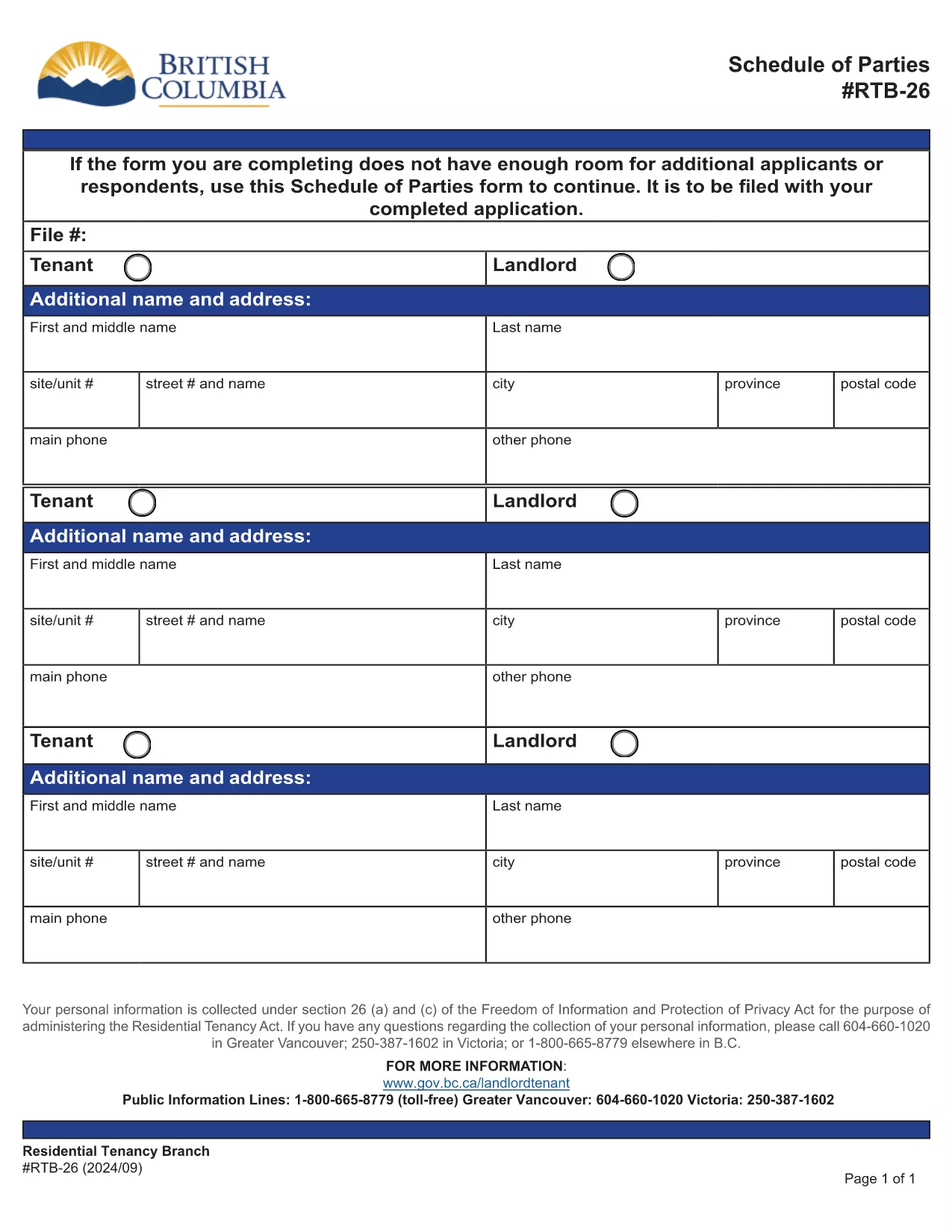
RTB-26 Schedule of Parties – Fillable PDF Form (Canada)

  1. 言語 英語
  2. カナダ
  3. アクティビティ テナント
  4. ブリティッシュコロンビア
RTB-26 Schedule of Parties – Fillable PDF Form (Canada)

The RTB-26 Schedule of Parties is the official form used under British Columbia's Residential Tenancy Act to list all tenants and landlords involved in a tenancy. Landlords attach this form when there are additional names to add or remove from the original tenancy agreement.

What Is the RTB-26 Schedule of Parties?

RTB‑26 captures the names, contact information, and relationship of each party to the tenancy. It ensures the Residential Tenancy Branch (RTB) has an up‑to‑date record, which is essential for dispute resolution, rent increases, and ending a tenancy.

How to Complete the RTB-26 Form Online

With Formize’s free fillable PDF tool you can complete RTB‑26 directly in your browser—no Adobe Acrobat required. Follow the simple steps below to fill, save, and submit the form.

Common Mistakes to Avoid on RTB-26

  • Leaving fields blank: Every field marked with an asterisk (*) is mandatory.
  • Incorrect dates: Use the exact date format (YYYY‑MM‑DD) as shown in the example.
  • Mismatched signatures: All parties must sign; a missing signature can delay processing.

Why Use Formize’s Fillable PDF Filler?

Formize automatically validates entries, highlights required fields, and lets you download a completed PDF ready for upload to the RTB portal. It saves time, reduces errors, and works on any device.

Ready to get started? Click the “Fill out this form” button below, let the Formize PDF Filler load, and complete the RTB‑26 in minutes.

よくある質問
  • Who needs to fill out the RTB‑26 Schedule of Parties?

    Both landlords and tenants must complete RTB‑26 whenever a new person is added to or removed from the tenancy agreement.

  • Can I submit a printed version of RTB‑26?

    Yes, you can print the completed form and mail it, but submitting the digital PDF through the RTB portal is faster and reduces processing time.

  • Is the Formize filler free to use?

    Yes, Formize provides a free, web‑based fillable PDF editor for all British Columbia tenancy forms, including RTB‑26.

  • What should I do if I make a mistake after saving?

    Open the saved PDF again in Formize, correct the error, and re‑save. The filler retains all previously entered data.

  • Do I need Adobe Acrobat to fill RTB‑26?

    No. Formize’s online filler works in any modern browser, eliminating the need for Adobe Acrobat or other PDF editors.

  • How long is the RTB‑26 valid after submission?

    The form remains valid until the tenancy ends or another Schedule of Parties is filed to update the party list.

  • Can I attach additional documents to the RTB‑26 PDF?

    Yes, after completing the form you can merge other supporting PDFs using Formize’s “Add Attachment” feature before downloading.

方法

オンラインで 5 回の簡単なステップで RTB-26 を無料で入力する方法:

  1. 1
    Click the Fill Out Button
    Press the “Fill out this form” button on this page to launch Formize’s PDF filler.
  2. 2
    Wait for the Filler to Load
    The fillable PDF will appear in your browser within a few seconds. No download is required.
  3. 3
    Enter All Required Information
    Complete each highlighted field, double‑check dates and signatures, and use the built‑in validation to avoid errors.
  4. 4
    Review and Save
    When all sections are filled, click “Save” to download a completed copy of the RTB‑26 form.
  5. 5
    Submit to the RTB
    Upload the saved PDF to the British Columbia Residential Tenancy Branch portal or email it as instructed in your tenancy agreement.
Formize PDF Filler アプリ
だいたい

家主および/またはテナントがテナント契約に関連するアクションを提案するためのフォーム。

RTB-26 は、不動産の賃貸または賃貸の手続きで使用される書類の 1 つです。これらのフォームは、不動産所有者 (家主) とテナントの間の法的契約を確立し、賃貸契約の条件の概要を示します。一般的なレンタルまたはリースの形式をいくつか示します。

賃貸申込書: このフォームは通常、不動産の賃貸に興味のある入居希望者によって記入されます。氏名、連絡先、雇用詳細、レンタル履歴、身元情報など、申込者の個人情報を収集します。賃貸申込書は、家主がテナントの適性を評価し、情報に基づいた決定を下すのに役立ちます。

リース契約: リース契約は、家主とテナントの両方の権利と責任を概説する法的拘束力のある契約です。これには、リース期間、家賃金額、保証金、延滞料金、ペットポリシー、メンテナンス責任、その他賃貸物件に特有の条件などの重要な詳細が記載されています。リース契約は、レンタル市場や現地の法律に応じて長さや複雑さが異なる場合があります。

賃貸契約: 賃貸契約と同様、賃貸契約は不動産の賃貸を規定する契約です。ただし、レンタル契約は通常、月ごとの契約などの短期間のレンタルに使用されます。通常、レンタル契約はより柔軟であり、長期リースと比較して短い通知期間で終了または変更することができます。

入居/退去検査フォーム: これらのフォームは、賃貸物件の賃貸契約の開始時と終了時の状態を文書化するために使用されます。各部屋の状態と既存の損害について詳しく説明し、保証金や損害賠償請求に関する紛争を解決するために、両当事者が物件の状態を記録できるようにします。

退去通知: このフォームは、家主またはテナントがテナント契約を終了する意思を通知するために使用します。必要な通知期間は、現地の法律およびリース契約またはレンタル契約の条件によって異なる場合があります。

レンタルまたはリースの形式は、管轄区域および家主または不動産管理会社の特定の要件に応じて異なる場合があることに注意することが重要です。適用される規制を確実に遵守し、特定のレンタルまたはリース取引に適切なフォームを使用するために、現地の法律を調べ、専門家のアドバイスを求めることをお勧めします。

特徴

PDFフィラー

オンラインで PDF フォームに記入する最も簡単な方法

  • RTB-26 をすばやく入力してください
    RTB-26 をオンラインですばやく入力する方法をお探しですか?オンラインの無料 PDF フォーム フィラーを使用すると、この PDF ドキュメントを 1 分以内に編集して入力する方法がわかります。
  • 使いやすいオンライン PDF エディター
    再スキャンして返送する前に、編集できるように PDF ファイルを印刷することにうんざりしていませんか? PDFドキュメントをオンラインで無料で編集.当社のオンライン PDF エディターを使用して、時間と紙を節約してください。
  • 優れたツール、すべてのプラットフォーム
    Mac で RTB-26 を入力する方法や、PDF フィラーを無料で使用する方法を知りたいですか?当社のオンライン PDF ツールは、すべてのプラットフォームで動作します。
  • 安全なファイル ストレージ
    完成した「RTB-26」ファイルは、Amazon クラウド ホスティングが管理する安全なデータベースに保存されます。いつでもシステムからファイルを削除できます。いずれにせよ、これらのファイルは 24 時間後に自動的に削除されます。
  • {キーワード} とチャットする
    無料の PDF リーダー アシスタントである Chatize で「RTB-26」とチャットします。質問すると、「RTB-26」から回答が得られます。上の [ドキュメントとチャット] ボタンをクリックするだけです。

フィルセッションを削除

選択したフィルセッションを削除しますか?この場合、フォームへの記入の進捗状況は失われます。

編集セッションを削除する

選択した編集セッションを削除しますか?この場合、フォームの作成および編集の進行状況は失われます。