
言語を選択する

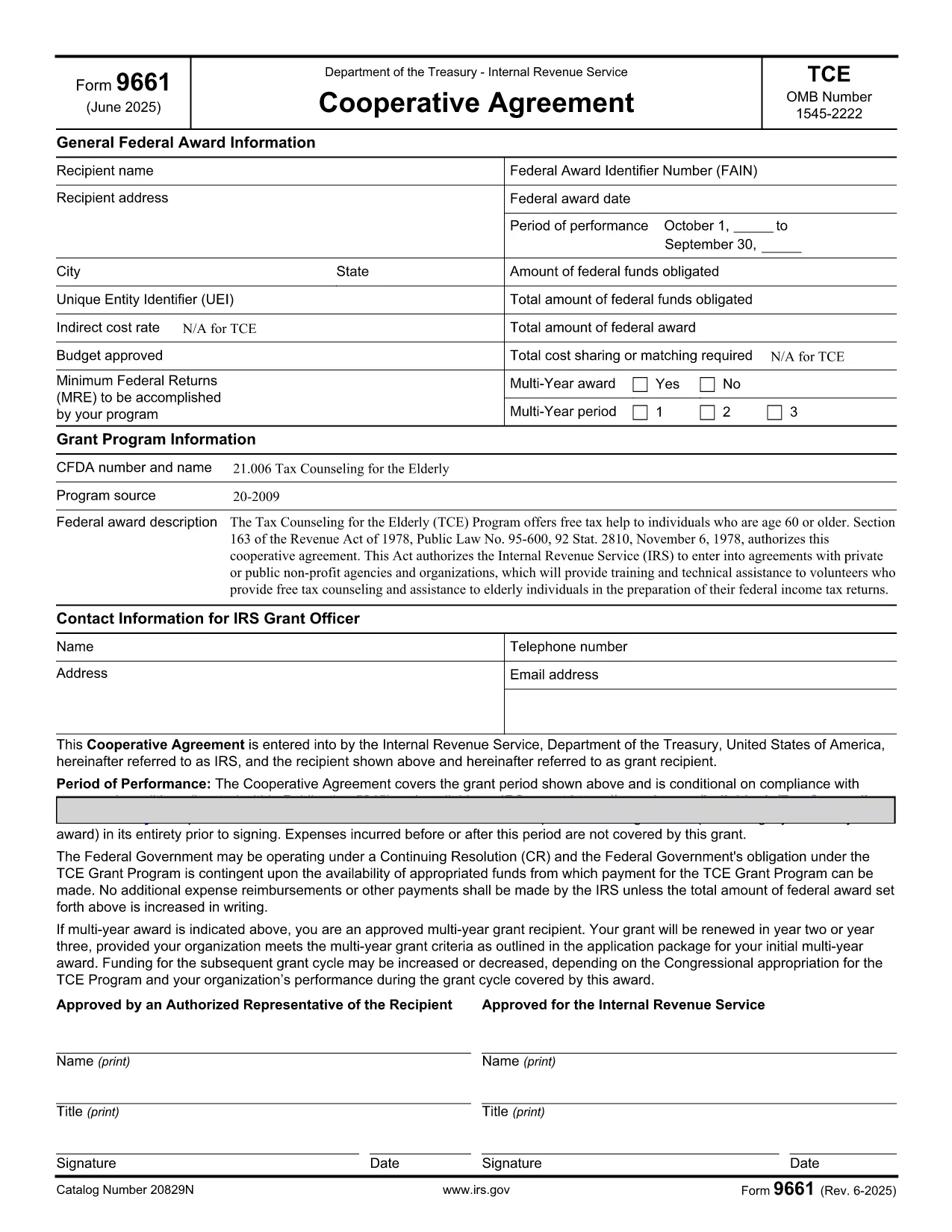
Form 9661 – Fillable PDF for Tax Counseling for the Elderly (TCE)

  1. アメリカ合衆国
  2. 言語 英語
  3. アクティビティ 税金
  4. デパートメント 内国歳入サービス
Form 9661 – Fillable PDF for Tax Counseling for the Elderly (TCE)

Form 9661, the Application for Tax Counseling for the Elderly (TCE) Program, is an IRS form that allows eligible seniors (age 60 or older) to receive free tax assistance. The form can now be completed directly in your browser using our secure, fillable PDF powered by Formize.

By using the online fillable version, you avoid printing, scanning, or installing special PDF editors. Simply click the button on this page, let the Formize PDF Filler load, and start entering your information.

Key benefits of the fillable PDF:

  • Auto‑save as you type – no data loss.
  • Built‑in validation to reduce errors.
  • Instant download of the completed form in PDF format.

Below you’ll find detailed instructions, common pitfalls, and answers to the most frequent questions about Form 9661.

よくある質問
  • Who is eligible to use Form 9661?

    Individuals who are 60 years of age or older and wish to receive free tax counseling through the TCE program.

  • Do I need a PDF editor to fill out Form 9661?

    No. Our online fillable PDF works in any modern browser—no additional software is required.

  • Can I save my progress and return later?

    Yes. Use the "Save" button in the Formize Filler to download a partially completed PDF, then reopen it later to continue.

  • Where do I submit the completed Form 9661?

    Submit the signed form to the TCE provider that will assist you with your taxes. Many providers accept electronic PDFs.

  • What common mistakes should I avoid?

    Make sure to enter your Social Security Number exactly as it appears on your SSN card, sign the form, and double‑check dates for accuracy.

  • Is Form 9661 free to download?

    Yes. The IRS provides this form at no cost, and our fillable version is also free to use.

  • Can I use Form 9661 for non‑U.S. residents?

    Form 9661 is intended for U.S. taxpayers who meet the age requirement. Non‑U.S. residents should consult their local tax authority.

方法

オンラインで 5 回の簡単なステップで Form 9661 を無料で入力する方法:

  1. 1
    Open the Fillable Form
    Click the "Fill out this form" button on this page. The Formize PDF Filler app will launch in a new window.
  2. 2
    Wait for the Loader
    Allow a few seconds for the fillable PDF to load. All fields will become editable automatically.
  3. 3
    Enter Your Information
    Complete each section of Form 9661. Required fields are marked with an asterisk and validated in real time.
  4. 4
    Review and Correct
    Use the built‑in review tool to check for missing or incorrect entries before finalizing.
  5. 5
    Download or Print
    When you’re satisfied, click "Download" to save the completed PDF or "Print" to submit a hard copy to your TCE provider.
Formize PDF Filler アプリ
だいたい

連邦税フォーム

Form 9661 は連邦税フォームの 1 つで、米国の内国歳入庁 (IRS) に連邦所得税を報告および提出するために使用される文書です。これらのフォームは、個人、企業、組織が連邦税負担の計算に必要な所得、控除、その他の関連情報を報告するために使用されます。

最も一般的に使用される連邦税フォームはフォーム 1040 で、個人の納税者が個人所得税を報告するために使用します。その他の一般的に使用されるフォームには、パートナーシップ用の フォーム 1065フォーム 1120、非課税組織の場合はフォーム 990

連邦税フォームでは通常、納税者に対し、賃金、給与、チップなどのさまざまな収入源のほか、投資、賃貸不動産、その他の収入源からの収入を報告するよう求めています。このフォームを使用すると、納税者は慈善寄付金、住宅ローン利子、医療費などのさまざまな費用の控除やクレジットを請求することもできます。

連邦税フォームを正確かつ期限内に提出することが重要です。これを怠ると、IRS から罰金や利息が課される可能性があります。

特徴

PDFフィラー

オンラインで PDF フォームに記入する最も簡単な方法

  • Form 9661 をすばやく入力してください
    Form 9661 をオンラインですばやく入力する方法をお探しですか?オンラインの無料 PDF フォーム フィラーを使用すると、この PDF ドキュメントを 1 分以内に編集して入力する方法がわかります。
  • 使いやすいオンライン PDF エディター
    再スキャンして返送する前に、編集できるように PDF ファイルを印刷することにうんざりしていませんか? PDFドキュメントをオンラインで無料で編集.当社のオンライン PDF エディターを使用して、時間と紙を節約してください。
  • 優れたツール、すべてのプラットフォーム
    Mac で Form 9661 を入力する方法や、PDF フィラーを無料で使用する方法を知りたいですか?当社のオンライン PDF ツールは、すべてのプラットフォームで動作します。
  • 安全なファイル ストレージ
    完成した「Form 9661」ファイルは、Amazon クラウド ホスティングが管理する安全なデータベースに保存されます。いつでもシステムからファイルを削除できます。いずれにせよ、これらのファイルは 24 時間後に自動的に削除されます。
  • {キーワード} とチャットする
    無料の PDF リーダー アシスタントである Chatize で「Form 9661」とチャットします。質問すると、「Form 9661」から回答が得られます。上の [ドキュメントとチャット] ボタンをクリックするだけです。

フィルセッションを削除

選択したフィルセッションを削除しますか?この場合、フォームへの記入の進捗状況は失われます。

編集セッションを削除する

選択した編集セッションを削除しますか?この場合、フォームの作成および編集の進行状況は失われます。