


revival application form テンプレート
PDF ドキュメントを表示および入力するための従来の一連の機能に、Web アプリケーションおよびレスポンシブ レイアウトの利点を組み合わせることで、数分で revival application form を完成させることができます。
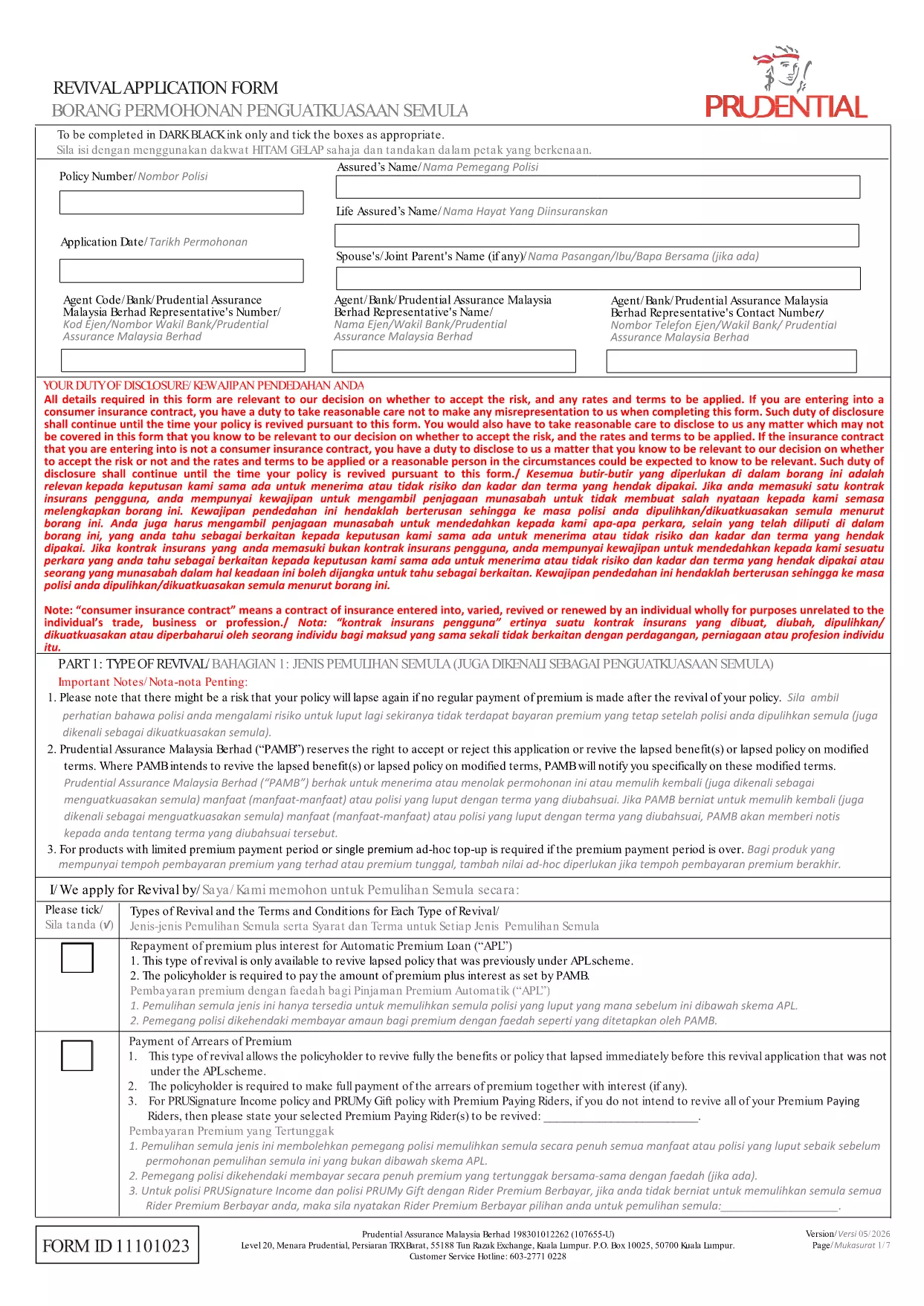
Looking for a quick way to bring a lapsed Prudential policy back to life? The Revival Application Form is a fillable PDF that lets you request the restoration of loyalty‑related benefits such as Milestone Booster, Loyalty Booster, and Loyalty Bonus.
This form is used by policyholders who want to revive a lapsed policy and re‑activate any associated loyalty features. It captures essential information about the policy, the reason for lapse, and the applicant’s consent to the terms and conditions.
Instead of downloading the PDF and opening it in a separate editor, simply click the "Fill out this form" button on the page. The Formize PDF Filler app will load instantly, allowing you to type directly into each field, add signatures, and save your completed form.
Even a small error can delay the revival process. Make sure you:
After filling out the form, send the completed PDF to the email address listed on the last page of the document or upload it through your Prudential online portal. Keep a copy for your records in case follow‑up is needed.
Need more help? Review the FAQs below or contact Prudential’s customer service for assistance.
It allows policyholders to request the reinstatement of a lapsed Prudential policy and reactivate any loyalty‑related benefits.
Yes. The Formize PDF Filler works on most smartphones and tablets with a modern browser.
Typically you must attach proof of identity and any payment receipts required by Prudential. The form lists the exact documents needed.
Once Prudential receives the completed form, processing usually takes 7‑10 business days, provided all information is correct.
Contact Prudential’s policy‑servicing team immediately. They may ask you to submit a corrected form.
Yes, a revival fee applies. The exact amount is shown on the form and varies by policy type.
No. The Formize PDF Filler includes an electronic signature tool that is legally accepted by Prudential.
The most recent version is available for download via the link below, hosted on Prudential’s official website.
PDF ドキュメントを表示および入力するための従来の一連の機能に、Web アプリケーションおよびレスポンシブ レイアウトの利点を組み合わせることで、数分で revival application form を完成させることができます。
オンラインで PDF フォームに記入する最も簡単な方法
フィルセッションを削除
編集セッションを削除する