
言語を選択する

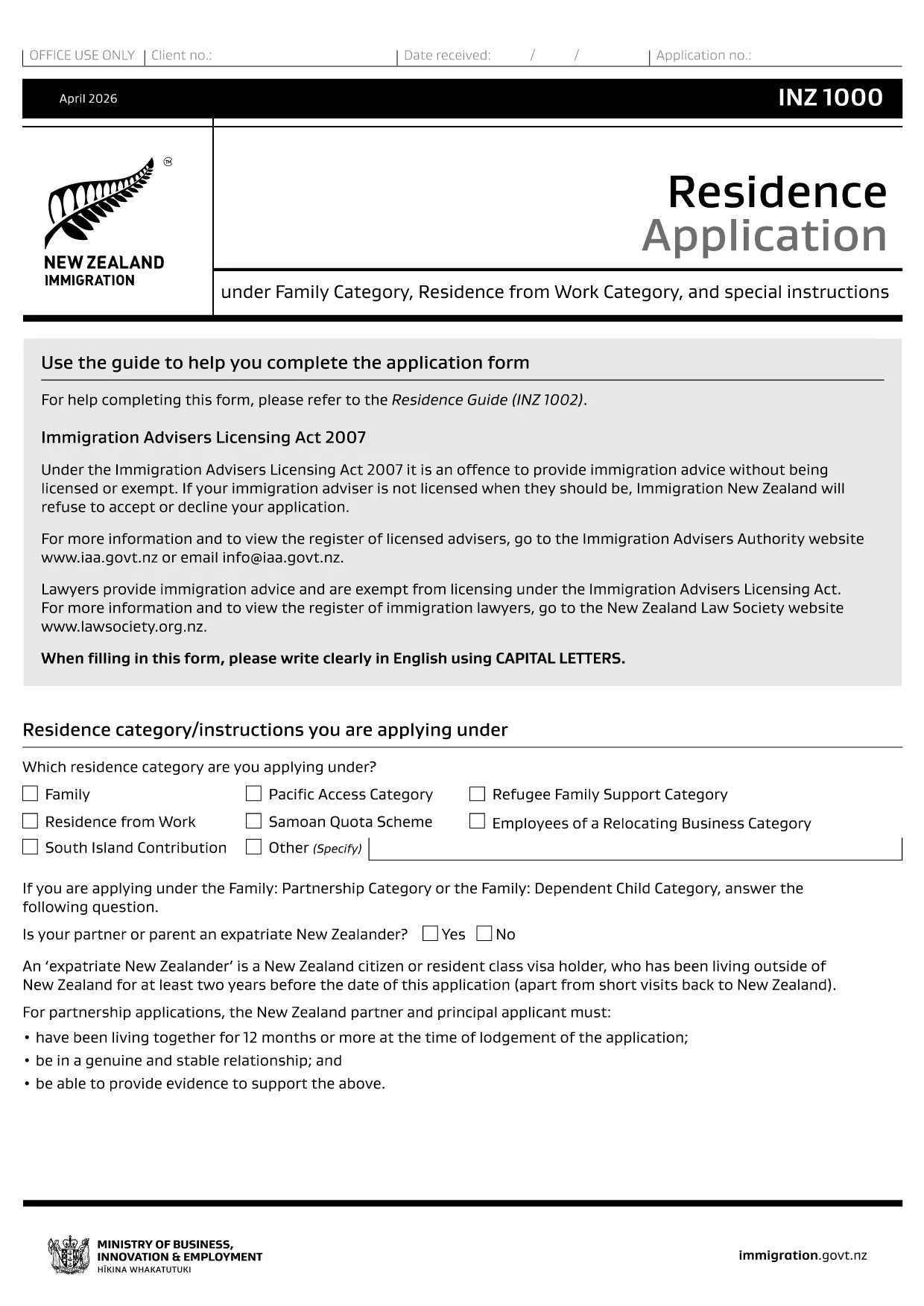
INZ 1000 Residence Application – Fillable PDF Form

  1. ニュージーランド
  2. 言語 英語
  3. アクティビティ 仕事 住居 移民
INZ 1000 Residence Application – Fillable PDF Form

What Is the INZ 1000 Form?

The INZ 1000 is the official Residence Application used by Immigration New Zealand for individuals who have received an invitation to apply for New Zealand residency. It collects personal details, immigration history, health information, and supporting evidence.

How to Complete the INZ 1000 Online

Instead of downloading the PDF and editing it in a separate program, you can fill the form directly on our page using the Formize PDF Filler app. This ensures all fields stay correctly formatted and the file remains printable for submission.

Common Mistakes to Avoid

  • Leaving mandatory fields blank – the filler highlights required sections.
  • Uploading files that exceed the size limit – keep each attachment under 5 MB.
  • Using an outdated version of the form – our link always points to the latest official PDF.

Where to Submit Your Completed Form

After you have filled out and saved the INZ 1000, submit the PDF to the Immigration officer who issued your invitation letter, usually via the online portal or by email as instructed in the invitation.

Download the Official PDF

If you prefer to work offline, you can download the official form below. The online filler uses the same PDF, so no data is lost.

よくある質問
  • Do I need to print the INZ 1000 after filling it online?

    No. The online filler creates a fully completed PDF that can be submitted electronically. Print only if specifically requested by the immigration officer.

  • Can I save my progress and return later?

    Yes. Use the “Save Draft” option in the Formize filler, then reload the saved file to continue later.

  • What file format is required for supporting documents?

    Immigration New Zealand accepts PDF, JPG, or PNG files. Keep each file under 5 MB.

  • Is there a fee to use the Formize PDF Filler?

    No. The filler is completely free for all users.

  • How do I know I have the latest version of INZ 1000?

    Our download link points to the official Immigration New Zealand website, guaranteeing you always get the current version.

  • What should I do if the filler crashes or freezes?

    Refresh the page and reopen the form. All data entered before the crash is saved automatically.

  • Can I fill out the form on a mobile device?

    Yes. The Formize filler is responsive and works on smartphones and tablets.

  • Do I need a PDF editor to edit the saved form?

    No. The saved PDF is already completed. Only a PDF viewer is needed to open and submit it.

方法

オンラインで 6 回の簡単なステップで INZ 1000 を無料で入力する方法:

  1. 1
    Click the Fill‑out Button
    On this page, press the “Fill out this form” button to launch the Formize PDF Filler.
  2. 2
    Wait for the Filler to Load
    The app loads the official INZ 1000 PDF in a secure window. This only takes a few seconds.
  3. 3
    Enter Your Information
    Complete each highlighted field. Required fields are marked with a red asterisk.
  4. 4
    Add Attachments
    Upload supporting documents (passport copy, health certificates, etc.) using the attachment icons.
  5. 5
    Review and Save
    Use the “Preview” button to check the filled form, then click “Save PDF” to download the completed application.
  6. 6
    Submit to Immigration New Zealand
    Follow the instructions in your invitation letter to submit the saved PDF to the designated officer.
Formize PDF Filler アプリ
だいたい

勤務形態

INZ 1000 は、外国で働くことを目的とした個人が使用する申請フォームの 1 つです。これらのフォームは通常、個人の職歴、スキル、資格に関する情報を収集するために目的国の入国管理局によって要求されます。具体的な労働形態と要件は、国とその移民政策によって異なる場合があります。移民に関する労働形態の例をいくつか示します。

就労ビザ申請フォーム: これは、外国で働くことを希望する個人が使用する主なフォームです。個人情報、対象となる雇用に関する詳細、スポンサーとなる雇用主または組織、および就労ビザの申請に必要なその他の関連情報を収集します。

雇用契約: 場合によっては、労働許可申請の一環として雇用契約書のコピーの提出が必要になる場合があります。雇用契約には、役職、給与、労働時間、その他の雇用関連の詳細を含む、仕事の条件の概要が記載されています。

労働市場影響評価 (LMIA) フォーム: 特定の国では、雇用主は外国人労働者が特定の職務に就く真の必要性があることを証明するために、労働市場影響評価 (LMIA) を取得する必要があります。 LMIA フォームは雇用主によって記入され、求人情報、地元労働者を雇用する取り組み、地元の労働市場への影響に関する情報が含まれます。

スキル評価または資格認定フォーム: 国によっては、仕事に必要な基準を満たしていることを確認するために、個人のスキルまたは資格を評価または認定することが求められる場合があります。スキル評価または資格認定フォームでは、個人の学歴、職歴、および特定の職業に関連するスキルに関する情報が収集されます。

雇用証明書または内定通知書: 就労ビザを申請する個人は、雇用証明書またはスポンサー雇用主からの求人通知書の提出が必要になる場合があります。これらの文書には通常、役職、責任、開始日、給与に関する詳細が含まれます。

労働許可申請フォーム: 就労ビザが承認されたら、その国で働くための正式な許可を得るために、個別の労働許可申請フォームに記入する必要がある場合があります。このフォームには、就労ビザ番号、個人情報、雇用詳細、適用される料金などの情報が必要になる場合があります。

健康診断フォーム: 国や仕事の性質によっては、その国で働くための健康要件を満たしていることを確認するために健康診断を受けることが求められる場合があります。健康診断書には、必要な健康情報や検査結果が収集されます。

具体的な労働形態と要件は、国、追求されている仕事の種類、および実施されている移民政策によって大きく異なる可能性があることに注意することが重要です。入国管理の目的で必要な労働形態に関する正確かつ最新の情報を入手するには、入国管理局の公式ウェブサイトを参照するか、法的アドバイスを求めることをお勧めします。

特徴

PDFフィラー

オンラインで PDF フォームに記入する最も簡単な方法

  • INZ 1000 をすばやく入力してください
    INZ 1000 をオンラインですばやく入力する方法をお探しですか?オンラインの無料 PDF フォーム フィラーを使用すると、この PDF ドキュメントを 1 分以内に編集して入力する方法がわかります。
  • 使いやすいオンライン PDF エディター
    再スキャンして返送する前に、編集できるように PDF ファイルを印刷することにうんざりしていませんか? PDFドキュメントをオンラインで無料で編集.当社のオンライン PDF エディターを使用して、時間と紙を節約してください。
  • 優れたツール、すべてのプラットフォーム
    Mac で INZ 1000 を入力する方法や、PDF フィラーを無料で使用する方法を知りたいですか?当社のオンライン PDF ツールは、すべてのプラットフォームで動作します。
  • 安全なファイル ストレージ
    完成した「INZ 1000」ファイルは、Amazon クラウド ホスティングが管理する安全なデータベースに保存されます。いつでもシステムからファイルを削除できます。いずれにせよ、これらのファイルは 24 時間後に自動的に削除されます。
  • {キーワード} とチャットする
    無料の PDF リーダー アシスタントである Chatize で「INZ 1000」とチャットします。質問すると、「INZ 1000」から回答が得られます。上の [ドキュメントとチャット] ボタンをクリックするだけです。

フィルセッションを削除

選択したフィルセッションを削除しますか?この場合、フォームへの記入の進捗状況は失われます。

編集セッションを削除する

選択した編集セッションを削除しますか?この場合、フォームの作成および編集の進行状況は失われます。