


Zamboanga City application form テンプレート
PDF ドキュメントを表示および入力するための従来の一連の機能に、Web アプリケーションおよびレスポンシブ レイアウトの利点を組み合わせることで、数分で Zamboanga City application form を完成させることができます。
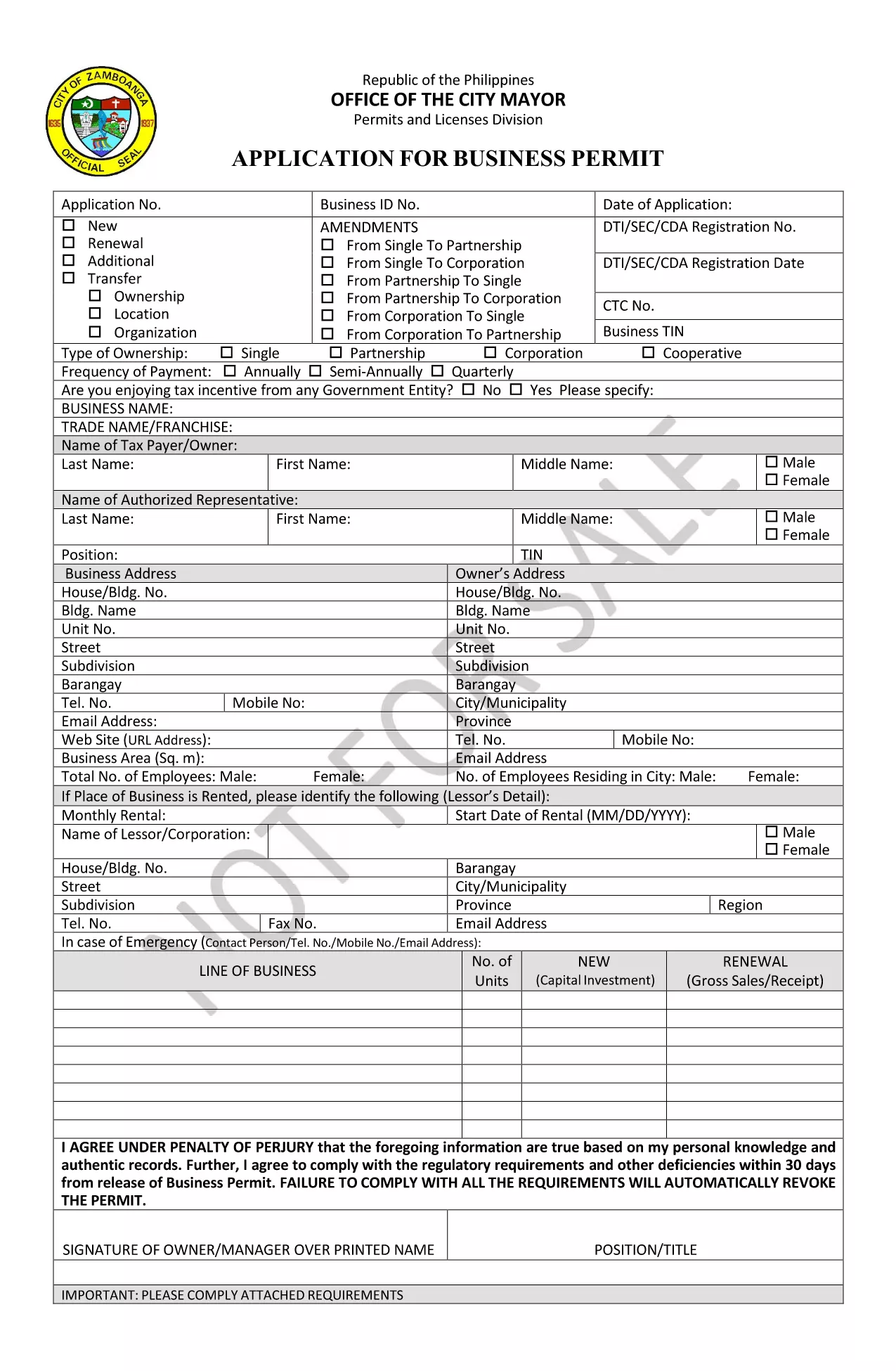
The Zamboanga City Application Form is required for businesses seeking a permit or license from the City Hall. This fillable PDF lets you enter information directly on your computer, eliminating the need for a printed copy until the final submission.
Our page integrates the Formize PDF Filler app, so you can complete the form online, save your progress, and download a ready‑to‑print version in seconds.
Below you’ll find a quick overview of the form’s purpose, step‑by‑step instructions for using the online filler, and helpful tips to avoid common errors.
Yes. Both the PDF download and the online Formize filler are completely free.
The Formize PDF Filler works on most smartphones and tablets, but for the best experience we recommend a desktop or laptop.
Typically you’ll need a valid ID with photo, an authorization letter if someone else submits the form, and any supporting permits. Check the form’s instructions for exact requirements.
Required fields are highlighted in red until they are filled. After saving, the filler will show a summary indicating any missing information.
Submit the printed and signed form to the Zamboanga City Business Permit and Licensing Section (BPLS) at the City Hall. You can also email a scanned copy if the office permits electronic submissions.
Yes. The downloaded PDF remains editable with any standard PDF editor, but it’s easier to make changes before you download by using the Formize filler.
Simply use the “Undo” button in the filler or clear the field and re‑enter the correct information. The filler saves your changes in real time.
PDF ドキュメントを表示および入力するための従来の一連の機能に、Web アプリケーションおよびレスポンシブ レイアウトの利点を組み合わせることで、数分で Zamboanga City application form を完成させることができます。
オンラインで PDF フォームに記入する最も簡単な方法
フィルセッションを削除
編集セッションを削除する