


APS ISA application form テンプレート
PDF ドキュメントを表示および入力するための従来の一連の機能に、Web アプリケーションおよびレスポンシブ レイアウトの利点を組み合わせることで、数分で APS ISA application form を完成させることができます。
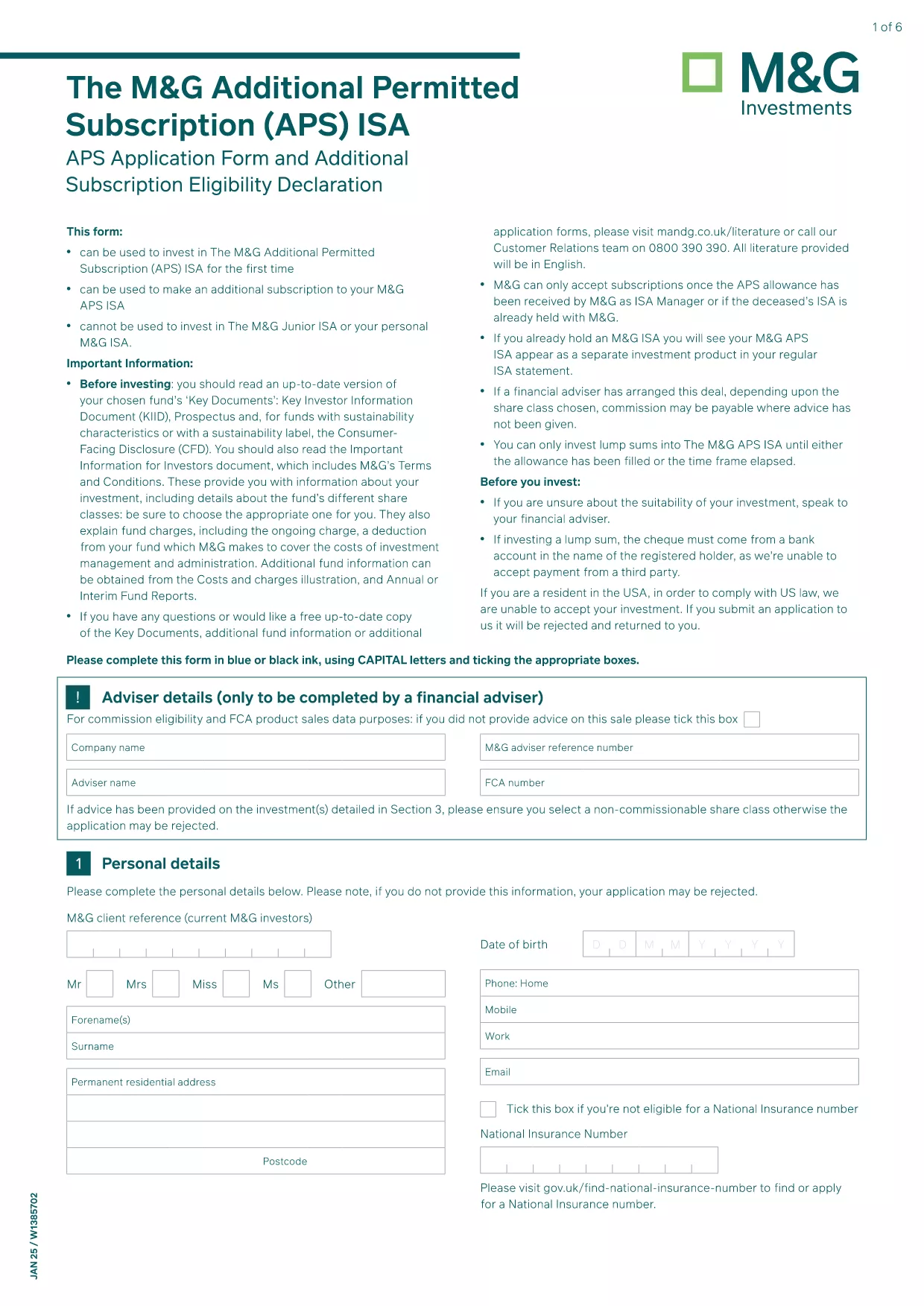
The APS ISA application form is the official document required to subscribe to an APS (Asset Protection Scheme) allowance through M&G Securities. Traditionally, applicants had to download a static PDF, print it, and hand‑sign. With Formize, you can complete the same form instantly, securely, and completely online.
Our fillable PDF version preserves the exact layout and wording of the original M&G document while adding interactive fields, auto‑validation, and e‑signature support. This means you can submit a fully compliant application without ever leaving your browser.
The APS ISA (Individual Savings Account) allows investors to allocate funds into a specially managed allowance. The form collects personal details, investment preferences, and required signatures from the applicant (and, if applicable, a surviving spouse).
Simply click the Fill out this form button on the page. The Formize PDF Filler app loads in seconds, presenting you with the exact fields from the official PDF. Fill each section, use the built‑in date picker, and attach your digital signature. When you’re done, download the completed PDF or submit it directly to M&G.
You can still download the original PDF for offline use, but the online filler provides real‑time validation, automatic calculations, and a smoother experience. Choose the method that best fits your workflow.
Yes, the PDF download and the online Formize filler are completely free. Fees may apply only when you submit the form to M&G.
No. Formize’s online filler works in any modern browser, so you don’t need any additional software.
Yes. Use the **Save Draft** button to export a partially completed PDF, then reload it later to continue.
M&G accepts e‑signatures on the APS ISA application, and the Formize filler creates a legally compliant digital signature.
Contact M&G’s client services immediately. They will advise whether you need to submit a corrected form or an amendment.
Yes. The fillable PDF mirrors the official paper form word‑for‑word and layout, ensuring compliance.
Absolutely. After you finish, click **Download** and print the PDF for your records or for mailing if required.
PDF ドキュメントを表示および入力するための従来の一連の機能に、Web アプリケーションおよびレスポンシブ レイアウトの利点を組み合わせることで、数分で APS ISA application form を完成させることができます。
オンラインで PDF フォームに記入する最も簡単な方法
フィルセッションを削除
編集セッションを削除する