


qualifying examination application テンプレート
PDF ドキュメントを表示および入力するための従来の一連の機能に、Web アプリケーションおよびレスポンシブ レイアウトの利点を組み合わせることで、数分で qualifying examination application を完成させることができます。
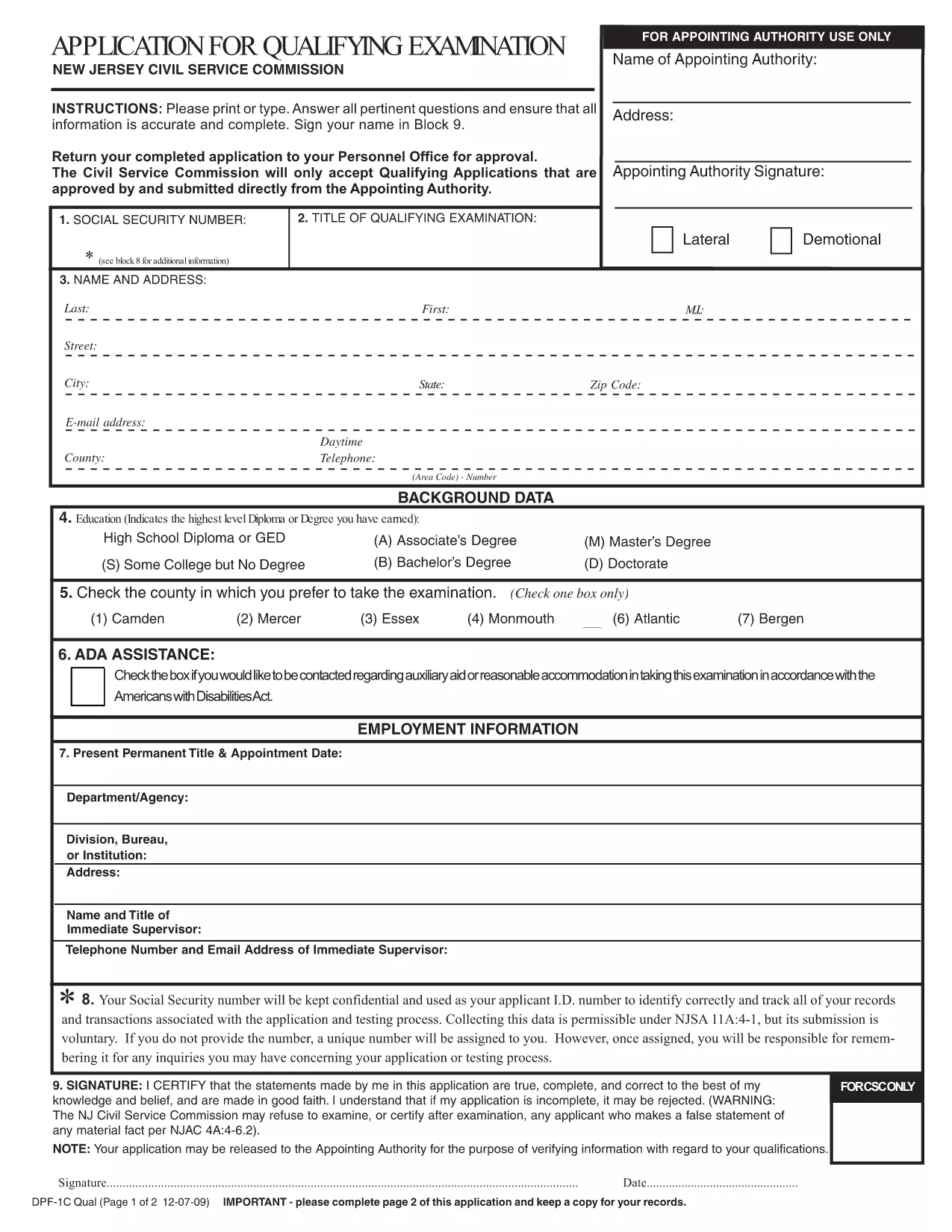
Looking for an application form qualification that you can fill out online without installing any software? You’ve come to the right place. This page hosts the official Qualifying Examination Application Form in a fully fillable PDF format, powered by Formize’s fast PDF filler.
The PDF is created by the New Jersey Civil Service Commission, so it meets all legal and formatting requirements. Because it’s fillable, you can type directly into the fields, add a digital signature, and submit a clean, error‑free document.
Simply click the "Fill out this form" button on this page. The Formize PDF Filler app will load in your browser, and you can start entering your information right away. No download, no extra editor – everything runs in the cloud.
When you finish, click "Save & Download". The completed PDF will be saved to your device, ready to be printed or emailed to the Personnel Office.
Scroll down to see answers to the most common queries about this form.
Yes. Formize updates this page automatically when the Civil Service Commission releases a new version.
No. The Formize PDF Filler works in any modern browser, so you don’t need Acrobat or any other software.
Absolutely. Use the "Save Draft" button to download a partially completed PDF, then reopen it later with Formize.
The completed form is saved as a standard, non‑editable PDF that meets the Civil Service Commission’s submission requirements.
No. Filling, signing, and downloading the PDF is completely free.
Follow the instructions on the last page of the form – typically you email or mail the PDF to your Personnel Office.
PDF ドキュメントを表示および入力するための従来の一連の機能に、Web アプリケーションおよびレスポンシブ レイアウトの利点を組み合わせることで、数分で qualifying examination application を完成させることができます。
オンラインで PDF フォームに記入する最も簡単な方法
フィルセッションを削除
編集セッションを削除する