
納税フォーム
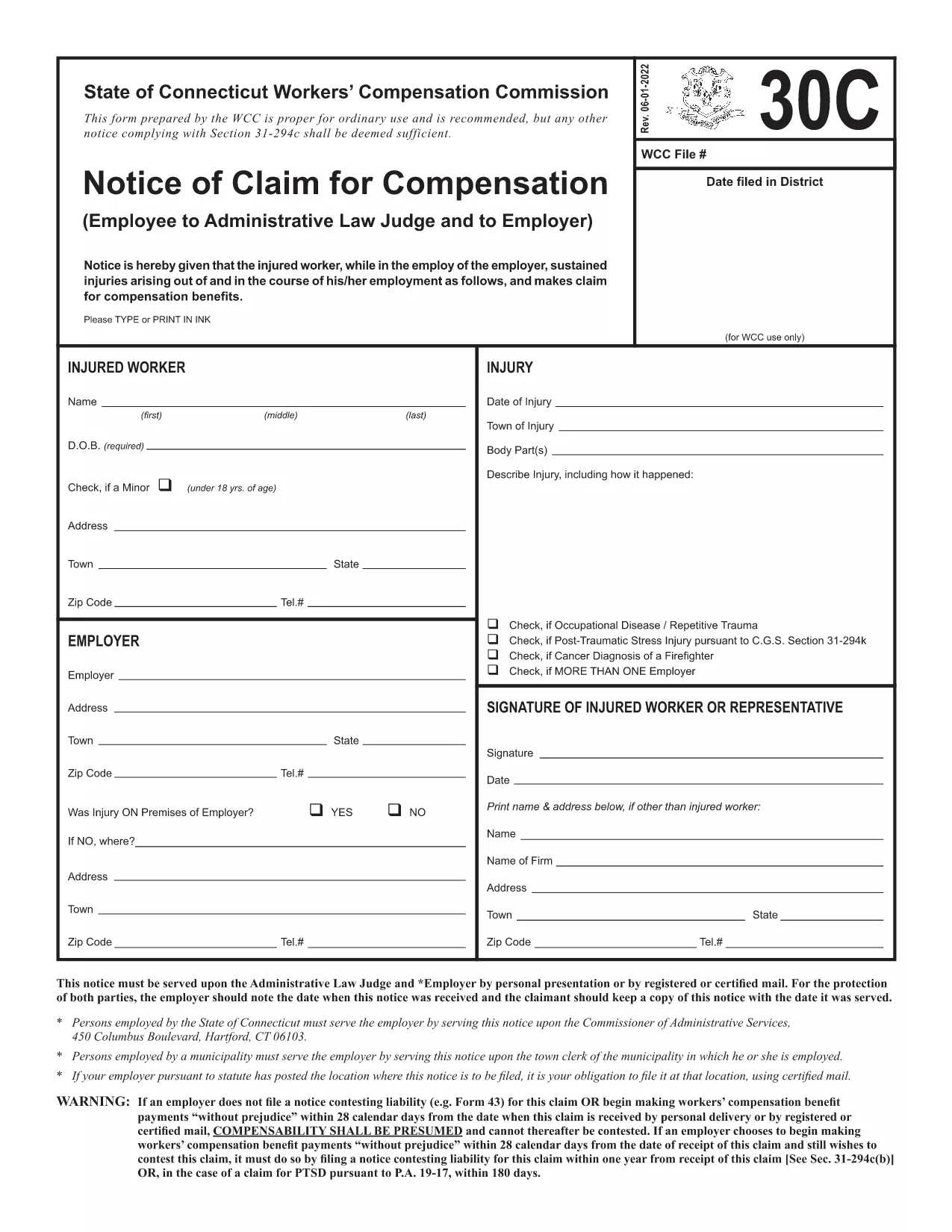
Form 30c は、税金に関する情報を関連する税務当局に報告するために使用される文書である納税申告書の 1 つです。納税者の状況や場所によって、連邦税、州税、地方税など、さまざまな種類の納税申告書があります。

Form 30c is a standard claim form used by Connecticut taxpayers to request specific tax credits or refunds. The official PDF is provided by the Connecticut Department of Revenue Services and is fully fillable, meaning you can type directly into the fields, add signatures, and save without ever printing a paper copy.
Form 30c collects information about the taxpayer, the type of claim being made, and supporting documentation. It is commonly used for:
Instead of downloading the PDF and opening a separate editor, simply click the “Fill out this form” button on this page. The Formize PDF Filler app will load in seconds, presenting a clean, web‑based interface where you can:
Even a small error can delay processing. Keep these tips in mind:
After you’ve saved the completed PDF, you can submit it in one of two ways:
Using Formize guarantees a clean, searchable PDF that meets all state formatting requirements, helping you avoid processing delays.
Yes. The official Connecticut version is fully fillable and can be completed directly in the Formize PDF Filler without printing.
A digital signature is accepted for electronic submissions. If you mail the form, you must sign it by hand.
Absolutely. The Formize app lets you save a draft PDF on your device, so you can return to it anytime before final submission.
Attach copies of any tax returns, W‑2/1099 forms, receipts, or letters that verify the claim you are making on Form 30c.
Once the completed Form 30c is received, the Connecticut Department of Revenue typically processes refunds or credits within 30‑45 business days.
No. Form 30c is a claim form and does not require a filing fee.
Yes. The Formize PDF Filler is responsive and works on smartphones and tablets as well as desktop browsers.
Form 30c は、税金に関する情報を関連する税務当局に報告するために使用される文書である納税申告書の 1 つです。納税者の状況や場所によって、連邦税、州税、地方税など、さまざまな種類の納税申告書があります。
オンラインで PDF フォームに記入する最も簡単な方法
フィルセッションを削除
編集セッションを削除する
