
言語を選択する

DS-0010 Birth Affidavit – Fillable PDF Form

  1. 言語 英語
  2. アメリカ合衆国
  3. アクティビティ Passport & Visa
  4. デパートメント 国務省
DS-0010 Birth Affidavit – Fillable PDF Form

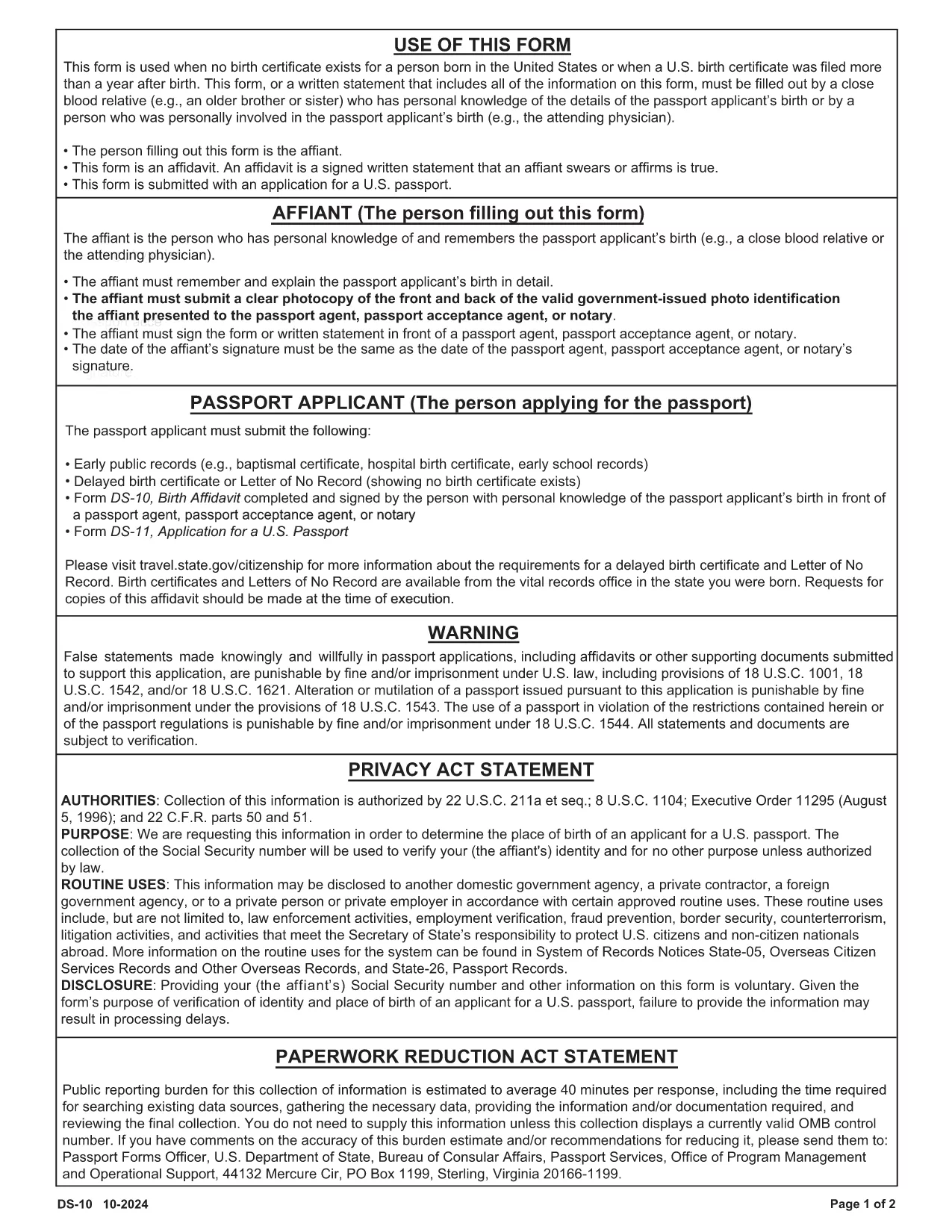
The DS-0010 Birth Affidavit is the official form used by the U.S. Department of State to verify a person’s birth when a certified birth certificate is unavailable. This fillable PDF is required for many passport and visa applications, especially for applicants born abroad or in circumstances where standard documentation cannot be provided.

Formize hosts a secure, web‑based PDF filler that lets you complete the DS-0010 entirely online—no extra software needed. Simply click the “Fill out this form” button, wait for the Formize PDF Filler to load, and start entering your information.

What Is the DS-0010 Birth Affidavit?

The DS-0010 is a sworn statement that includes:

  • Applicant’s full name, date of birth, and place of birth
  • Details about the missing or unavailable birth certificate
  • Contact information for a person who can verify the birth (e.g., a parent, grandparent, or other relative)
  • Signature of the applicant and a notary public (if required)

How to Complete the Form Online with Formize

Follow these simple steps to fill out the DS-0010 without ever leaving your browser:

  1. Click the “Fill out this form” button on the page.
  2. Wait a few seconds while the Formize PDF Filler loads the DS-0010 document.
  3. Enter your information in each fillable field. The interface automatically saves your progress.
  4. When you’re done, click “Save & Download” to get a completed PDF you can print or upload.

Common Mistakes to Avoid

  • Leaving fields blank: Every required field must be completed; otherwise the form will be rejected.
  • Incorrect date formats: Use the MM/DD/YYYY format as shown in the example fields.
  • Misspelling names: The name must match exactly what appears on other supporting documents.
  • Skipping the notary: Some visa categories require a notarized signature. Verify your specific requirement before submitting.

Download & Print Options

If you prefer a hard copy, you can still download the original PDF from the official source (https://eforms.state.gov/Forms/ds10.PDF) and print it after completing the form online.

Where to Submit the Completed Form

After you have saved the filled‑out DS-0010, attach it to your passport or visa application package and submit it to the nearest U.S. Embassy, Consulate, or the Department of State’s Visa Services office as instructed in your application guide.

よくある質問
  • Do I need a notary for the DS-0010?

    A notary is required only for certain visa categories. Check the specific instructions for your application; otherwise, a plain signature is sufficient.

  • Can I edit the form after I download it?

    Yes, you can reopen the downloaded PDF in Formize’s filler to make edits, or edit it with any standard PDF editor before submission.

  • Is the Formize filler secure?

    Absolutely. All data is processed in an encrypted session (HTTPS) and is never stored on our servers after you download the completed PDF.

  • What if I don’t have a birth certificate at all?

    The DS-0010 is designed for exactly this situation. Provide as much detail as possible and include supporting statements from relatives or officials.

  • How long does it take to fill out the DS-0010?

    Most users complete the form in 5–10 minutes when all required information is on hand.

  • Can I submit the form electronically?

    Yes, many U.S. embassies accept a scanned copy of the completed PDF. Verify the submission method in your specific visa or passport instructions.

方法

オンラインで 3 回の簡単なステップで DS-0010 を無料で入力する方法:

  1. 1
    Open the Fillable Form
    Click the “Fill out this form” button on this page. The Formize PDF Filler will load the DS-0010 directly in your browser.
  2. 2
    Enter Your Information
    Complete each highlighted field. The filler auto‑saves, so you can pause and return later without losing data.
  3. 3
    Save and Download
    When all fields are filled, click “Save & Download” to obtain a completed PDF you can print, notarize, or upload with your application.
Formize PDF Filler アプリ
だいたい

国務省 (DOS) フォーム

DS-0010 は、米国国務省 (DOS) が情報を収集し、海外旅行、ビザ、パスポート、領事サービスに関連するさまざまなサービスを処理するために使用する申請フォームの 1 つです。 DOS は、米国の外交政策、国際関係を管理し、米国国民と外国人にサービスを提供する責任を負います。

国務省のフォームの例をいくつか示します。

パスポート申請フォーム: これらのフォームは、個人の海外旅行を許可する政府発行の公式文書である米国のパスポートを申請するために使用されます。パスポート申請書では、個人情報、市民権に関する詳細、身元情報、その他の必要な情報が収集されます。

非移民ビザ申請フォーム: DOS は、外国人が観光、ビジネス、留学、仕事などのさまざまな目的で一時的に米国を訪問することを許可する非移民ビザの発行を監督しています。 DS-160、DS-156、DS-260 などの非移民ビザ申請フォームは、申請者の個人情報、渡航歴、渡航目的、その他の関連情報に関する情報を収集するために使用されます。

移民ビザ申請フォーム: 米国への移住を希望する個人の場合、移民ビザ申請フォームが使用されます。これらのフォームでは、申請者の個人歴、家族構成、職歴、その他の関連情報に関する詳細な情報が収集されます。例としては、家族ベースの移民用の DS-260 フォームや多様性ビザの宝くじ当選者用の DS-230 フォームなどがあります。

在外領事出生報告書 (CRBA) フォーム: このフォームが使用されます海外での米国市民の子供の出生を米国市民の両親に文書化するため。子供、親、および裏付けとなる文書に関する情報を収集します。

扶養宣誓供述書: 米国への移民をスポンサーする場合、米国国民または合法的永住者は扶養宣誓供述書を提出する必要がある場合があります。 I-864 や I-134 などのこのフォームは、移住希望者をサポートし、公的負担になるのを防ぐ経済的能力を証明するために使用されます。

領事サービス フォーム: DOS は、公証サービス、緊急援助の要請、米国市民権の放棄など、さまざまな領事サービスを米国国民と外国人に提供します。これらのサービスには、要求されたサービスの性質に応じて、フォーム DS-11、DS-3053、または DS-4079 などの特定のフォームが使用されます。

米国国務省が使用する特定のフォームは時間の経過とともに変更される可能性があり、サービスごとに異なるフォームが必要になる場合があることに注意することが重要です。さまざまなサービスに必要な特定のフォームに関する最新かつ正確な情報については、米国国務省の公式 Web サイトにアクセスするか、最寄りの米国大使館または領事館に問い合わせることをお勧めします。

特徴

PDFフィラー

オンラインで PDF フォームに記入する最も簡単な方法

  • DS-0010 をすばやく入力してください
    DS-0010 をオンラインですばやく入力する方法をお探しですか?オンラインの無料 PDF フォーム フィラーを使用すると、この PDF ドキュメントを 1 分以内に編集して入力する方法がわかります。
  • 使いやすいオンライン PDF エディター
    再スキャンして返送する前に、編集できるように PDF ファイルを印刷することにうんざりしていませんか? PDFドキュメントをオンラインで無料で編集.当社のオンライン PDF エディターを使用して、時間と紙を節約してください。
  • 優れたツール、すべてのプラットフォーム
    Mac で DS-0010 を入力する方法や、PDF フィラーを無料で使用する方法を知りたいですか?当社のオンライン PDF ツールは、すべてのプラットフォームで動作します。
  • 安全なファイル ストレージ
    完成した「DS-0010」ファイルは、Amazon クラウド ホスティングが管理する安全なデータベースに保存されます。いつでもシステムからファイルを削除できます。いずれにせよ、これらのファイルは 24 時間後に自動的に削除されます。
  • {キーワード} とチャットする
    無料の PDF リーダー アシスタントである Chatize で「DS-0010」とチャットします。質問すると、「DS-0010」から回答が得られます。上の [ドキュメントとチャット] ボタンをクリックするだけです。

フィルセッションを削除

選択したフィルセッションを削除しますか?この場合、フォームへの記入の進捗状況は失われます。

編集セッションを削除する

選択した編集セッションを削除しますか?この場合、フォームの作成および編集の進行状況は失われます。