
言語を選択する

E‑1 Treaty Trader Visa Application Form (DS‑156E) – Fillable PDF

  1. 言語 英語
  2. 国 アメリカ合衆国
  3. デパートメント 国務省
  4. アクティビティ ビザ
E‑1 Treaty Trader Visa Application Form (DS‑156E) – Fillable PDF

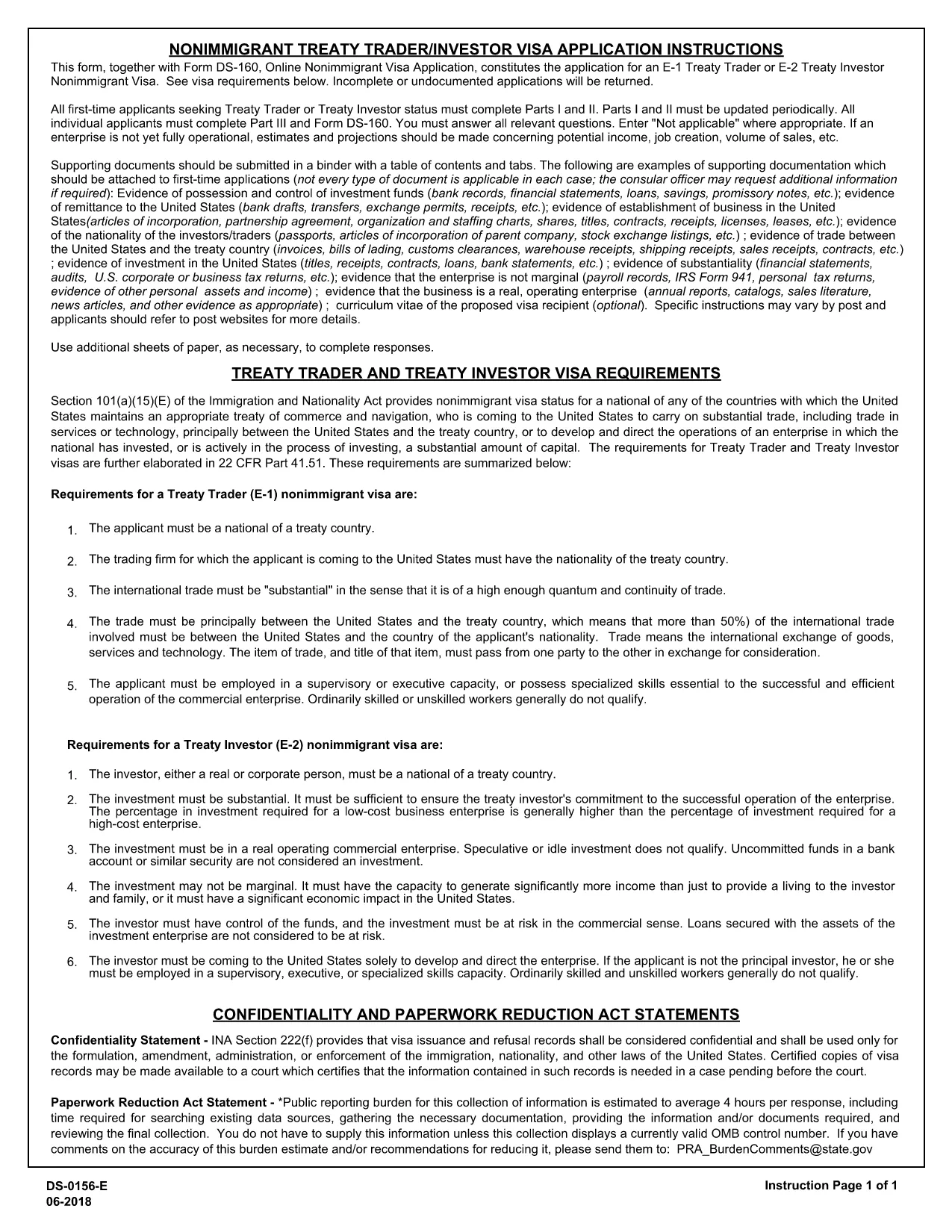
The DS‑156E, commonly called the “Application Form E‑1,” is the official online non‑immigrant visa application for the U.S. E‑1 Treaty Trader visa. This fillable PDF lets you complete the entire form from any device, then submit it directly to the U.S. Department of State.

What Is the DS‑156E E‑1 Visa Application?

The DS‑156E collects personal, travel, and business‑trade information required to prove you qualify as a treaty trader under the E‑1 category. It is used together with the standard DS‑160 form.

How to Complete the Fillable E‑1 Form Online

Instead of downloading the PDF and editing it manually, simply click the “Fill out this form” button on our page. The Formize PDF Filler loads instantly, allowing you to type, select, and save your answers without any software installation.

Common Mistakes to Avoid on the DS‑156E

  • Leaving required fields blank – the filler will highlight missing data.
  • Entering a passport number that does not match your current passport.
  • Providing inconsistent trade‑activity details that differ from your supporting documents.
  • Not signing the form electronically before saving.

Where to Submit Your Completed Form

After you finish, download the completed PDF and upload it with your DS‑160 when scheduling a visa interview at the U.S. embassy or consulate. Keep a copy for your records.

Need Help?

Review the U.S. Department of State’s instructions or consult an immigration attorney if you have complex trade‑structure questions.

よくある質問
  • What is the difference between DS‑160 and DS‑156E?

    DS‑160 is the general non‑immigrant visa application; DS‑156E is specific to the E‑1 Treaty Trader visa and must be submitted together with DS‑160.

  • Can I edit the form after I download it?

    Yes, you can reopen the saved PDF in any standard PDF editor, but using Formize’s online filler ensures all data remains editable without extra software.

  • Is there a filing fee for the DS‑156E?

    The DS‑156E itself has no separate fee; the fee is paid when you schedule your visa interview through the DS‑160 process.

  • How long does it take to complete the DS‑156E?

    Most applicants finish in 15‑30 minutes if they have their trade documents ready.

  • Do I need to print the form before submitting?

    No. You can submit the electronic PDF directly with your online DS‑160. A printed copy may be requested at the interview.

  • What should I do if I make a mistake after saving?

    Open the saved PDF with Formize’s filler again, correct the error, and re‑save.

  • Is the Formize filler secure?

    Yes, all data is processed in your browser and never stored on our servers, ensuring privacy.

方法

オンラインで 4 回の簡単なステップで E-1 visa application を無料で入力する方法:

  1. 1
    Open the Fillable Form
    Click the “Fill out this form” button on this page. The Formize PDF Filler app loads in seconds.
  2. 2
    Enter Your Information
    Complete each section – personal details, passport data, trade information – using the on‑screen fields.
  3. 3
    Validate and Save
    The filler checks for required fields. When all sections are complete, click “Save PDF” to download the finished form.
  4. 4
    Submit with Your Visa Application
    Attach the saved DS‑156E PDF to your DS‑160 submission during the embassy interview scheduling process.
Formize PDF Filler アプリ
だいたい

国務省 (DOS) フォーム

E-1 visa application は、米国国務省 (DOS) が情報を収集し、海外旅行、ビザ、パスポート、領事サービスに関連するさまざまなサービスを処理するために使用する申請フォームの 1 つです。 DOS は、米国の外交政策、国際関係を管理し、米国国民と外国人にサービスを提供する責任を負います。

国務省のフォームの例をいくつか示します。

パスポート申請フォーム: これらのフォームは、個人の海外旅行を許可する政府発行の公式文書である米国のパスポートを申請するために使用されます。パスポート申請書では、個人情報、市民権に関する詳細、身元情報、その他の必要な情報が収集されます。

非移民ビザ申請フォーム: DOS は、外国人が観光、ビジネス、留学、仕事などのさまざまな目的で一時的に米国を訪問することを許可する非移民ビザの発行を監督しています。 DS-160、DS-156、DS-260 などの非移民ビザ申請フォームは、申請者の個人情報、渡航歴、渡航目的、その他の関連情報に関する情報を収集するために使用されます。

移民ビザ申請フォーム: 米国への移住を希望する個人の場合、移民ビザ申請フォームが使用されます。これらのフォームでは、申請者の個人歴、家族構成、職歴、その他の関連情報に関する詳細な情報が収集されます。例としては、家族ベースの移民用の DS-260 フォームや多様性ビザの宝くじ当選者用の DS-230 フォームなどがあります。

在外領事出生報告書 (CRBA) フォーム: このフォームが使用されます海外での米国市民の子供の出生を米国市民の両親に文書化するため。子供、親、および裏付けとなる文書に関する情報を収集します。

扶養宣誓供述書: 米国への移民をスポンサーする場合、米国国民または合法的永住者は扶養宣誓供述書を提出する必要がある場合があります。 I-864 や I-134 などのこのフォームは、移住希望者をサポートし、公的負担になるのを防ぐ経済的能力を証明するために使用されます。

領事サービス フォーム: DOS は、公証サービス、緊急援助の要請、米国市民権の放棄など、さまざまな領事サービスを米国国民と外国人に提供します。これらのサービスには、要求されたサービスの性質に応じて、フォーム DS-11、DS-3053、または DS-4079 などの特定のフォームが使用されます。

米国国務省が使用する特定のフォームは時間の経過とともに変更される可能性があり、サービスごとに異なるフォームが必要になる場合があることに注意することが重要です。さまざまなサービスに必要な特定のフォームに関する最新かつ正確な情報については、米国国務省の公式 Web サイトにアクセスするか、最寄りの米国大使館または領事館に問い合わせることをお勧めします。

特徴

PDFフィラー

オンラインで PDF フォームに記入する最も簡単な方法

  • E-1 visa application をすばやく入力してください
    E-1 visa application をオンラインですばやく入力する方法をお探しですか?オンラインの無料 PDF フォーム フィラーを使用すると、この PDF ドキュメントを 1 分以内に編集して入力する方法がわかります。
  • 使いやすいオンライン PDF エディター
    再スキャンして返送する前に、編集できるように PDF ファイルを印刷することにうんざりしていませんか? PDFドキュメントをオンラインで無料で編集.当社のオンライン PDF エディターを使用して、時間と紙を節約してください。
  • 優れたツール、すべてのプラットフォーム
    Mac で E-1 visa application を入力する方法や、PDF フィラーを無料で使用する方法を知りたいですか?当社のオンライン PDF ツールは、すべてのプラットフォームで動作します。
  • 安全なファイル ストレージ
    完成した「E-1 visa application」ファイルは、Amazon クラウド ホスティングが管理する安全なデータベースに保存されます。いつでもシステムからファイルを削除できます。いずれにせよ、これらのファイルは 24 時間後に自動的に削除されます。
  • {キーワード} とチャットする
    無料の PDF リーダー アシスタントである Chatize で「E-1 visa application」とチャットします。質問すると、「E-1 visa application」から回答が得られます。上の [ドキュメントとチャット] ボタンをクリックするだけです。

フィルセッションを削除

選択したフィルセッションを削除しますか?この場合、フォームへの記入の進捗状況は失われます。

編集セッションを削除する

選択した編集セッションを削除しますか?この場合、フォームの作成および編集の進行状況は失われます。