
言語を選択する

Consent Form for Visa Application (Minor) – Fillable PDF

  1. 言語 英語
  2. アメリカ合衆国
  3. デパートメント 国務省
  4. アクティビティ ビザ
Consent Form for Visa Application (Minor) – Fillable PDF

Consent Form for Visa Application (Minor) – Fillable PDF

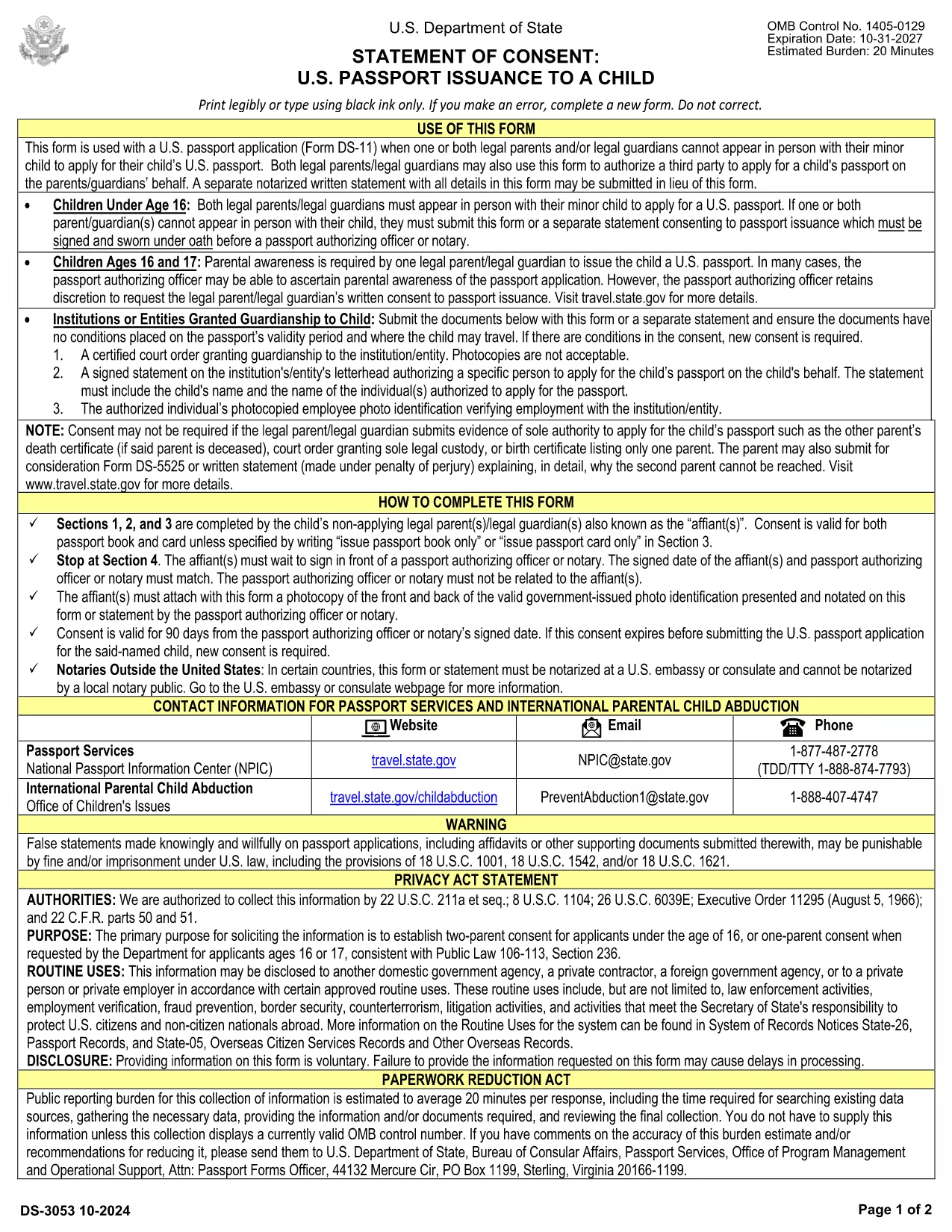
When a minor applies for a U.S. visa, the Department of State requires a signed consent form from both parents or legal guardians. This visa application consent form confirms that the child has permission to travel and that the parents approve the visa request.

Why You Need This Consent Form

The consent form is a mandatory attachment to the DS-160/DS-260 visa package for minors. Without it, the application will be delayed or rejected at the U.S. embassy or consulate. It also protects families from allegations of child abduction.

How to Fill the Form Online with Formize

Formize lets you complete the PDF directly in your browser—no extra software needed. Simply click the Fill out this form button below, wait for the Formize PDF Filler to load, and start entering the required information.

Common Mistakes to Avoid

  • Leaving any required field blank (e.g., passport numbers, dates of birth).
  • Using an illegible handwritten signature when you can sign electronically.
  • Forgetting to notarize the form when the destination country requires it.
  • Mismatching names with the child’s birth certificate.

Download & Print the Completed Form

After you finish, you can download the completed PDF, email it to the embassy, or print a hard copy for notarization. The file is fully compatible with all U.S. visa processing systems.

Legal Requirements & Notarization

Most U.S. embassies accept a signed PDF, but many countries and airlines require a notarized original. Check the specific requirements of the consulate you are applying to. Notarization adds an extra layer of authenticity and can prevent travel delays.

Ready to start? Click the button below and let Formize handle the heavy lifting.

よくある質問
  • What is the purpose of the visa consent form?

    It provides written proof that both parents or legal guardians authorize the minor to apply for and travel on a U.S. visa.

  • Can I fill the consent form on a mobile device?

    Yes. Formize’s PDF Filler works on smartphones, tablets, and desktop computers.

  • Do I need to notarize the form?

    Notarization is not required by the U.S. Department of State, but some embassies or airlines may ask for a notarized copy. Check the specific requirements of your destination.

  • How long does it take to complete the form?

    Most users finish in under 10 minutes once they have all required information at hand.

  • Is the filled PDF accepted for visa submission?

    Yes. The completed PDF meets the formatting standards of U.S. consular offices and can be uploaded with the DS‑160/DS‑260.

  • What if I make a mistake after downloading?

    You can reopen the form in Formize, edit the fields, and re‑download the corrected version.

  • Is my personal data safe?

    Formize processes the PDF locally in your browser; no personal data is stored on our servers.

方法

オンラインで 6 回の簡単なステップで visa consent form を無料で入力する方法:

  1. 1
    Click the Fill Out This Form button
    Locate the "Fill out this form" button on this page and click it to launch the Formize PDF Filler.
  2. 2
    Wait for the Formize PDF Filler to load
    A secure loading screen appears while the fillable PDF is prepared. This only takes a few seconds.
  3. 3
    Enter all required information
    Complete each field—parent names, passport numbers, child’s details, and travel information—directly in the browser.
  4. 4
    Sign electronically
    Use the electronic signature tool to add your signature. You can also upload a scanned signature if preferred.
  5. 5
    Download or email the finished form
    When you’re satisfied, click "Download" to save the PDF or use the "Email" option to send it straight to the embassy.
  6. 6
    Print and notarize if required
    If the consulate mandates a notarized copy, print the completed PDF and bring it to a notary public.
Formize PDF Filler アプリ
だいたい

ビザフォーム

visa consent form は、外国に入国するためのビザを申請するために使用される書類であるビザフォームの 1 つです。ビザとは、外国人が外国に一定期間入国し、滞在し、場合によっては就労することを許可する書類です。ビザを取得するための正確なフォームと要件は、国とビザの種類によって異なります。

ビザフォームには、通常、名前、生年月日、パスポート情報などの個人情報に加えて、旅行の目的と期間、目的地、申請者が以前にビザを拒否されたか国から強制送還されたかどうかに関する情報が必要です。フォームには、パスポート、写真、財政支援の証明などの補足書類も必要になる場合があります。

米国では、最も一般的なビザ フォームは DS-160 および DS-260 フォームです。 DS-160 フォームは非移民ビザの申請に使用され、DS-260 フォームは移民ビザの申請に使用されます。これらのフォームには、申請者の個人および旅行履歴に関する詳細な情報と、パスポート、旅行日程表、財務記録などの補足書類が必要です。

他の国ではビザのフォームと要件が異なる場合がありますが、基本的なプロセスには通常、ビザ申請の完了、補足書類の提供、米国大使館または領事館での領事官との面接が含まれます。ビザ申請プロセスは複雑で時間がかかる場合があることに注意することが重要です。ビザを求める個人は、移民弁護士またはその他の有資格の専門家に相談して、必要なすべてのフォームと要件が満たされていることを確認することをお勧めします。

特徴

PDFフィラー

オンラインで PDF フォームに記入する最も簡単な方法

  • visa consent form をすばやく入力してください
    visa consent form をオンラインですばやく入力する方法をお探しですか?オンラインの無料 PDF フォーム フィラーを使用すると、この PDF ドキュメントを 1 分以内に編集して入力する方法がわかります。
  • 使いやすいオンライン PDF エディター
    再スキャンして返送する前に、編集できるように PDF ファイルを印刷することにうんざりしていませんか? PDFドキュメントをオンラインで無料で編集.当社のオンライン PDF エディターを使用して、時間と紙を節約してください。
  • 優れたツール、すべてのプラットフォーム
    Mac で visa consent form を入力する方法や、PDF フィラーを無料で使用する方法を知りたいですか?当社のオンライン PDF ツールは、すべてのプラットフォームで動作します。
  • 安全なファイル ストレージ
    完成した「visa consent form」ファイルは、Amazon クラウド ホスティングが管理する安全なデータベースに保存されます。いつでもシステムからファイルを削除できます。いずれにせよ、これらのファイルは 24 時間後に自動的に削除されます。
  • {キーワード} とチャットする
    無料の PDF リーダー アシスタントである Chatize で「visa consent form」とチャットします。質問すると、「visa consent form」から回答が得られます。上の [ドキュメントとチャット] ボタンをクリックするだけです。

フィルセッションを削除

選択したフィルセッションを削除しますか?この場合、フォームへの記入の進捗状況は失われます。

編集セッションを削除する

選択した編集セッションを削除しますか?この場合、フォームの作成および編集の進行状況は失われます。