


DL-104 テンプレート
PDF ドキュメントを表示および入力するための従来の一連の機能に、Web アプリケーションおよびレスポンシブ レイアウトの利点を組み合わせることで、数分で DL-104 を完成させることができます。
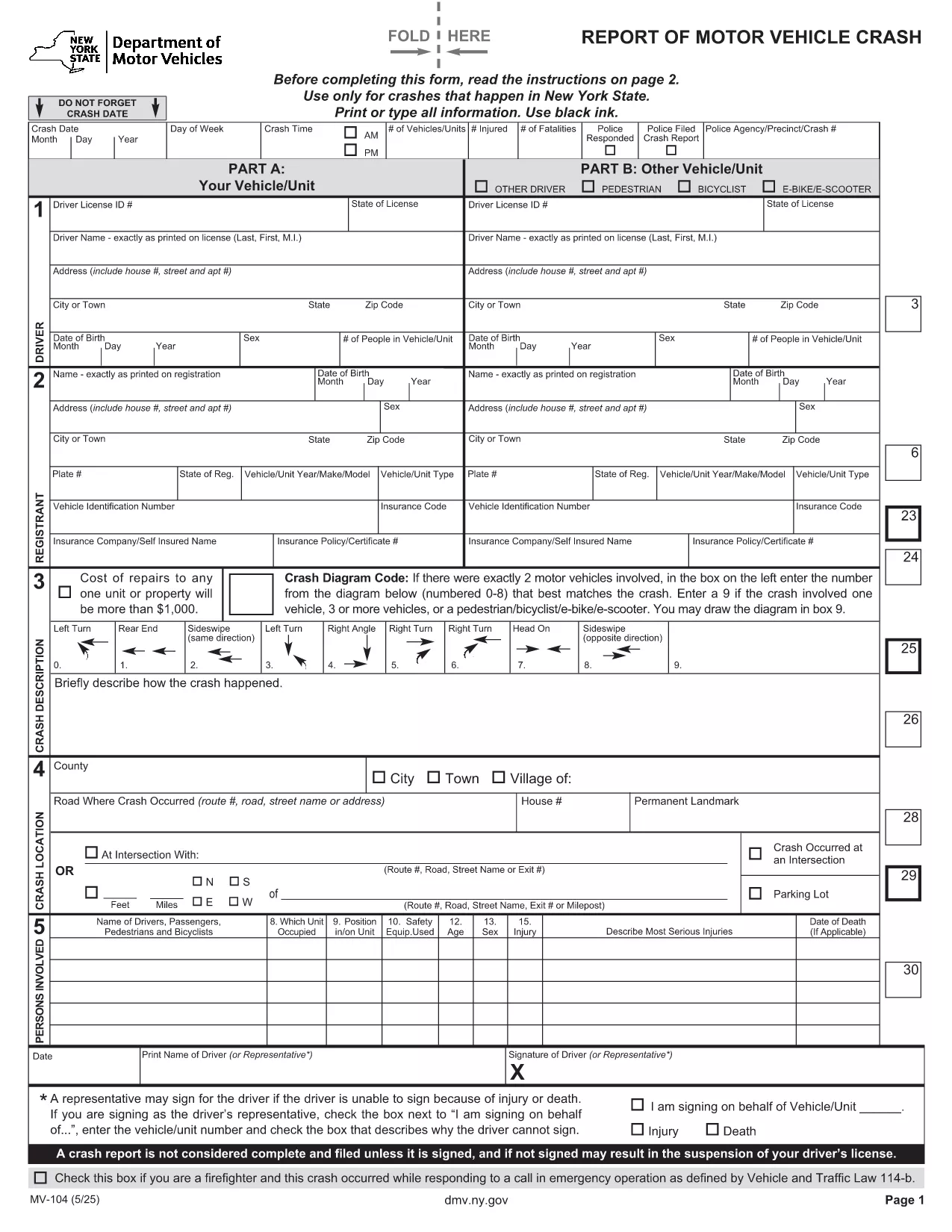
Form DL-104 is the New York Department of Motor Vehicles (NY DMV) official report used to document motor‑vehicle crashes that occur on state roads. Whether you were involved in a minor fender‑bender or a more serious accident, the DL-104 must be completed accurately and submitted to the DMV within the required time frame.
This page provides a free, fillable PDF version of DL-104, a complete guide on how to fill it out using the Formize PDF Filler app, and answers to the most common questions drivers have about the form.
Why use the fillable PDF? The online version lets you type directly into each field, automatically saves your progress, and eliminates the need for printing, scanning, or handwriting errors.
Below you’ll find a quick overview of the form’s sections, step‑by‑step instructions, and tips to avoid typical pitfalls.
Anyone involved in a motor‑vehicle accident in New York State that results in injury, death, or property damage exceeding $500 must file DL-104 with the DMV.
Yes. After completing the fillable PDF, you can email the PDF to the address provided by the DMV or upload it through the NY DMV online portal if available.
The form asks for driver and vehicle details, date and location of the crash, a description of how the accident occurred, and any injuries or property damage.
DL-104 must be filed within 10 days of the accident. Filing later may result in penalties or suspension of your driver’s license.
There is no filing fee for DL-104 itself, but the DMV may assess fees for related services such as license reinstatement.
You can correct errors by editing the fillable PDF before submission. If you have already submitted, contact the NY DMV to request a corrected form.
A police report is recommended and often required for serious accidents. Attach a copy of the report when you submit DL-104.
Yes. The Formize PDF Filler automatically saves your entries. You can close the browser and return later to continue.
PDF ドキュメントを表示および入力するための従来の一連の機能に、Web アプリケーションおよびレスポンシブ レイアウトの利点を組み合わせることで、数分で DL-104 を完成させることができます。
オンラインで PDF フォームに記入する最も簡単な方法
フィルセッションを削除
編集セッションを削除する