


UI application form テンプレート
PDF ドキュメントを表示および入力するための従来の一連の機能に、Web アプリケーションおよびレスポンシブ レイアウトの利点を組み合わせることで、数分で UI application form を完成させることができます。
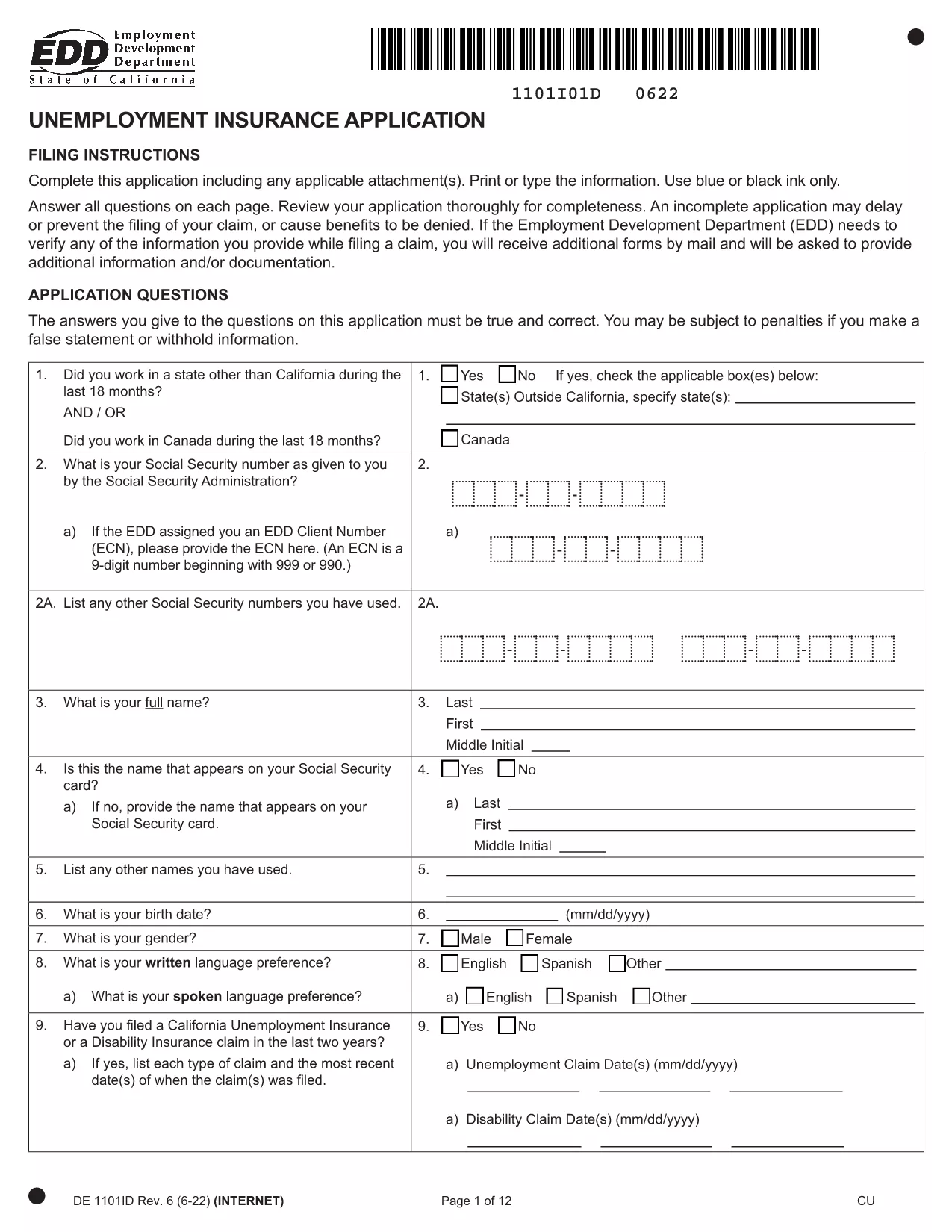
The California Unemployment Insurance (UI) Application Form is required when you need to claim unemployment benefits. Our fillable PDF version lets you complete the form quickly, add an electronic signature, and submit it without printing or scanning.
Key benefits of using the fillable UI form on Formize:
Simply click the "Fill out this form" button below, wait a few seconds for the Formize PDF Filler app to load, and start entering your information. When you’re done, download the completed PDF or send it directly to the Employment Development Department (EDD).
Below you’ll find step‑by‑step instructions, tips to avoid common errors, and answers to the most frequently asked questions.
No. The fillable PDF lets you complete, sign, and save the form entirely online.
Yes. Formize’s eSignature meets California’s electronic record‑keeping standards.
Once you download the completed PDF, it becomes read‑only. If you need changes, reopen the form in Formize and edit before downloading again.
Use the "Undo" button or simply click into the field and correct the entry before saving.
Processing typically takes up to 10 business days after submission. You’ll receive a confirmation email with next steps.
The form is free to use. Only optional premium features (e.g., secure cloud storage) may have a fee.
Yes. After completing the form, you can generate a secure share link or email the PDF directly from the platform.
PDF ドキュメントを表示および入力するための従来の一連の機能に、Web アプリケーションおよびレスポンシブ レイアウトの利点を組み合わせることで、数分で UI application form を完成させることができます。
オンラインで PDF フォームに記入する最も簡単な方法
フィルセッションを削除
編集セッションを削除する