


job application pdf テンプレート
PDF ドキュメントを表示および入力するための従来の一連の機能に、Web アプリケーションおよびレスポンシブ レイアウトの利点を組み合わせることで、数分で job application pdf を完成させることができます。
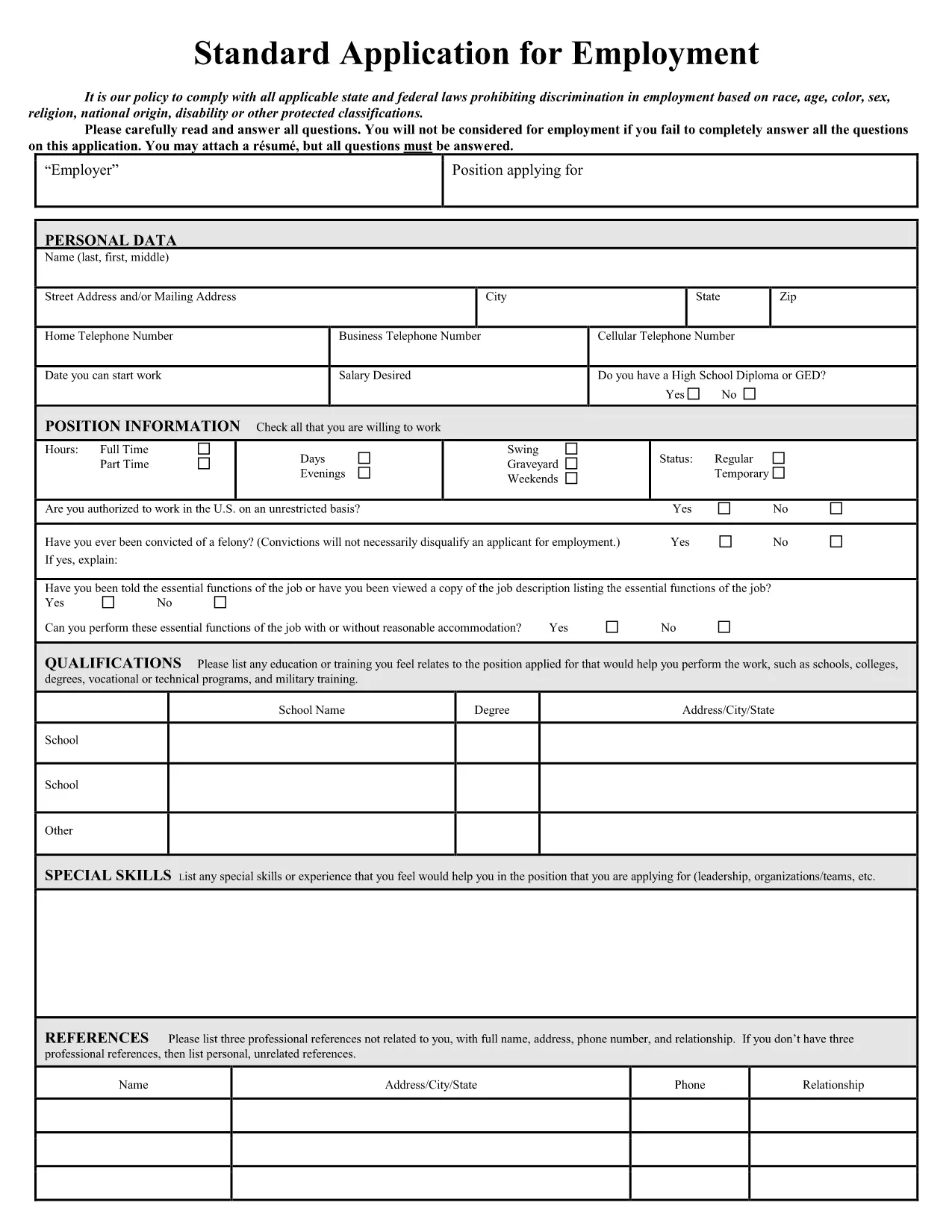
Looking for a fast, professional way to apply for a job? Our fillable job application PDF lets you download, complete, and submit your application without installing any software. The form is fully compatible with Formize’s PDF Filler, so you can fill it out directly in your browser.
Fillable PDFs keep your layout clean, preserve branding, and ensure every required field is completed. Recruiters love them because they’re easy to read and import into applicant‑tracking systems.
Follow the simple steps below to complete the form in seconds.
Once you’ve saved the filled PDF, attach it to your email, upload it through the employer’s career portal, or hand‑deliver it if requested. Always keep a copy for your records.
Ready to start? Click the button below, let Formize load the PDF Filler, and finish your application in minutes.
No. The Formize PDF Filler works in any modern browser, so you can complete the form without installing Acrobat.
Yes. Use the “Save” button in the filler to download a partially completed PDF, then reopen it later with Formize.
The filler is responsive and works on tablets and smartphones, though a desktop provides the best experience.
The completed document is saved as a standard PDF that can be emailed or uploaded anywhere.
All data stays in your browser until you download or send the file; Formize does not store any of your information.
Yes. After the form is filled, you can merge the PDF with a separate cover‑letter using any free PDF merger tool.
Just click the field again and edit the text. The filler updates instantly, and you can also use the “Undo” button.
You need an internet connection to load the filler, but once the PDF is downloaded you can submit it offline via email or print it.
PDF ドキュメントを表示および入力するための従来の一連の機能に、Web アプリケーションおよびレスポンシブ レイアウトの利点を組み合わせることで、数分で job application pdf を完成させることができます。
オンラインで PDF フォームに記入する最も簡単な方法
フィルセッションを削除
編集セッションを削除する