
言語を選択する

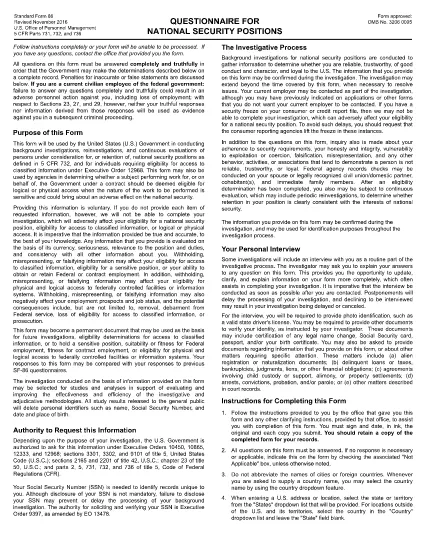
SF-86 Questionnaire – Fillable PDF for Security Clearance

  1. 言語 英語
  2. 国 アメリカ合衆国
  3. デパートメント 人事管理室
  4. セクタ 標準フォーム
SF-86 Questionnaire – Fillable PDF for Security Clearance

The SF-86 (Standard Form 86) is the U.S. government’s official questionnaire used for background investigations, reinvestigations, and continuous evaluations of individuals seeking access to classified information or national‑security positions. Completing it accurately is essential for obtaining a security clearance.

This page provides a fillable PDF version of the SF-86 that you can complete directly in your browser using the Formize PDF Filler app. No additional software or printing is required.

What Is the SF-86 Form?

The SF-86 collects detailed personal information, including:

  • Education and employment history (last 10 years)
  • Foreign contacts, travel, and residences
  • Criminal record, financial disclosures, and drug use
  • Military service and security‑related activities

Agencies use this data to assess eligibility for a security clearance.

Key Sections of the SF-86

Understanding the major sections helps you gather the right documents before you start:

  1. Personal Information – name, date of birth, Social Security number.
  2. Residence History – every address for the past 10 years.
  3. Employment & Education – employers, schools, dates, and supervisors.
  4. Foreign Contacts & Travel – individuals, countries, and trips abroad.
  5. Legal & Financial Matters – arrests, convictions, bankruptcies, debts.

How to Complete the SF-86 Online

Follow these simple steps to fill out the form quickly and securely:

  • Click the "Fill out this form" button below.
  • Wait a few seconds while the Formize PDF Filler loads.
  • Enter your information field‑by‑field; the app auto‑saves as you go.
  • When finished, click "Save & Download" to get a completed PDF copy.
  • Submit the saved PDF to your agency or upload it through e‑QIP as instructed.

Common Mistakes & Tips

Tip 1: Answer every question truthfully. Incomplete or false information can delay or deny your clearance.

Tip 2: Use exact dates (MM/DD/YYYY) and full legal names for contacts.

Tip 3: Keep supporting documents (travel itineraries, employment letters) handy for reference.

Tip 4: Review the form twice before saving. The Formize filler highlights required fields you might have missed.

Ready to start? Click below to launch the fillable SF-86 PDF.

よくある質問
  • What is the SF-86 used for?

    The SF-86 is the standard questionnaire for background investigations and security clearances for U.S. government, military, and contractor positions.

  • Can I fill out the SF-86 on a mobile device?

    Yes. The Formize PDF Filler works on most modern smartphones and tablets, but a desktop browser provides the best experience.

  • Is the fillable PDF version official?

    Yes. The PDF linked below is the official OPM form, now available as a fillable document through Formize.

  • Do I need an e‑QIP account to use this form?

    No. You can complete the PDF offline with Formize and then upload the finished file to e‑QIP if your agency requires it.

  • How long does it take to complete the SF-86?

    Preparation time varies, but most applicants finish the form in 2–4 hours. Gather employment, travel, and foreign‑contact records beforehand.

  • What happens if I make a mistake?

    Incorrect or omitted information can delay your clearance. Use the Formize auto‑save and review features, then double‑check before submitting.

  • Is my data secure while using Formize?

    Formize uses SSL encryption and does not store your personal data on its servers after you download the completed PDF.

方法

オンラインで 5 回の簡単なステップで SF-86 を無料で入力する方法:

  1. 1
    Click the Fill Out Button
    Press the "Fill out this form" button on this page to open the SF-86 in the Formize PDF Filler.
  2. 2
    Wait for the Filler to Load
    The Formize app loads in a few seconds; a loading bar will appear at the top of the screen.
  3. 3
    Enter Your Information
    Complete each section of the questionnaire. The filler auto‑saves as you type and highlights any required fields you missed.
  4. 4
    Save and Download
    When all fields are filled, click "Save & Download" to get a completed PDF copy on your device.
  5. 5
    Submit to Your Agency
    Follow your agency’s instructions—usually uploading the PDF to e‑QIP or providing a printed copy to your security officer.
Formize PDF Filler アプリ
だいたい

人事管理局 (OPM) フォーム

SF-86 は、公務員労働力と連邦職員の福利厚生の管理を担当する連邦政府の独立機関である米国人事管理局で使用される公式フォームの 1 つです。 OPM は、連邦雇用に関連する政策と規制を確立し、さまざまな人事プログラムを管理し、連邦職員、退職者、求職者にサービスを提供します。

人事管理局のフォームの例をいくつか示します。

標準フォーム 86 (SF-86) : このフォームは、セキュリティ許可を申請する個人の身元調査プロセスに使用されます。包括的な個人情報、雇用情報、教育情報、財務情報に加え、外国との接触や活動に関する詳細も収集します。

標準フォーム 2809 (SF-2809) : このフォームは、連邦職員、退職者、および資格のある家族に健康保険を提供する連邦職員健康給付 (FEHB) プログラムに登録するために使用されます。

標準フォーム 2817 (SF-2817): このフォームは、退職後または連邦勤務からの離職後に、連邦職員歯科および視力保険プログラム (FEDVIP) に基づく保険の継続を申請するために使用されます。

標準フォーム 3107 (SF-3107) : このフォームは、公務員退職制度 (CSRS) に基づく退職金を申請するために使用されます。

標準フォーム 2801 (SF-2801) : このフォームは、連邦従業員退職制度 (FERS) に基づく退職金の申請に使用されます。

標準フォーム 15 (SF-15) : このフォームは、連邦政府の雇用における退役軍人の優遇に応募するために使用されます。この申請書は、連邦政府での雇用の機会を求めている退役軍人またはその資格のある家族によって提出されます。

これらの例は、連邦政府の雇用および従業員福利厚生の文脈で使用される一般的な OPM フォームの一部を表しています。ただし、OPM には、さまざまな人事プログラム、退職金、保険、および連邦雇用のその他の側面に関連する他のさまざまな形式があります。必要な特定のフォームは、求められる取引、プログラム、または利益の性質によって異なる場合があります。正確かつ最新の情報を入手するには、米国人事管理局の公式 Web サイト (www.opm.gov) を参照するか、OPM または関連する人事担当者から指導を求めることをお勧めします。連邦雇用または福利厚生関連のニーズに関連する特定の OPM フォームに関する最新情報。

特徴

PDFフィラー

オンラインで PDF フォームに記入する最も簡単な方法

  • SF-86 をすばやく入力してください
    SF-86 をオンラインですばやく入力する方法をお探しですか?オンラインの無料 PDF フォーム フィラーを使用すると、この PDF ドキュメントを 1 分以内に編集して入力する方法がわかります。
  • 使いやすいオンライン PDF エディター
    再スキャンして返送する前に、編集できるように PDF ファイルを印刷することにうんざりしていませんか? PDFドキュメントをオンラインで無料で編集.当社のオンライン PDF エディターを使用して、時間と紙を節約してください。
  • 優れたツール、すべてのプラットフォーム
    Mac で SF-86 を入力する方法や、PDF フィラーを無料で使用する方法を知りたいですか?当社のオンライン PDF ツールは、すべてのプラットフォームで動作します。
  • 安全なファイル ストレージ
    完成した「SF-86」ファイルは、Amazon クラウド ホスティングが管理する安全なデータベースに保存されます。いつでもシステムからファイルを削除できます。いずれにせよ、これらのファイルは 24 時間後に自動的に削除されます。
  • {キーワード} とチャットする
    無料の PDF リーダー アシスタントである Chatize で「SF-86」とチャットします。質問すると、「SF-86」から回答が得られます。上の [ドキュメントとチャット] ボタンをクリックするだけです。

フィルセッションを削除

選択したフィルセッションを削除しますか?この場合、フォームへの記入の進捗状況は失われます。

編集セッションを削除する

選択した編集セッションを削除しますか?この場合、フォームの作成および編集の進行状況は失われます。