


Texas driver license renewal テンプレート
PDF ドキュメントを表示および入力するための従来の一連の機能に、Web アプリケーションおよびレスポンシブ レイアウトの利点を組み合わせることで、数分で Texas driver license renewal を完成させることができます。
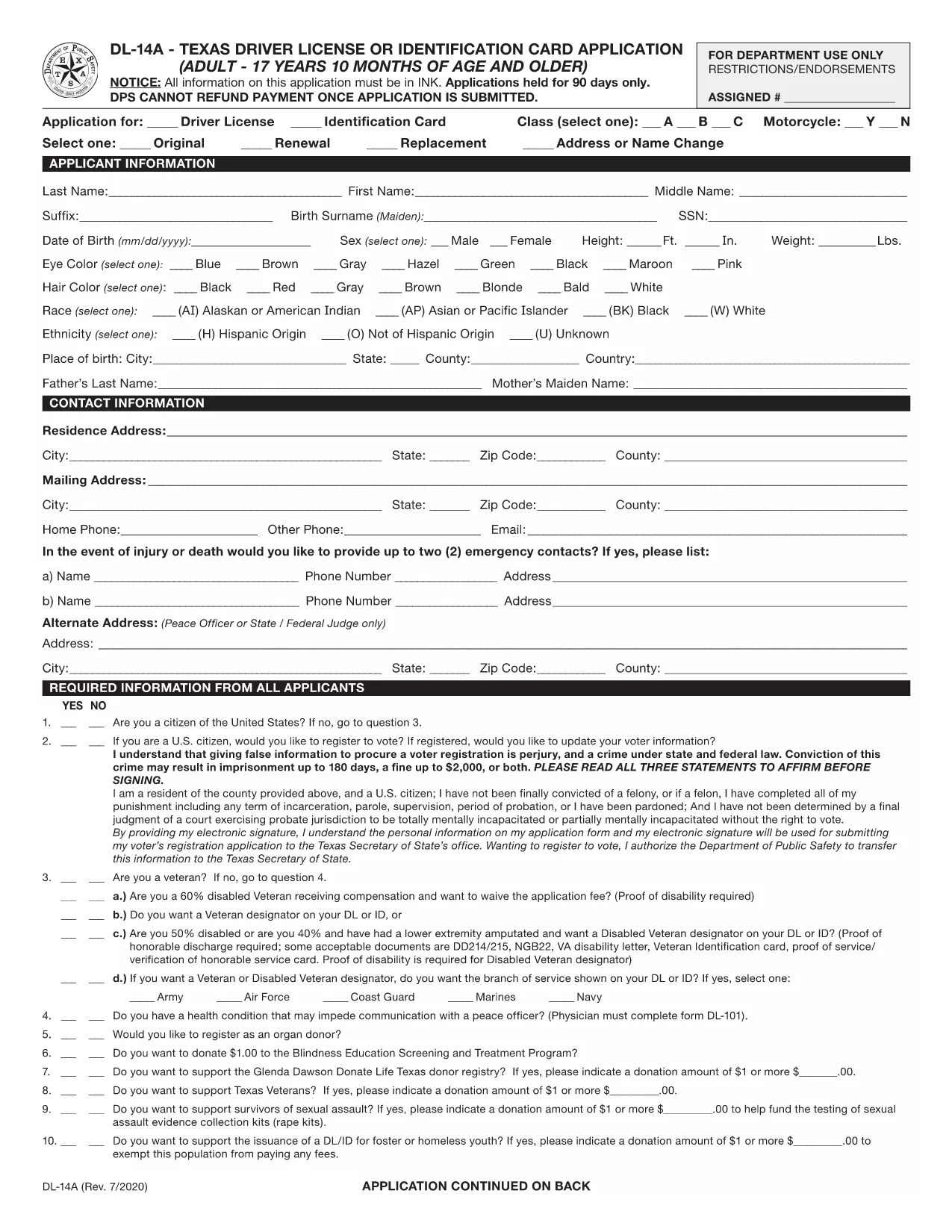
The Texas Driver License Renewal Application, known as Form DL‑14A, is the official document required by the Texas Department of Motor Vehicles (TxDMV) to renew an adult driver’s license or identification card. This fillable PDF lets you complete the entire application online, save time, and avoid the hassle of printing and hand‑writing.
Whether you’re renewing a standard Class C driver’s license, an identification card, or a commercial license, the DL‑14A captures all necessary personal details, address information, and signature requirements mandated by Texas law. The form is accepted at any TxDMV office, by mail, or through an authorized third‑party partner.
Using Formize’s PDF Filler, you can securely enter your data, validate fields in real‑time, and download a completed PDF ready for submission. No software installation is needed—just click the button, fill the form, and you’re set.
Below you’ll find step‑by‑step instructions, tips to avoid common errors, and answers to the most frequently asked questions about renewing your Texas driver’s license.
Yes. The TxDMV requires a printed, signed copy of the DL‑14A for in‑person or mailed submissions.
Currently, the Texas DMV does not accept electronic submissions for driver license renewals; a hard copy with your signature is required.
Processing typically takes 7‑10 business days after the TxDMV receives your completed application and payment.
You can edit any field in the Formize filler before saving. If you discover an error after download, simply re‑open the PDF in Formize, correct it, and download again.
No. Formize provides the filler for free; you only pay the standard TxDMV renewal fee when you submit the application.
Generally you need a current driver’s license, proof of identity (e.g., birth certificate or passport), and proof of Texas residency. Check the form’s instructions for your specific situation.
Yes. The DL‑14A includes a section to update your residence address. Provide the new address and any supporting proof of residency.
No. The form only requires your signature; a notary is not required for standard driver’s license renewals.
PDF ドキュメントを表示および入力するための従来の一連の機能に、Web アプリケーションおよびレスポンシブ レイアウトの利点を組み合わせることで、数分で Texas driver license renewal を完成させることができます。
オンラインで PDF フォームに記入する最も簡単な方法
フィルセッションを削除
編集セッションを削除する