


Veteran status verification テンプレート
PDF ドキュメントを表示および入力するための従来の一連の機能に、Web アプリケーションおよびレスポンシブ レイアウトの利点を組み合わせることで、数分で Veteran status verification を完成させることができます。
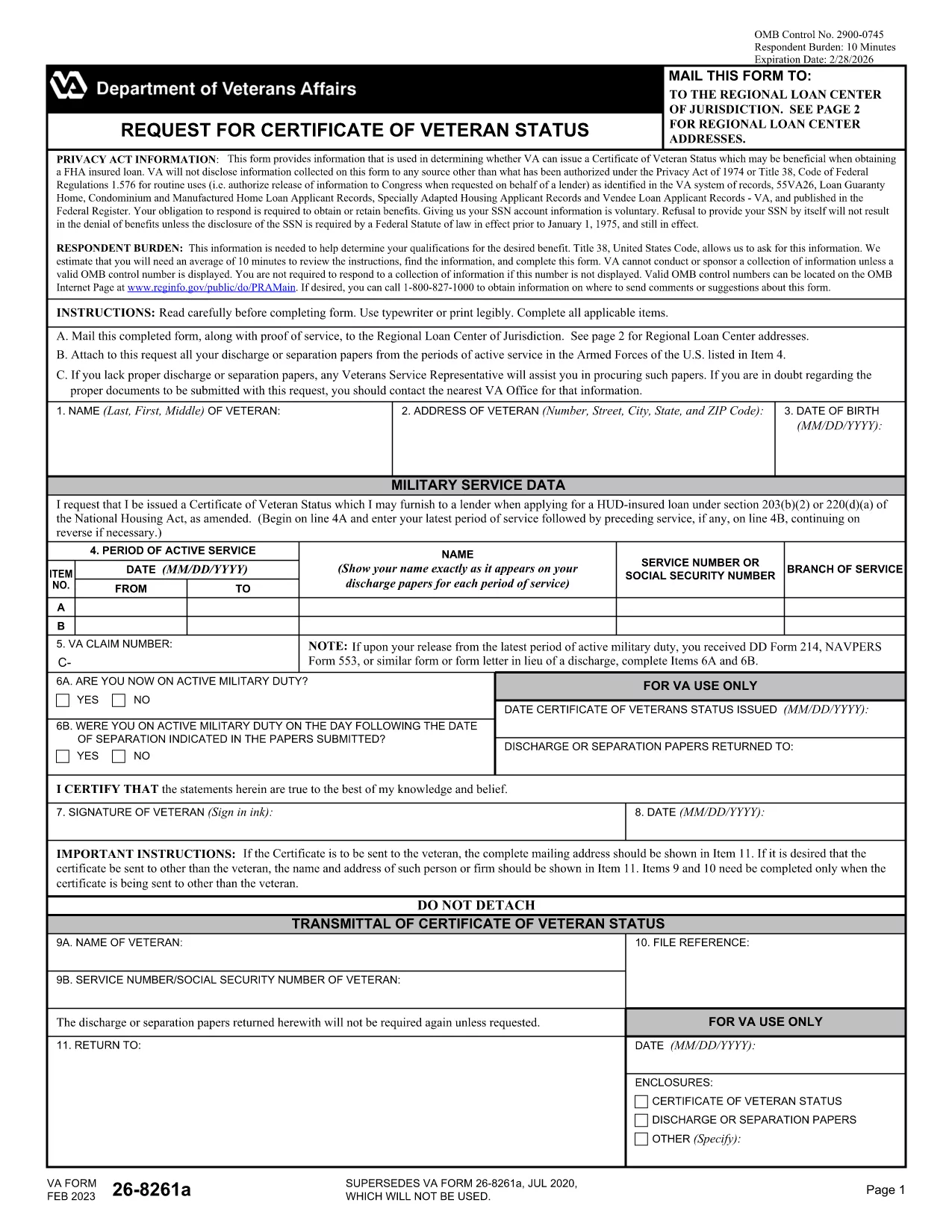
The Veteran Status Verification Form (VA Form 26-8261a) is the official request used to obtain a Certificate of Veteran Status from the U.S. Department of Veterans Affairs. This certificate is often required for housing assistance, education benefits, and other federal programs.
VA Form 26-8261a confirms that you have served in the U.S. Armed Forces and meet the eligibility criteria for veteran benefits. The form collects basic personal information, service dates, and the type of benefit you are applying for.
Instead of downloading, printing, and scanning, you can complete the form directly in your browser using Formize’s fillable PDF tool. Follow the simple steps in the How‑To section below.
When you’re ready, click the Fill out this form button and let the Formize PDF Filler load. Your data is saved securely, and you can download a completed PDF or submit it directly to the VA.
It is used to request a Certificate of Veteran Status, which proves eligibility for various federal and state benefits.
Yes, Formize’s PDF filler works on smartphones and tablets as long as you have an up‑to‑date browser.
No. The fillable PDF can be completed directly in your browser with Formize – no extra software required.
Processing time varies by VA office, but most certificates are issued within 10‑14 business days after submission.
Have your DD214 or other service record, Social Security Number, and any supporting benefit documents handy.
Downloading and completing the form is free. The VA may charge fees for certain benefit applications, but not for the verification itself.
Yes, a legal representative can complete the form if they have a Power of Attorney or appropriate authorization.
PDF ドキュメントを表示および入力するための従来の一連の機能に、Web アプリケーションおよびレスポンシブ レイアウトの利点を組み合わせることで、数分で Veteran status verification を完成させることができます。
オンラインで PDF フォームに記入する最も簡単な方法
フィルセッションを削除
編集セッションを削除する