hamburger-menu icon
Აირჩიეთ ენა

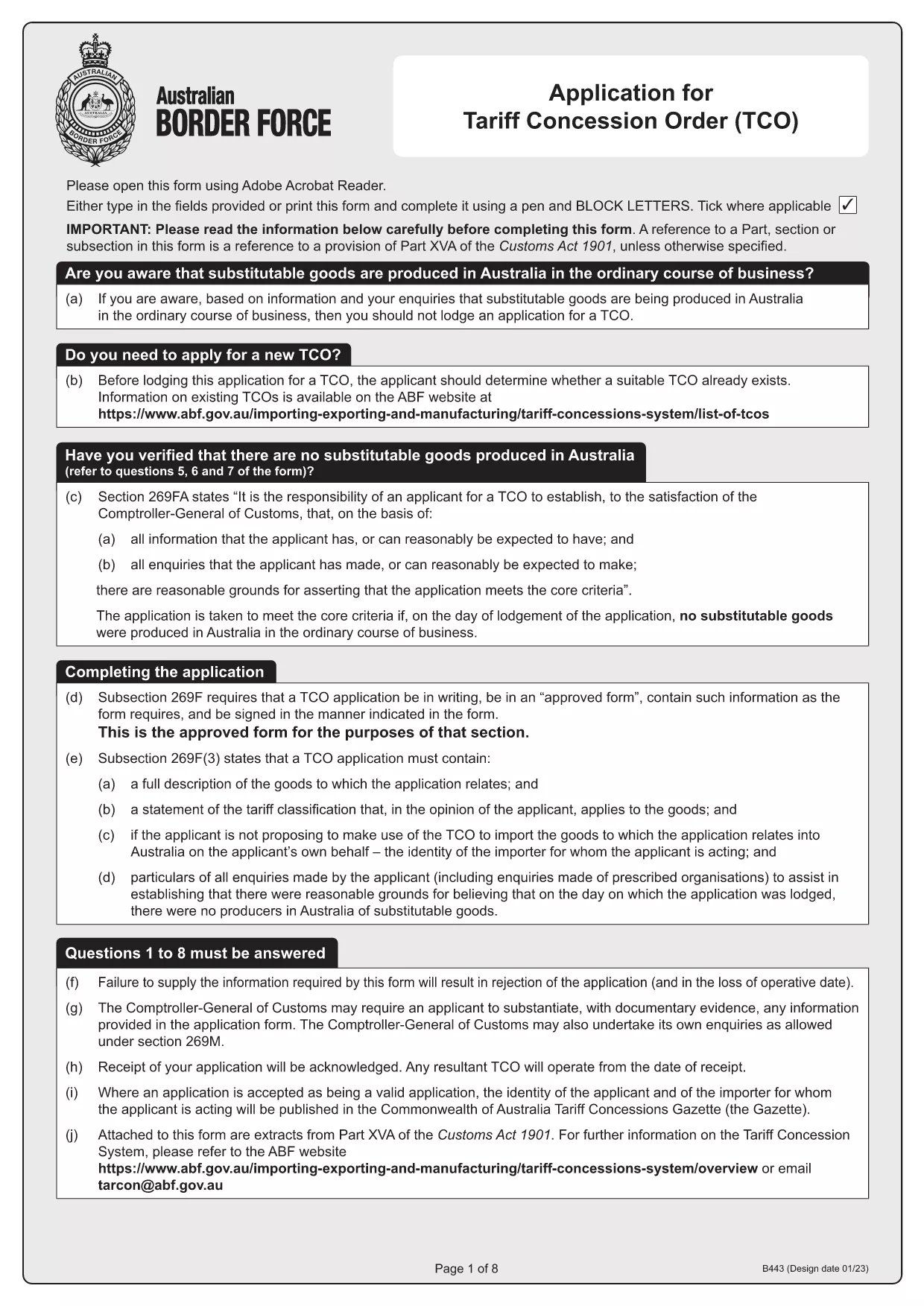
Tariff Concession (TC) Application – Fillable B443 Form

  1. ქვეყანა ავსტრალია
  2. Ენა ინგლისური
  3. აქტივობა Tariff Concessions
  4. დეპარტამენტი Australian Border Force
Tariff Concession (TC) Application – Fillable B443 Form

What Is a Tariff Concession (TC)?

A Tariff Concession (TC) – also known as a Tariff Concession Order (TCO) – is an Australian Government revenue concession that allows importers to pay reduced customs duties when no local manufacturers can supply a substitutable product. The concession is granted only when the imported goods match the description and tariff classification of an existing TCO.

Why Use the Fillable B443 Form on Formize

Formize turns the static PDF into a smooth, browser‑based experience. You can:

  • Open the form instantly – no download required.
  • Enter data directly into fields with auto‑validation.
  • Save a draft and return later.
  • Export a completed PDF ready for submission to the Australian Border Force.

Step‑By‑Step Guide to Completing the TC Application

Follow these simple steps to submit a correct TC application:

  1. Click the "Fill out this form" button on the page.
  2. Wait for the Formize PDF Filler app to load (usually a few seconds).
  3. Enter all required information – importer's details, HS code, product description, and supporting documents.
  4. Review the auto‑checked validation messages and correct any highlighted fields.
  5. When satisfied, click Download Completed PDF and save it to your computer.
  6. Email or upload the completed PDF to the Australian Border Force as instructed in the form.

Common Mistakes & How to Avoid Them

  • Incorrect HS code: Double‑check the six‑digit classification against the Customs Tariff.
  • Missing supporting documents: Attach product specifications, invoices, and evidence of no local manufacturer.
  • Mismatched product description: Use the exact wording from the existing TCO notice.
  • Signature fields left blank: Use the digital signature tool in Formize or print, sign, and scan.

Where to Get Help and Submit Your Application

If you have questions, contact the Australian Border Force at tarcon@abf.gov.au. Once your form is complete, submit it through the ABF portal or via email as indicated in the form instructions.

Ready to start? Download the original B443 PDF or use the fillable version above.

FAQ
  • What is the purpose of the B443 form?

    The B443 form is the official application for a Tariff Concession (TC) in Australia. It collects the information needed to assess whether an importer qualifies for reduced customs duties.

  • Can I edit the PDF after I download it?

    Yes. After you download the completed PDF, you can open it in any PDF reader to add a digital signature or print, sign, and scan if required.

  • Do I need a PDF reader to use the fillable form?

    No. Formize runs entirely in your web browser, so you do not need to install Adobe Reader or any other software.

  • How long does it take for the Australian Border Force to process a TC application?

    Processing times vary, but most applications are reviewed within 15‑30 business days provided all required information and documents are submitted correctly.

  • What should I do if I make a mistake after submitting?

    Contact the Australian Border Force at tarcon@abf.gov.au as soon as possible. They may request a corrected form or additional documentation.

  • Is there a fee to submit a Tariff Concession application?

    There is no application fee for a TC. However, standard customs duties apply if the concession is not approved.

ᲠᲝᲒᲝᲠ

როგორ შეავსოთ Tariff Concession application უფასოდ, ონლაინ 3 მარტივი ნაბიჯებით:

  1. 1
    Open the Fillable Form
    Click the "Fill out this form" button on the page. The Formize PDF Filler will launch directly in your browser.
  2. 2
    Enter Your Information
    Complete each field – importer details, HS code, product description, and attach any required documents. Validation messages will guide you.
  3. 3
    Save and Export
    When all fields are correctly filled, click the "Download Completed PDF" button. Save the file and submit it to the Australian Border Force as instructed.
PDF შემავსებლის აპლიკაციის ფორმირება
ᲨᲔᲡᲐᲮᲔᲑ

Tariff Concession application შაბლონი

PDF დოკუმენტის სანახავად და შევსების ფუნქციების ტრადიციული ნაკრებით, ვებ აპლიკაციის უპირატესობებთან და საპასუხო განლაგებასთან ერთად, შეგიძლიათ შეავსოთ Tariff Concession application წუთებში.

ᲛᲐᲮᲐᲡᲘᲐᲗᲔᲑᲚᲔᲑᲘ

PDF შემავსებელი

ონლაინ Tariff Concession application-ის შევსების უმარტივესი გზა

  • სწრაფად შეავსეთ Tariff Concession application
    ეძებთ გზას სწრაფად შეავსოთ Tariff Concession application ონლაინ? ჩვენი ონლაინ უფასო PDF ფორმის შემავსებლით, თქვენ გეცოდინებათ როგორ შეცვალოთ და შეავსოთ ეს pdf დოკუმენტი ერთ წუთზე ნაკლებ დროში.
  • მარტივი გამოსაყენებელი ონლაინ PDF რედაქტორი
    მოგბეზრდათ PDF ფაილების დაბეჭდვა, რათა მათი რედაქტირება შეძლოთ, ხელახლა სკანირებამდე და უკან გაგზავნამდე? შეცვალეთ PDF დოკუმენტები უფასოდ ონლაინ. გამოიყენეთ ჩვენი ონლაინ pdf რედაქტორი დროისა და ქაღალდის დაზოგვისთვის.
  • შესანიშნავი ხელსაწყოები, ყველა პლატფორმა
    გაინტერესებთ როგორ შეავსოთ Tariff Concession application Mac-ზე, ან იქნებ როგორ გამოიყენოთ PDF შემავსებელი უფასოდ? ჩვენი ონლაინ PDF ინსტრუმენტები მუშაობს ყველა პლატფორმაზე.
  • ფაილების უსაფრთხო შენახვა
    დასრულებული „Tariff Concession application“ ფაილები ინახება დაცულ მონაცემთა ბაზაში, რომელსაც მართავს Amazon Cloud ჰოსტინგი. თქვენ შეგიძლიათ წაშალოთ თქვენი ფაილები ჩვენი სისტემიდან ნებისმიერ დროს. ნებისმიერ შემთხვევაში, ეს ფაილები ავტომატურად იშლება 24 საათის შემდეგ.
  • ჩატი Tariff Concession application-ით
    ესაუბრეთ „Tariff Concession application“-ს Chatize-ზე, რომელიც არის PDF წამკითხველის უფასო ასისტენტი. დასვით კითხვები და მიიღეთ პასუხები „Tariff Concession application“-დან. უბრალოდ დააწკაპუნეთ ღილაკზე ჩატი დოკუმენტთან ზემოთ.

შევსების სესიის წაშლა

წაშალოთ არჩეული შევსების სესია? ამ შემთხვევაში, თქვენი პროგრესი ფორმის შევსებაში დაიკარგება.

რედაქტირების სესიის წაშლა

წაშალოთ არჩეული რედაქტირების სესია? ამ შემთხვევაში, თქვენი პროგრესი ფორმის შექმნასა და რედაქტირებაში დაიკარგება.