hamburger-menu icon
Აირჩიეთ ენა

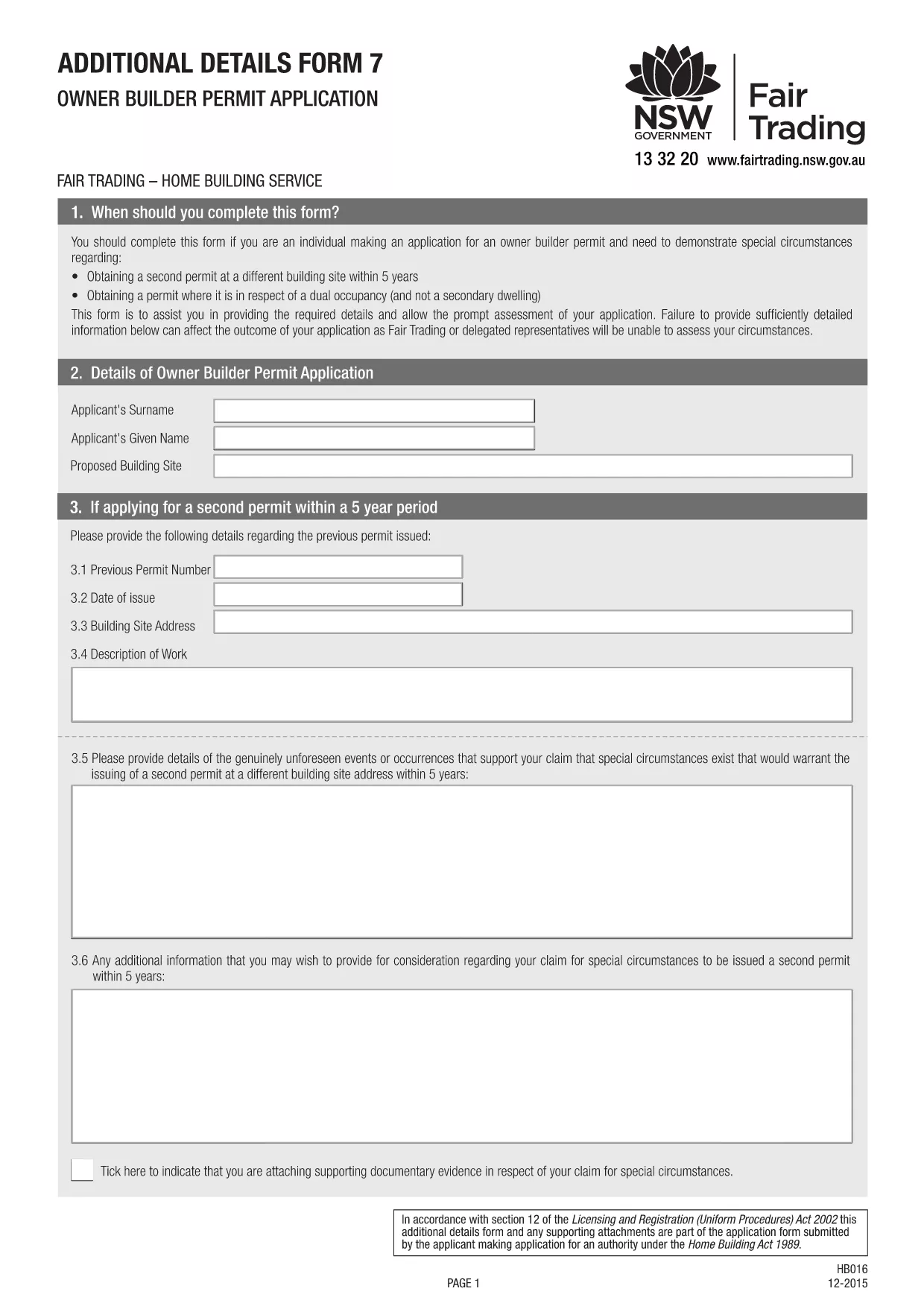
Owner‑Builder Permit Application Form – Fillable PDF

  1. ქვეყანა ავსტრალია
  2. Ენა ინგლისური
  3. დეპარტამენტი Building Commission
  4. აქტივობა Construction Permits
Owner‑Builder Permit Application Form – Fillable PDF

Planning to supervise or carry out building work worth more than $10,000 on your own property? In Australia, an owner‑builder permit is required before you can start construction on a residential dwelling, dual‑occupancy, or secondary dwelling. Our fillable PDF makes the process simple, error‑free, and fully compliant with the Building Commission NSW requirements.

What Is an Owner‑Builder Permit?

An owner‑builder permit authorises you, the property owner, to act as the builder for a specific project. It ensures you meet eligibility criteria, have the necessary qualifications (such as a White Card), and have all required documentation ready.

Download & Fill the Owner‑Builder Application Form

Click the "Fill out this form" button below. The Formize PDF Filler will load the official Owner‑Builder Permit Application PDF directly in your browser, allowing you to:

  • Enter text in each field
  • Upload supporting documents
  • Save a draft and return later
  • Submit the completed form electronically or print it for in‑person submission

Step‑by‑Step Guide to Completing the Form

Follow these concise steps to finish your application without delays:

  1. Verify your eligibility – you must be 18+, hold a current White Card, and own or lease the land for at least 3 years.
  2. Gather all required documents: proof of identity, proof of ownership, development approval or CDC, and evidence of completed owner‑builder education.
  3. Click the "Fill out this form" button and wait for the Formize PDF Filler to load.
  4. Complete each section, ensuring every owner, leaseholder, or shareholder signs where required.
  5. Attach scanned copies of supporting documents directly in the PDF.
  6. Save the final PDF and either upload it through the online portal or print and deliver it to your local service centre.

Common Mistakes to Avoid

  • Missing signatures: All owners, leaseholders, and shareholders must sign the form.
  • Incorrect address details: The address on the rates notice must match the title details.
  • Out‑of‑date documents: Use current White Card and up‑to‑date proof of identity.
  • Skipping the eligibility checker: The online portal will reject incomplete applications.

How to Submit Your Application

After saving the completed PDF, log in to your MyServiceNSW account (or the equivalent portal in your state) and upload the file. Pay the required fee, and you’ll receive a confirmation email. If you prefer a face‑to‑face submission, print the form and bring it to your nearest Service NSW centre.

Need more help? Review the official NSW guidelines or contact your local Building Commission.

FAQ
  • Do I need a White Card to apply for an owner‑builder permit?

    Yes. A current general construction induction (White Card) is a mandatory requirement for all owner‑builder applications in NSW.

  • Can I submit the form online?

    Absolutely. After filling the PDF with Formize, you can upload the file through your MyServiceNSW account for fast processing.

  • What if my property is a leasehold?

    You must have a minimum three‑year lease registered with NSW Land Registry Services and provide the lease agreement with your application.

  • How long does the assessment take?

    Typical processing time is 10‑15 business days, but it can be longer if the Building Commission requests additional information.

  • Is the form the same for companies and individuals?

    The core form is the same, but company owners must also attach a copy of the company’s registration and evidence of shareholder consent.

  • What should I do if I make a mistake after submitting?

    Contact the Building Commission immediately. You may be asked to provide a corrected form or additional documentation.

ᲠᲝᲒᲝᲠ

როგორ შეავსოთ owner builder permit უფასოდ, ონლაინ 3 მარტივი ნაბიჯებით:

  1. 1
    Open the Fillable Form
    Click the "Fill out this form" button on the page. The Formize PDF Filler will load the Owner‑Builder Permit PDF directly in your browser.
  2. 2
    Enter Your Information
    Type into each field, upload supporting documents, and ensure every required signature is added.
  3. 3
    Save and Submit
    When you finish, save the completed PDF. Upload it to the online portal or print it for in‑person submission at your local service centre.
PDF შემავსებლის აპლიკაციის ფორმირება
ᲨᲔᲡᲐᲮᲔᲑ

owner builder permit შაბლონი

PDF დოკუმენტის სანახავად და შევსების ფუნქციების ტრადიციული ნაკრებით, ვებ აპლიკაციის უპირატესობებთან და საპასუხო განლაგებასთან ერთად, შეგიძლიათ შეავსოთ owner builder permit წუთებში.

ᲛᲐᲮᲐᲡᲘᲐᲗᲔᲑᲚᲔᲑᲘ

PDF შემავსებელი

ონლაინ owner builder permit-ის შევსების უმარტივესი გზა

  • სწრაფად შეავსეთ owner builder permit
    ეძებთ გზას სწრაფად შეავსოთ owner builder permit ონლაინ? ჩვენი ონლაინ უფასო PDF ფორმის შემავსებლით, თქვენ გეცოდინებათ როგორ შეცვალოთ და შეავსოთ ეს pdf დოკუმენტი ერთ წუთზე ნაკლებ დროში.
  • მარტივი გამოსაყენებელი ონლაინ PDF რედაქტორი
    მოგბეზრდათ PDF ფაილების დაბეჭდვა, რათა მათი რედაქტირება შეძლოთ, ხელახლა სკანირებამდე და უკან გაგზავნამდე? შეცვალეთ PDF დოკუმენტები უფასოდ ონლაინ. გამოიყენეთ ჩვენი ონლაინ pdf რედაქტორი დროისა და ქაღალდის დაზოგვისთვის.
  • შესანიშნავი ხელსაწყოები, ყველა პლატფორმა
    გაინტერესებთ როგორ შეავსოთ owner builder permit Mac-ზე, ან იქნებ როგორ გამოიყენოთ PDF შემავსებელი უფასოდ? ჩვენი ონლაინ PDF ინსტრუმენტები მუშაობს ყველა პლატფორმაზე.
  • ფაილების უსაფრთხო შენახვა
    დასრულებული „owner builder permit“ ფაილები ინახება დაცულ მონაცემთა ბაზაში, რომელსაც მართავს Amazon Cloud ჰოსტინგი. თქვენ შეგიძლიათ წაშალოთ თქვენი ფაილები ჩვენი სისტემიდან ნებისმიერ დროს. ნებისმიერ შემთხვევაში, ეს ფაილები ავტომატურად იშლება 24 საათის შემდეგ.
  • ჩატი owner builder permit-ით
    ესაუბრეთ „owner builder permit“-ს Chatize-ზე, რომელიც არის PDF წამკითხველის უფასო ასისტენტი. დასვით კითხვები და მიიღეთ პასუხები „owner builder permit“-დან. უბრალოდ დააწკაპუნეთ ღილაკზე ჩატი დოკუმენტთან ზემოთ.

შევსების სესიის წაშლა

წაშალოთ არჩეული შევსების სესია? ამ შემთხვევაში, თქვენი პროგრესი ფორმის შევსებაში დაიკარგება.

რედაქტირების სესიის წაშლა

წაშალოთ არჩეული რედაქტირების სესია? ამ შემთხვევაში, თქვენი პროგრესი ფორმის შექმნასა და რედაქტირებაში დაიკარგება.