hamburger-menu icon
Აირჩიეთ ენა

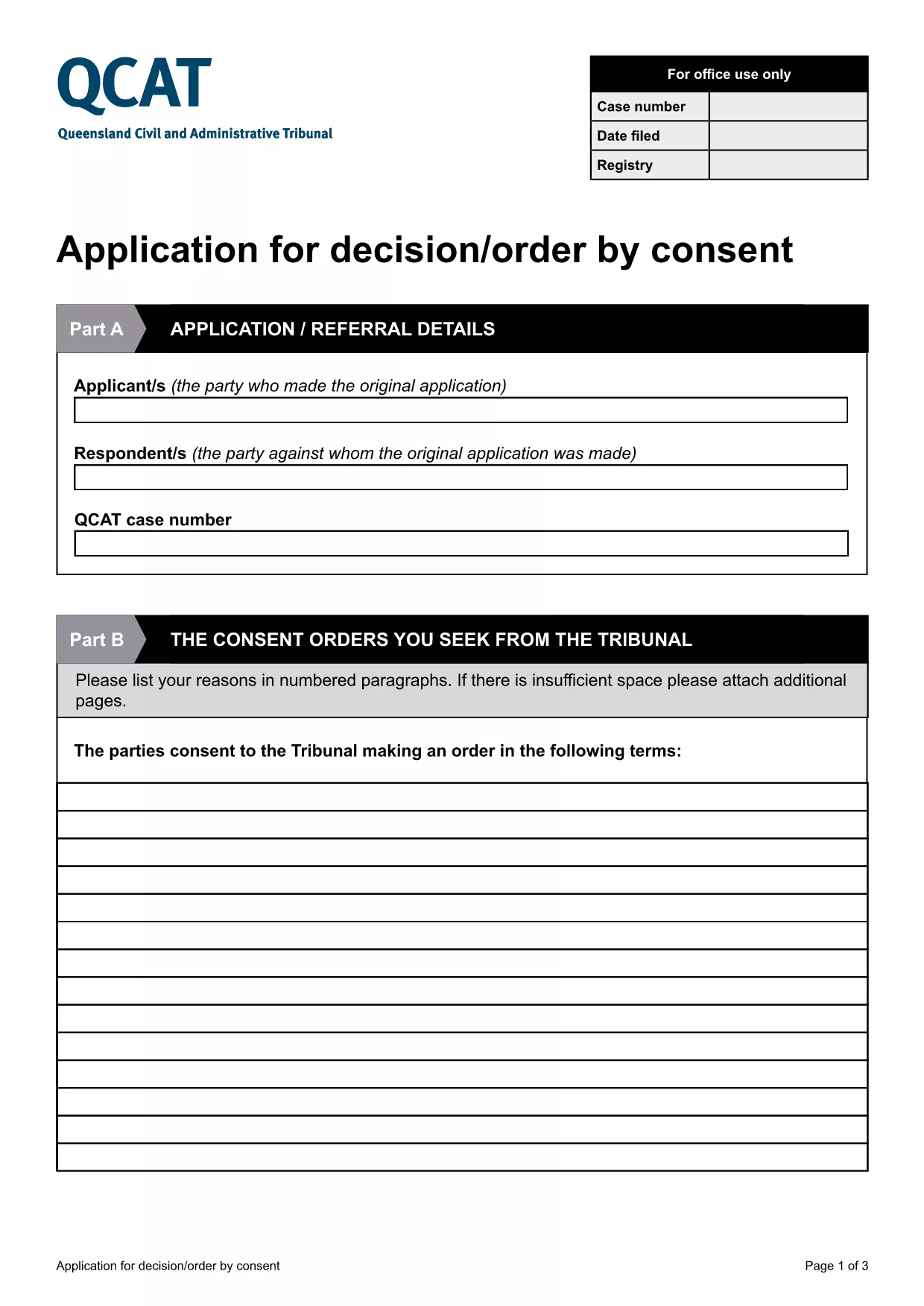
Application for Consent Orders (QCAT)

  1. ქვეყანა ავსტრალია
  2. Ენა ინგლისური
  3. დეპარტამენტი Civil and Administrative Tribunal
  4. აქტივობა Legal Forms
Application for Consent Orders (QCAT)

What Is a Consent Order Application?

A consent order is a legally binding agreement approved by the Queensland Civil and Administrative Tribunal (QCAT). The Application for Consent Orders lets parties request the Tribunal to formalise their agreement without a hearing, saving time and costs.

Key Sections of the QCAT Consent Order Form

The fillable PDF is divided into clear sections:

  • Party Details – names, contact information, and representation.
  • Proposed Orders – a concise description of what each party is agreeing to.
  • Supporting Documents – attach any evidence or agreements that back up the application.
  • Signature & Declaration – both parties sign to confirm the information is true and that they understand the order will be enforceable.

How to Complete the Form Online

Instead of downloading and editing the PDF on your computer, simply click the "Fill out this form" button below. The Formize PDF Filler app will load directly in your browser, allowing you to type, check boxes, and add signatures instantly.

Common Mistakes to Avoid

  • Leaving any required field blank – QCAT will reject an incomplete application.
  • Providing vague or ambiguous order terms – be specific to avoid later disputes.
  • Submitting incorrect contact details – the Tribunal needs accurate information to communicate with you.
  • Failing to attach supporting documents – missing evidence can delay approval.

Where to Submit Your Application

When the form is fully completed and signed, you can submit it:

  • Online via the QCAT e‑filing portal (recommended).
  • By mail to the QCAT registry address listed on the form.
  • In person at any QCAT registry office.

For the fastest processing, choose the online option and keep a copy of the confirmation email.

FAQ
  • Do I need a lawyer to fill out the consent order application?

    A lawyer is not required, but you may wish to seek legal advice if the terms are complex or if you are unsure about any clause.

  • Can I make changes after I have submitted the form?

    Yes, you can request to amend the application before the Tribunal makes a decision, but you must provide a clear reason and any new supporting documents.

  • Is the online Formize filler secure?

    All data entered in the Formize PDF Filler is encrypted in transit and never stored on our servers after you submit or download the completed form.

  • What happens if the Tribunal rejects my consent order?

    If the Tribunal finds the proposed orders unlawful or unclear, it will return the application with reasons. You can then revise the terms and resubmit.

  • Do I need to pay a fee to file a consent order with QCAT?

    Filing a consent order is generally free, but if you choose to lodge the application in person or by post, standard filing fees may apply. Check the QCAT website for the latest fee schedule.

  • Can I attach supporting documents electronically?

    Yes. The fillable PDF allows you to upload PDFs, images, or scanned copies of agreements, receipts, or any other evidence that supports your application.

  • How long does it take for QCAT to process a consent order?

    When all information is complete, QCAT usually issues a decision within 5‑10 business days. Complex cases may take longer.

ᲠᲝᲒᲝᲠ

როგორ შეავსოთ consent order application უფასოდ, ონლაინ 5 მარტივი ნაბიჯებით:

  1. 1
    Click the Fill‑out Button
    Press the "Fill out this form" button on the page. The Formize PDF Filler will open in a new browser tab.
  2. 2
    Wait for the Filler to Load
    A short loading screen appears while the fillable PDF is prepared. This usually takes only a few seconds.
  3. 3
    Enter Your Information
    Type directly into each field, select check‑boxes, and upload any supporting documents required by the form.
  4. 4
    Review and Sign
    Use the built‑in e‑signature tool to sign the declaration. Double‑check that all required sections are completed.
  5. 5
    Submit or Download
    When you’re satisfied, click "Submit" to send the form to QCAT or "Download" to save a copy for your records.
PDF შემავსებლის აპლიკაციის ფორმირება
ᲨᲔᲡᲐᲮᲔᲑ

consent order application შაბლონი

PDF დოკუმენტის სანახავად და შევსების ფუნქციების ტრადიციული ნაკრებით, ვებ აპლიკაციის უპირატესობებთან და საპასუხო განლაგებასთან ერთად, შეგიძლიათ შეავსოთ consent order application წუთებში.

ᲛᲐᲮᲐᲡᲘᲐᲗᲔᲑᲚᲔᲑᲘ

PDF შემავსებელი

ონლაინ consent order application-ის შევსების უმარტივესი გზა

  • სწრაფად შეავსეთ consent order application
    ეძებთ გზას სწრაფად შეავსოთ consent order application ონლაინ? ჩვენი ონლაინ უფასო PDF ფორმის შემავსებლით, თქვენ გეცოდინებათ როგორ შეცვალოთ და შეავსოთ ეს pdf დოკუმენტი ერთ წუთზე ნაკლებ დროში.
  • მარტივი გამოსაყენებელი ონლაინ PDF რედაქტორი
    მოგბეზრდათ PDF ფაილების დაბეჭდვა, რათა მათი რედაქტირება შეძლოთ, ხელახლა სკანირებამდე და უკან გაგზავნამდე? შეცვალეთ PDF დოკუმენტები უფასოდ ონლაინ. გამოიყენეთ ჩვენი ონლაინ pdf რედაქტორი დროისა და ქაღალდის დაზოგვისთვის.
  • შესანიშნავი ხელსაწყოები, ყველა პლატფორმა
    გაინტერესებთ როგორ შეავსოთ consent order application Mac-ზე, ან იქნებ როგორ გამოიყენოთ PDF შემავსებელი უფასოდ? ჩვენი ონლაინ PDF ინსტრუმენტები მუშაობს ყველა პლატფორმაზე.
  • ფაილების უსაფრთხო შენახვა
    დასრულებული „consent order application“ ფაილები ინახება დაცულ მონაცემთა ბაზაში, რომელსაც მართავს Amazon Cloud ჰოსტინგი. თქვენ შეგიძლიათ წაშალოთ თქვენი ფაილები ჩვენი სისტემიდან ნებისმიერ დროს. ნებისმიერ შემთხვევაში, ეს ფაილები ავტომატურად იშლება 24 საათის შემდეგ.
  • ჩატი consent order application-ით
    ესაუბრეთ „consent order application“-ს Chatize-ზე, რომელიც არის PDF წამკითხველის უფასო ასისტენტი. დასვით კითხვები და მიიღეთ პასუხები „consent order application“-დან. უბრალოდ დააწკაპუნეთ ღილაკზე ჩატი დოკუმენტთან ზემოთ.

შევსების სესიის წაშლა

წაშალოთ არჩეული შევსების სესია? ამ შემთხვევაში, თქვენი პროგრესი ფორმის შევსებაში დაიკარგება.

რედაქტირების სესიის წაშლა

წაშალოთ არჩეული რედაქტირების სესია? ამ შემთხვევაში, თქვენი პროგრესი ფორმის შექმნასა და რედაქტირებაში დაიკარგება.