hamburger-menu icon
Აირჩიეთ ენა

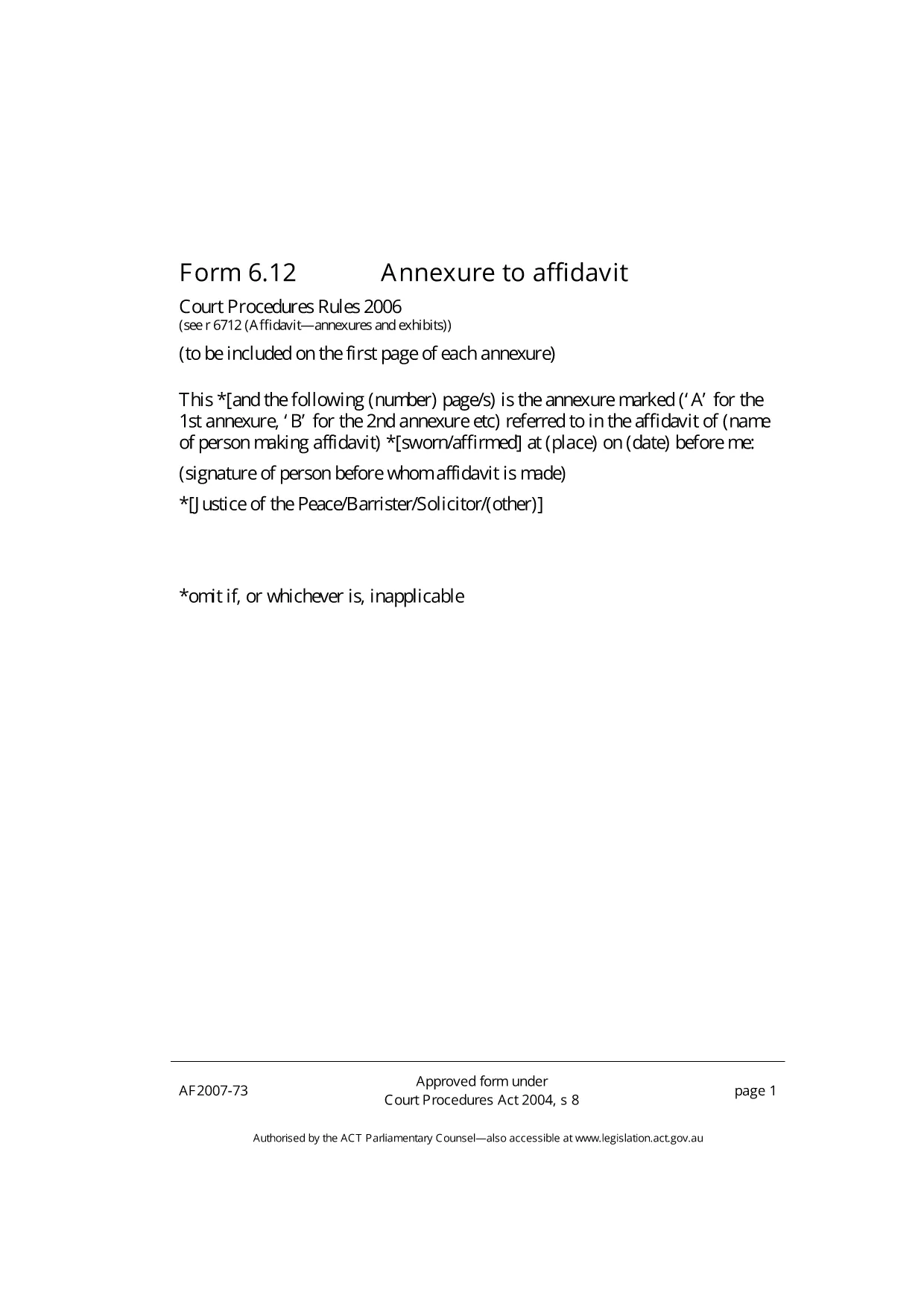
Annexure S12 – Fillable PDF Form

  1. Ენა ინგლისური
  2. ქვეყანა ავსტრალია
  3. დეპარტამენტი Justice
  4. აქტივობა Legal Forms
შეავსეთ ეს ფორმა
Annexure S12 – Fillable PDF Form

The Annexure S12 is a standard attachment used in Australian court proceedings, typically filed alongside an affidavit. Whether you are a solicitor, a litigant in person, or a court clerk, you need a reliable, fillable version of this form to avoid delays.

What is Annexure S12?

Annexure S12 serves as an additional statement that supports the main affidavit. It captures supplementary details such as witness information, documentary evidence, and specific declarations required by the court. The form is governed by the Court Procedures Act 2004 and is accepted across all ACT jurisdictions.

How to Complete the Annexure S12 Form Online

Formize provides a seamless, browser‑based PDF filler so you never need to install extra software. Follow the simple steps below to fill out the form in minutes.

Common Mistakes to Avoid

  • Leaving mandatory fields blank: The court will reject the filing.
  • Using the wrong date format: Stick to DD/MM/YYYY.
  • Signing the PDF before completing all sections: Sign only after the final review.

Download & Save the PDF

While you can download the original PDF for offline use, the quickest way is to click the Fill out this form button on this page. The Formize PDF Filler will load instantly, letting you edit, save, and export a completed document.

Need a printable copy? Use the download link below after you have saved your completed version.

FAQ
  • Is the Annexure S12 form free to use?

    Yes. Formize provides the fillable version at no cost. You only need an internet connection.

  • Can I edit the PDF on a mobile device?

    The Formize PDF Filler works on all modern browsers, including mobile Safari and Chrome.

  • Do I need Adobe Acrobat to fill the form?

    No. The online filler replaces Adobe Acrobat and saves the completed PDF directly to your device.

  • What if I make a mistake after saving?

    Open the saved PDF again with Formize’s filler, correct the error, and re‑save. The original file remains unchanged.

  • Is the filled Annexure S12 legally valid?

    Yes, as long as all required fields are completed and the form is signed according to court rules.

ᲠᲝᲒᲝᲠ

როგორ შეავსოთ Annexure S12 უფასოდ, ონლაინ 5 მარტივი ნაბიჯებით:

  1. 1
    Click the Fill‑out Button
    On this page, click the "Fill out this form" button. Formize’s PDF Filler app will open in a new tab.
  2. 2
    Wait for the Filler to Load
    The app loads the Annexure S12 PDF automatically. No download or installation is required.
  3. 3
    Enter Your Information
    Type directly into each field. Use the toolbar to add checkmarks, dates, and signatures.
  4. 4
    Save Your Completed Form
    When you’re done, click "Save" to download the filled PDF to your computer or cloud storage.
  5. 5
    Submit to the Court
    Print the saved PDF or attach it to your electronic filing portal as required by the court.
PDF შემავსებლის აპლიკაციის ფორმირება
ᲨᲔᲡᲐᲮᲔᲑ

Annexure S12 შაბლონი

PDF დოკუმენტის სანახავად და შევსების ფუნქციების ტრადიციული ნაკრებით, ვებ აპლიკაციის უპირატესობებთან და საპასუხო განლაგებასთან ერთად, შეგიძლიათ შეავსოთ Annexure S12 წუთებში.

ᲛᲐᲮᲐᲡᲘᲐᲗᲔᲑᲚᲔᲑᲘ

PDF შემავსებელი

ონლაინ Annexure S12-ის შევსების უმარტივესი გზა

  • სწრაფად შეავსეთ Annexure S12
    ეძებთ გზას სწრაფად შეავსოთ Annexure S12 ონლაინ? ჩვენი ონლაინ უფასო PDF ფორმის შემავსებლით, თქვენ გეცოდინებათ როგორ შეცვალოთ და შეავსოთ ეს pdf დოკუმენტი ერთ წუთზე ნაკლებ დროში.
  • მარტივი გამოსაყენებელი ონლაინ PDF რედაქტორი
    მოგბეზრდათ PDF ფაილების დაბეჭდვა, რათა მათი რედაქტირება შეძლოთ, ხელახლა სკანირებამდე და უკან გაგზავნამდე? შეცვალეთ PDF დოკუმენტები უფასოდ ონლაინ. გამოიყენეთ ჩვენი ონლაინ pdf რედაქტორი დროისა და ქაღალდის დაზოგვისთვის.
  • შესანიშნავი ხელსაწყოები, ყველა პლატფორმა
    გაინტერესებთ როგორ შეავსოთ Annexure S12 Mac-ზე, ან იქნებ როგორ გამოიყენოთ PDF შემავსებელი უფასოდ? ჩვენი ონლაინ PDF ინსტრუმენტები მუშაობს ყველა პლატფორმაზე.
  • ფაილების უსაფრთხო შენახვა
    დასრულებული „Annexure S12“ ფაილები ინახება დაცულ მონაცემთა ბაზაში, რომელსაც მართავს Amazon Cloud ჰოსტინგი. თქვენ შეგიძლიათ წაშალოთ თქვენი ფაილები ჩვენი სისტემიდან ნებისმიერ დროს. ნებისმიერ შემთხვევაში, ეს ფაილები ავტომატურად იშლება 24 საათის შემდეგ.
  • ჩატი Annexure S12-ით
    ესაუბრეთ „Annexure S12“-ს Chatize-ზე, რომელიც არის PDF წამკითხველის უფასო ასისტენტი. დასვით კითხვები და მიიღეთ პასუხები „Annexure S12“-დან. უბრალოდ დააწკაპუნეთ ღილაკზე ჩატი დოკუმენტთან ზემოთ.

შევსების სესიის წაშლა

წაშალოთ არჩეული შევსების სესია? ამ შემთხვევაში, თქვენი პროგრესი ფორმის შევსებაში დაიკარგება.

რედაქტირების სესიის წაშლა

წაშალოთ არჩეული რედაქტირების სესია? ამ შემთხვევაში, თქვენი პროგრესი ფორმის შექმნასა და რედაქტირებაში დაიკარგება.