hamburger-menu icon
Აირჩიეთ ენა

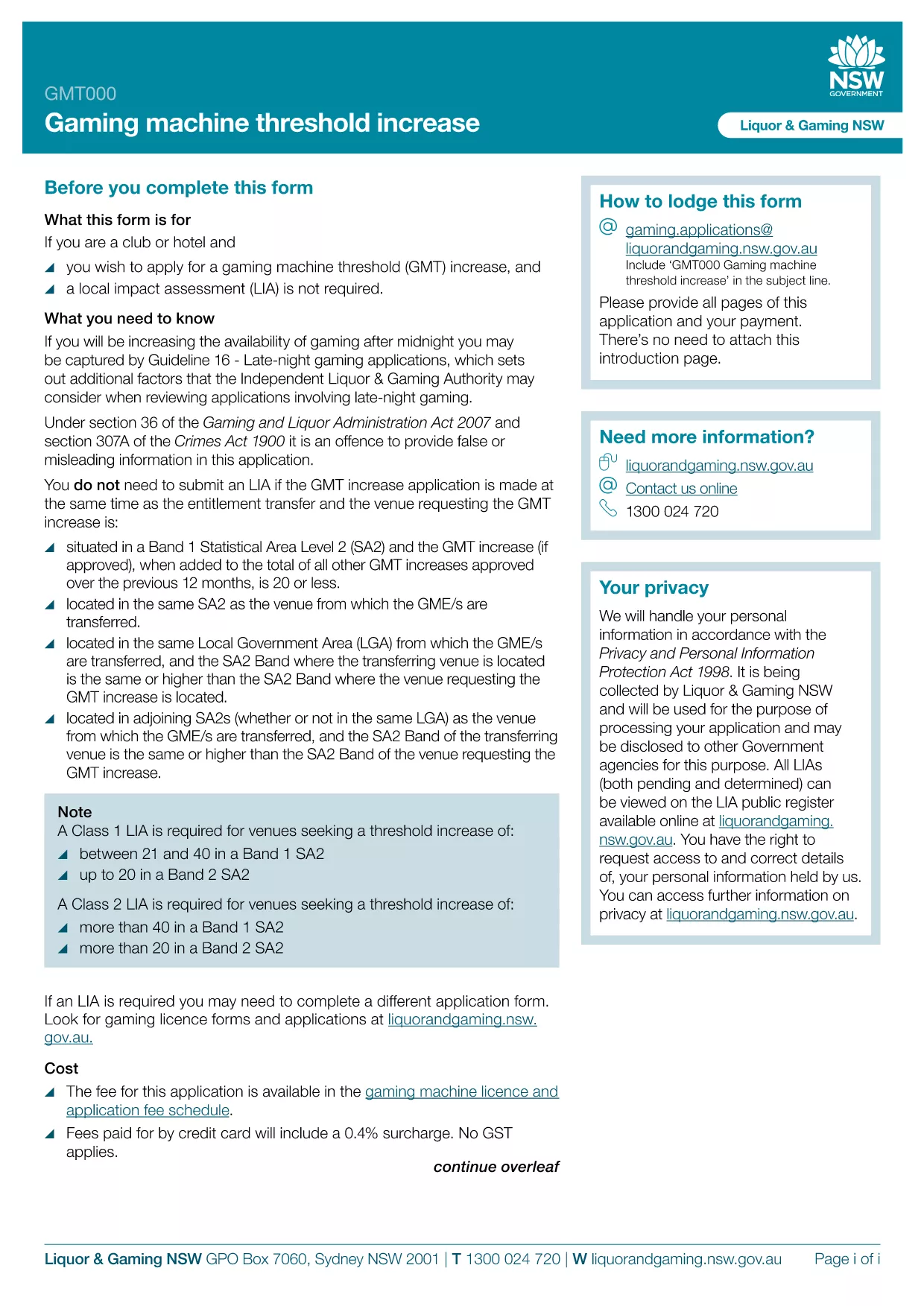
GMT000 Gaming Machine Threshold Increase Form (Fillable PDF)

  1. Ენა ინგლისური
  2. ქვეყანა ავსტრალია
  3. აქტივობა Gaming Regulation
  4. დეპარტამენტი Liquor & Gaming NSW
GMT000 Gaming Machine Threshold Increase Form (Fillable PDF)

The GMT000 Gaming Machine Threshold Increase form is required when a licensee wants to raise the monetary limit on a gaming machine in New South Wales. This fillable PDF lets you submit the request quickly, without printing or scanning.

Why You Need the GMT000 Threshold Increase

Increasing the threshold allows higher‑value wagers, which can boost revenue and improve player experience. The regulator, Liquor & Gaming NSW, must approve any change, and the GMT000 form is the official channel.

How to Complete the Form Online

Instead of downloading the PDF to a desktop editor, simply click the "Fill out this form" button on this page. The Formize PDF Filler app will load in your browser, presenting an intuitive, field‑by‑field interface.

  • Enter the licence number and holder details.
  • Specify the current threshold and the requested new limit.
  • Provide supporting documentation links or attachments.
  • Sign electronically and submit.

Common Mistakes & Tips

  • Incorrect licence number: Double‑check the licence reference on the back of your current permit.
  • Missing signatures: The electronic signature field must be completed; otherwise the submission is rejected.
  • Unsupported file types: Attach only PDF, JPG or PNG files for supporting evidence.

Submission & Follow‑Up

After you click Submit, you will receive an automated acknowledgement email. The regulator typically reviews the request within 10‑15 business days. Keep the confirmation number handy for any follow‑up inquiries.

Need more help? Review the FAQs below or contact Liquor & Gaming NSW directly.

FAQ
  • What is the GMT000 form used for?

    It is the official request to increase the monetary threshold limit on a gaming machine in NSW.

  • Can I fill out the form on a mobile device?

    Yes. The Formize PDF Filler works on modern smartphones and tablets.

  • Do I need a digital signature?

    An electronic signature is required. The form will not accept a blank signature field.

  • How long does the approval process take?

    Liquor & Gaming NSW typically reviews threshold increase requests within 10‑15 business days.

  • What supporting documents are required?

    Attach a copy of the current licence, a financial justification for the increase, and any relevant audit reports.

  • What happens if I make a mistake after submitting?

    Contact Liquor & Gaming NSW with your reference number. They may allow a corrected resubmission.

  • Is there a fee to submit the GMT000 form?

    Yes, a processing fee applies. Check the latest fee schedule on the Liquor & Gaming NSW website.

  • Can I save my progress and finish later?

    The Formize app lets you save a draft locally. Return to the saved file, reopen it in the filler, and continue.

ᲠᲝᲒᲝᲠ

როგორ შეავსოთ GMT000 უფასოდ, ონლაინ 5 მარტივი ნაბიჯებით:

  1. 1
    Open the Fillable Form
    Click the "Fill out this form" button on the page. The Formize PDF Filler app will launch directly in your browser.
  2. 2
    Enter Your Details
    Complete each field – licence number, current threshold, requested increase, and any supporting information.
  3. 3
    Add Attachments
    Upload required documents (PDF, JPG, PNG) using the attachment button.
  4. 4
    Sign Electronically
    Use the electronic signature field to sign the form. This replaces a handwritten signature.
  5. 5
    Submit & Receive Confirmation
    Press "Submit". An acknowledgement email with a reference number will be sent to the address you provided.
PDF შემავსებლის აპლიკაციის ფორმირება
ᲨᲔᲡᲐᲮᲔᲑ

GMT000 შაბლონი

PDF დოკუმენტის სანახავად და შევსების ფუნქციების ტრადიციული ნაკრებით, ვებ აპლიკაციის უპირატესობებთან და საპასუხო განლაგებასთან ერთად, შეგიძლიათ შეავსოთ GMT000 წუთებში.

ᲛᲐᲮᲐᲡᲘᲐᲗᲔᲑᲚᲔᲑᲘ

PDF შემავსებელი

ონლაინ GMT000-ის შევსების უმარტივესი გზა

  • სწრაფად შეავსეთ GMT000
    ეძებთ გზას სწრაფად შეავსოთ GMT000 ონლაინ? ჩვენი ონლაინ უფასო PDF ფორმის შემავსებლით, თქვენ გეცოდინებათ როგორ შეცვალოთ და შეავსოთ ეს pdf დოკუმენტი ერთ წუთზე ნაკლებ დროში.
  • მარტივი გამოსაყენებელი ონლაინ PDF რედაქტორი
    მოგბეზრდათ PDF ფაილების დაბეჭდვა, რათა მათი რედაქტირება შეძლოთ, ხელახლა სკანირებამდე და უკან გაგზავნამდე? შეცვალეთ PDF დოკუმენტები უფასოდ ონლაინ. გამოიყენეთ ჩვენი ონლაინ pdf რედაქტორი დროისა და ქაღალდის დაზოგვისთვის.
  • შესანიშნავი ხელსაწყოები, ყველა პლატფორმა
    გაინტერესებთ როგორ შეავსოთ GMT000 Mac-ზე, ან იქნებ როგორ გამოიყენოთ PDF შემავსებელი უფასოდ? ჩვენი ონლაინ PDF ინსტრუმენტები მუშაობს ყველა პლატფორმაზე.
  • ფაილების უსაფრთხო შენახვა
    დასრულებული „GMT000“ ფაილები ინახება დაცულ მონაცემთა ბაზაში, რომელსაც მართავს Amazon Cloud ჰოსტინგი. თქვენ შეგიძლიათ წაშალოთ თქვენი ფაილები ჩვენი სისტემიდან ნებისმიერ დროს. ნებისმიერ შემთხვევაში, ეს ფაილები ავტომატურად იშლება 24 საათის შემდეგ.
  • ჩატი GMT000-ით
    ესაუბრეთ „GMT000“-ს Chatize-ზე, რომელიც არის PDF წამკითხველის უფასო ასისტენტი. დასვით კითხვები და მიიღეთ პასუხები „GMT000“-დან. უბრალოდ დააწკაპუნეთ ღილაკზე ჩატი დოკუმენტთან ზემოთ.

შევსების სესიის წაშლა

წაშალოთ არჩეული შევსების სესია? ამ შემთხვევაში, თქვენი პროგრესი ფორმის შევსებაში დაიკარგება.

რედაქტირების სესიის წაშლა

წაშალოთ არჩეული რედაქტირების სესია? ამ შემთხვევაში, თქვენი პროგრესი ფორმის შექმნასა და რედაქტირებაში დაიკარგება.