hamburger-menu icon
Აირჩიეთ ენა

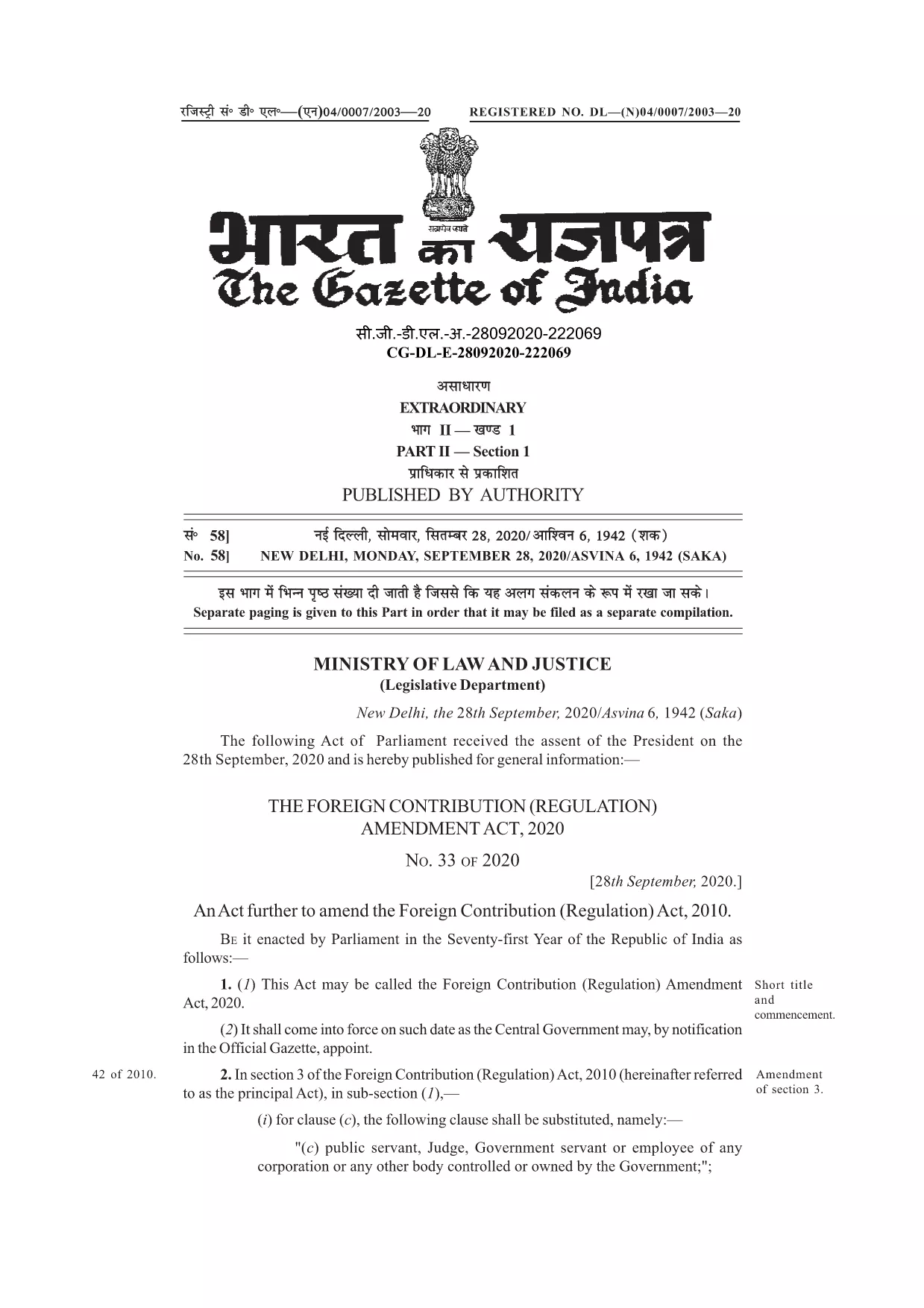
FC Application Form – Confirmed by FC Meaning & Online Fill

  1. Ენა ინგლისური
  2. ქვეყანა ინდოეთი
  3. დეპარტამენტი FCRA
  4. აქტივობა Foreign Contributions
შეავსეთ ეს ფორმა
FC Application Form – Confirmed by FC Meaning & Online Fill

Many organisations and individuals encounter the phrase “application form confirmed by FC” while dealing with foreign contributions in India. In the context of the Foreign Contribution Regulation Act (FCRA), FC stands for Foreign Contribution. A form that is “confirmed by FC” indicates that the submission has been reviewed and validated by the authorities overseeing foreign contributions.

Understanding this meaning is crucial before you start filling out the official form. The PDF linked below is the authentic, fillable version used for seeking prior permission, registration, or renewal under the FCRA.

With Formize’s online PDF filler, you can complete the form without downloading any software. Just click the button, let the Formize app load, and start typing directly into the fields.

Below you’ll find a concise guide, tips to avoid common errors, and resources for further assistance.

FAQ
  • What does “FC” stand for in this form?

    FC stands for Foreign Contribution, referring to any donation or grant from a foreign source that is regulated under India’s FCRA.

  • Is the PDF fillable online or do I need Adobe Acrobat?

    You can fill it directly online using Formize’s free PDF filler – no Adobe Acrobat required.

  • Can I save the form before submitting it to the authorities?

    Yes. After completing the fields, use the “Save” button in the Formize app to download a copy for your records.

  • What common mistakes should I avoid?

    Do not leave mandatory fields blank, ensure the bank account details match the designated FC account, and double‑check dates and signatures.

  • Do I need to attach supporting documents with this PDF?

    Typically, supporting documents (e.g., bank letters, project proposals) are submitted separately as per the FCRA guidelines.

  • Where can I get further assistance if I’m stuck?

    Refer to the FCRA official website or consult a legal professional experienced in foreign contribution regulations.

ᲠᲝᲒᲝᲠ

როგორ შეავსოთ FC application form უფასოდ, ონლაინ 3 მარტივი ნაბიჯებით:

  1. 1
    Click the Fill Button
    On this page, locate the blue “Fill out this form” button and click it. The Formize PDF Filler will open in a new tab.
  2. 2
    Wait for the Formize App to Load
    The filler loads in seconds. You’ll see a familiar PDF layout with editable fields highlighted.
  3. 3
    Complete and Submit
    Enter the required information, double‑check each field, then click the “Save” or “Download” button to obtain a completed PDF you can email to the FCRA office.
PDF შემავსებლის აპლიკაციის ფორმირება
ᲨᲔᲡᲐᲮᲔᲑ

FC application form შაბლონი

PDF დოკუმენტის სანახავად და შევსების ფუნქციების ტრადიციული ნაკრებით, ვებ აპლიკაციის უპირატესობებთან და საპასუხო განლაგებასთან ერთად, შეგიძლიათ შეავსოთ FC application form წუთებში.

ᲛᲐᲮᲐᲡᲘᲐᲗᲔᲑᲚᲔᲑᲘ

PDF შემავსებელი

ონლაინ FC application form-ის შევსების უმარტივესი გზა

  • სწრაფად შეავსეთ FC application form
    ეძებთ გზას სწრაფად შეავსოთ FC application form ონლაინ? ჩვენი ონლაინ უფასო PDF ფორმის შემავსებლით, თქვენ გეცოდინებათ როგორ შეცვალოთ და შეავსოთ ეს pdf დოკუმენტი ერთ წუთზე ნაკლებ დროში.
  • მარტივი გამოსაყენებელი ონლაინ PDF რედაქტორი
    მოგბეზრდათ PDF ფაილების დაბეჭდვა, რათა მათი რედაქტირება შეძლოთ, ხელახლა სკანირებამდე და უკან გაგზავნამდე? შეცვალეთ PDF დოკუმენტები უფასოდ ონლაინ. გამოიყენეთ ჩვენი ონლაინ pdf რედაქტორი დროისა და ქაღალდის დაზოგვისთვის.
  • შესანიშნავი ხელსაწყოები, ყველა პლატფორმა
    გაინტერესებთ როგორ შეავსოთ FC application form Mac-ზე, ან იქნებ როგორ გამოიყენოთ PDF შემავსებელი უფასოდ? ჩვენი ონლაინ PDF ინსტრუმენტები მუშაობს ყველა პლატფორმაზე.
  • ფაილების უსაფრთხო შენახვა
    დასრულებული „FC application form“ ფაილები ინახება დაცულ მონაცემთა ბაზაში, რომელსაც მართავს Amazon Cloud ჰოსტინგი. თქვენ შეგიძლიათ წაშალოთ თქვენი ფაილები ჩვენი სისტემიდან ნებისმიერ დროს. ნებისმიერ შემთხვევაში, ეს ფაილები ავტომატურად იშლება 24 საათის შემდეგ.
  • ჩატი FC application form-ით
    ესაუბრეთ „FC application form“-ს Chatize-ზე, რომელიც არის PDF წამკითხველის უფასო ასისტენტი. დასვით კითხვები და მიიღეთ პასუხები „FC application form“-დან. უბრალოდ დააწკაპუნეთ ღილაკზე ჩატი დოკუმენტთან ზემოთ.

შევსების სესიის წაშლა

წაშალოთ არჩეული შევსების სესია? ამ შემთხვევაში, თქვენი პროგრესი ფორმის შევსებაში დაიკარგება.

რედაქტირების სესიის წაშლა

წაშალოთ არჩეული რედაქტირების სესია? ამ შემთხვევაში, თქვენი პროგრესი ფორმის შექმნასა და რედაქტირებაში დაიკარგება.