
hamburger-menu icon
Აირჩიეთ ენა

Punjab Solemnization of Marriage Form (Fillable PDF)

  1. Ენა ინგლისური ჰინდი
  2. ქვეყანა ინდოეთი
  3. სახელმწიფო პენჯაბი
  4. დეპარტამენტი შინაგან საქმეთა და იუსტიციის დეპარტამენტი
შეავსეთ ეს ფორმა
Punjab Solemnization of Marriage Form (Fillable PDF)

Punjab Solemnization of Marriage Form (Fillable PDF)

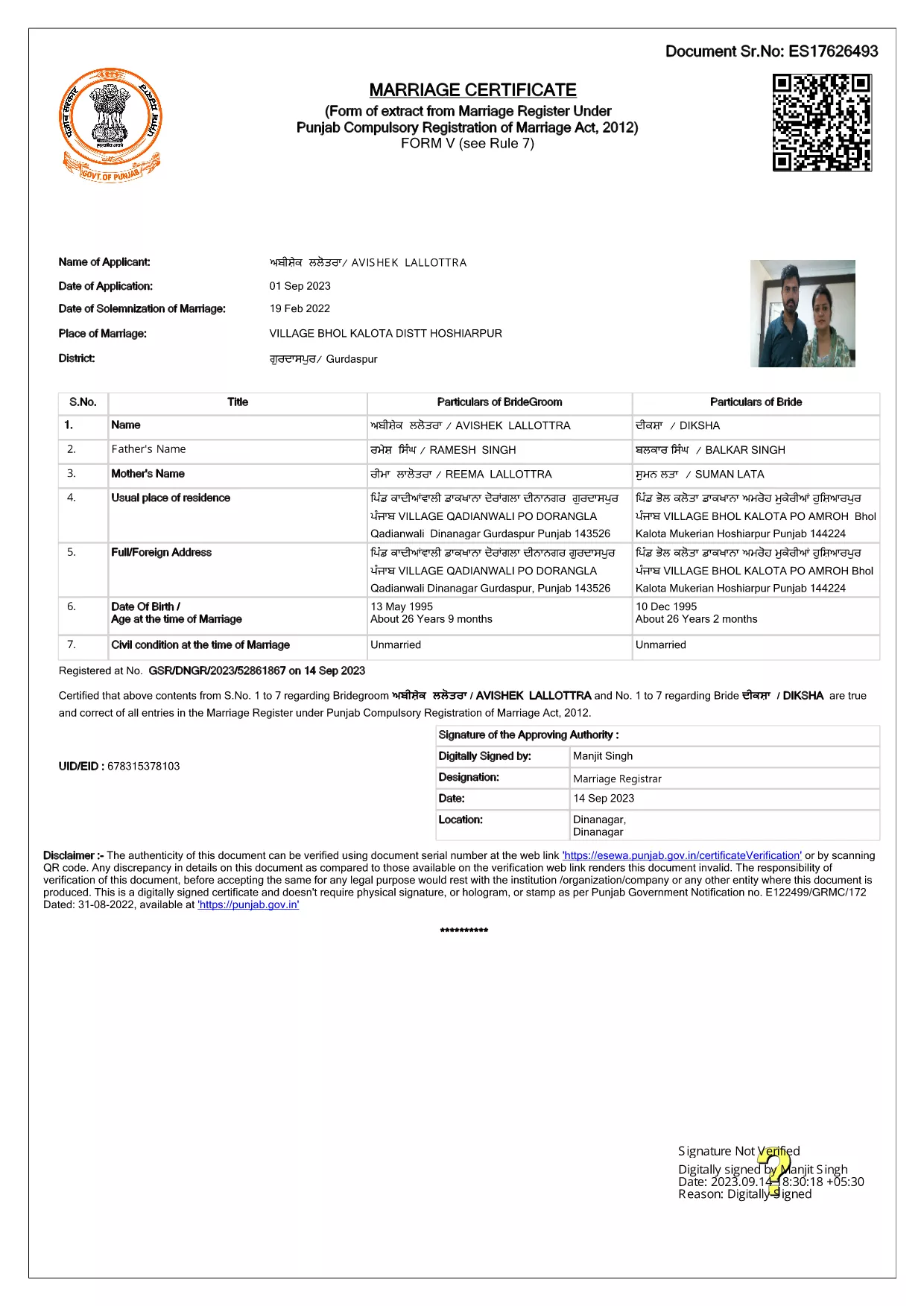
Getting married in Punjab requires you to submit the official Punjab Solemnization of Marriage form. This form records essential details of the bride, groom, and witnesses, and it is mandatory under the Punjab Compulsory Registration of Marriage Act, 2012.

What Is the Punjab Solemnization of Marriage Form?

The form is a government‑issued marriage certificate that captures personal information, parental details, and the date and place of the marriage ceremony. It is the legal proof needed for future documentation such as passport applications, property registration, and visa requests.

How to Fill Out the Form Online with Formize

Instead of printing, printing‑and‑scanning, or using a third‑party PDF editor, you can complete the form directly in your browser:

  1. Click the **"Fill out this form"** button on this page.
  2. Wait a few seconds while the Formize PDF Filler app loads.
  3. Enter the required information in each fillable field. The interface guides you through mandatory sections.
  4. Review your entries, then click **"Save & Download"** to get a completed PDF copy.

Common Mistakes to Avoid When Completing the Form

  • Incorrect spelling of names: Verify the spelling exactly as it appears on official ID documents.
  • Missing witness details: All three witnesses must be fully listed; incomplete entries will cause rejection.
  • Wrong date format: Use DD‑MM‑YYYY as required by the Punjab Registration Department.
  • Leaving optional fields blank: Even optional fields should be filled with "N/A" if not applicable.

Where to Submit the Completed Form

After you have saved the filled PDF, submit it to the nearest Punjab Registration Office or the designated online portal of the Punjab Registration Department. Bring original identity proofs for both parties and witnesses.

Download the Official PDF

Click the button below to download the original, government‑approved PDF. The file is hosted securely and matches the exact layout required by the registration authority.

FAQ
  • Is the Punjab marriage form available in Punjabi?

    The official PDF is printed in English, but you may fill it out in any language. For official submissions, the English version is accepted.

  • Do I need a digital signature?

    A digital signature is not required for the fillable PDF. You must sign the printed copy in the presence of a registrar.

  • Can I edit the form after I download it?

    Yes. The saved PDF remains fully editable with any standard PDF editor, but the Formize filler already lets you complete the form without extra software.

  • How many witnesses are required?

    Three adult witnesses are mandatory. Their full names, addresses, and signatures must be entered in the designated sections.

  • What documents do I need to submit with the form?

    Both parties must provide a valid ID (Aadhar, PAN, or passport), proof of residence, and the original signed marriage certificate.

  • Is there a fee for downloading the PDF?

    No. The PDF is provided free of charge. Any registration fees are paid directly to the Punjab Registration Office.

ᲠᲝᲒᲝᲠ

როგორ შეავსოთ Punjab marriage form უფასოდ, ონლაინ 4 მარტივი ნაბიჯებით:

  1. 1
    Click the Fill‑Out Button
    Press the **"Fill out this form"** button on the page to launch the Formize PDF Filler.
  2. 2
    Wait for the Filler to Load
    The app loads in a few seconds; you’ll see a clean, searchable interface with all form fields highlighted.
  3. 3
    Enter Your Information
    Type the required details for the bride, groom, and witnesses. The filler validates dates and mandatory fields automatically.
  4. 4
    Save and Download
    After reviewing, click **"Save & Download"** to get a completed PDF you can print or submit electronically.
PDF შემავსებლის აპლიკაციის ფორმირება
ᲨᲔᲡᲐᲮᲔᲑ

საგარეო საქმეთა სამინისტროს სააპლიკაციო ფორმები

Punjab marriage form არის საგარეო საქმეთა სამინისტროს განაცხადის ერთ-ერთი ფორმა. ინდოეთის საგარეო საქმეთა სამინისტრო გთავაზობთ სხვადასხვა აპლიკაციის ფორმებს გარე საქმეებთან და საერთაშორისო ურთიერთობებთან დაკავშირებული სხვადასხვა სერვისებისთვის. ზოგიერთი გავრცელებული განაცხადის ფორმა მოიცავს:

პასპორტის განაცხადი: ეს ფორმა გამოიყენება ინდური პასპორტის მისაღებად. ის აგროვებს პერსონალურ მონაცემებს, როგორიცაა სახელი, მისამართი, დაბადების თარიღი და ეროვნება.

ინდოეთის საზღვარგარეთული მოქალაქეობის (OCI) განაცხადი: ეს ფორმა გამოიყენება OCI სტატუსის მისაღებად, რომელიც ინდური წარმოშობის პირებს საშუალებას აძლევს იცხოვრონ და იმუშაონ ინდოეთში განუსაზღვრელი ვადით. ის აგროვებს პერსონალურ დეტალებს, მათ შორის ინდური წარმოშობის მტკიცებულებებს.

ვიზის განაცხადი: ეს ფორმა გამოიყენება ვიზის მისაღებად უცხო ქვეყანაში გასამგზავრებლად. ის აგროვებს პირად დეტალებს, მოგზაურობის ინფორმაციას და მოგზაურობის მიზანს.

ემიგრაციის ნებართვის განაცხადი: ეს ფორმა გამოიყენება იმ პირების მიერ, რომლებიც ეძებენ ემიგრაციის ნებართვას გარკვეულ ქვეყნებში დასაქმებისთვის. ის აგროვებს პერსონალურ ინფორმაციას და დასაქმების დეტალებს.

ატესტაციის განაცხადი: ეს ფორმა გამოიყენება სხვადასხვა დოკუმენტების, როგორიცაა განათლების მოწმობები, ქორწინების მოწმობები და კომერციული დოკუმენტების ატესტაციისთვის განაცხადი. ის აგროვებს დასამოწმებელი დოკუმენტის დეტალებს და ატესტაციის მიზანს.

საკონსულო სერვისების განაცხადი: ეს ფორმა გამოიყენება სხვადასხვა საკონსულო მომსახურებისთვის, მათ შორის, გადაუდებელი მოწმობების გაცემისთვის, საზღვარგარეთ ინდოეთის მოქალაქეებისთვის დახმარებისა და ინდოეთის მოქალაქეების რეგისტრაციისთვის. საჭირო კონკრეტული დეტალები დამოკიდებულია მოთხოვნილი სერვისის ბუნებაზე.

ᲛᲐᲮᲐᲡᲘᲐᲗᲔᲑᲚᲔᲑᲘ

PDF შემავსებელი

ონლაინ Punjab marriage form-ის შევსების უმარტივესი გზა

  • სწრაფად შეავსეთ Punjab marriage form
    ეძებთ გზას სწრაფად შეავსოთ Punjab marriage form ონლაინ? ჩვენი ონლაინ უფასო PDF ფორმის შემავსებლით, თქვენ გეცოდინებათ როგორ შეცვალოთ და შეავსოთ ეს pdf დოკუმენტი ერთ წუთზე ნაკლებ დროში.
  • მარტივი გამოსაყენებელი ონლაინ PDF რედაქტორი
    მოგბეზრდათ PDF ფაილების დაბეჭდვა, რათა მათი რედაქტირება შეძლოთ, ხელახლა სკანირებამდე და უკან გაგზავნამდე? შეცვალეთ PDF დოკუმენტები უფასოდ ონლაინ. გამოიყენეთ ჩვენი ონლაინ pdf რედაქტორი დროისა და ქაღალდის დაზოგვისთვის.
  • შესანიშნავი ხელსაწყოები, ყველა პლატფორმა
    გაინტერესებთ როგორ შეავსოთ Punjab marriage form Mac-ზე, ან იქნებ როგორ გამოიყენოთ PDF შემავსებელი უფასოდ? ჩვენი ონლაინ PDF ინსტრუმენტები მუშაობს ყველა პლატფორმაზე.
  • ფაილების უსაფრთხო შენახვა
    დასრულებული „Punjab marriage form“ ფაილები ინახება დაცულ მონაცემთა ბაზაში, რომელსაც მართავს Amazon Cloud ჰოსტინგი. თქვენ შეგიძლიათ წაშალოთ თქვენი ფაილები ჩვენი სისტემიდან ნებისმიერ დროს. ნებისმიერ შემთხვევაში, ეს ფაილები ავტომატურად იშლება 24 საათის შემდეგ.
  • ჩატი Punjab marriage form-ით
    ესაუბრეთ „Punjab marriage form“-ს Chatize-ზე, რომელიც არის PDF წამკითხველის უფასო ასისტენტი. დასვით კითხვები და მიიღეთ პასუხები „Punjab marriage form“-დან. უბრალოდ დააწკაპუნეთ ღილაკზე ჩატი დოკუმენტთან ზემოთ.

შევსების სესიის წაშლა

წაშალოთ არჩეული შევსების სესია? ამ შემთხვევაში, თქვენი პროგრესი ფორმის შევსებაში დაიკარგება.

რედაქტირების სესიის წაშლა

წაშალოთ არჩეული რედაქტირების სესია? ამ შემთხვევაში, თქვენი პროგრესი ფორმის შექმნასა და რედაქტირებაში დაიკარგება.